Showing posts with label Ford IDS. Show all posts

2025/08/17

Free Download VXDIAG Ford IDS V131 Software


Great news! VXDiagshop.com customers have successfully tested the new Ford V131 diagnostic software with our VXDIAG devices—it works perfectly using the previous V130’s patch.”


Ford ids 131.03 (06/2025)
Tested: Vxdiag ok (VXDIAG VCX NANO Ford USB/WiFi, VCX SE Ford, VCX FD Ford etc)
Activation To test : Ford ids ParisCy
Without password.

Free download Ford IDS V131 software


Version: Ford IDS V131

Support multi-languages: English, Japanese, Portuguese, Romanian, Korean, Dutch, Polish, Turkish, Spanish, French, Italian, Croatian, Danish, German, Swedish, Finnish, Slovenian, Czech, Russian, Greek, Chinese

Operating system: Windows 7, Windows 8, Windows 10 Pro, 32bit and 64bit
Can be used as J2534 Passthru for Forscan, FJDS, FDRS and MDARS. Some New models after 2020 need to use FDRS and MDARS.

vxdiag vcx nano ford ids v131

2025/03/27

VXDIAG 2TB Ford IDS Software Freezes Solution

Problem:

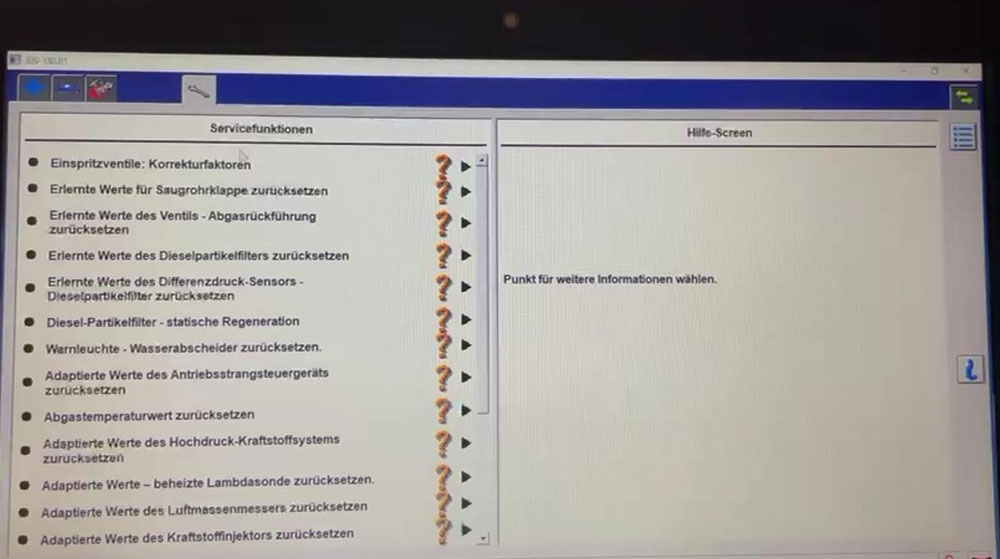
Bought the vxdiag vcx se with 2tb full software SSD. Ford IDS v130 software freezes when attempting to program the fuel injectors. Images attached.

VXDIAG 2TB Ford IDS Software Freezes  1

VXDIAG 2TB Ford IDS Software Freezes  2

 VXDIAG 2TB Ford IDS Software Freezes  3

 VXDIAG 2TB Ford IDS Software Freezes  4

Solution:

Don’t start software from IDS desktop icon.

Run IDS from patch!!!


2025/01/08

How to Fix VXDIAG Ford IDS V130 Database and Software Do Not Match?

Problem:

Failed to install Ford IDS 130.01 software for vxdiag vcx nano. Error the database and software do not match. Uninstall and reinstall twice, still no luck. Also tried 130.09 version. Same error. Any solution?

VXDIAG Ford IDS V130 Database and Software Do Not Match

Solution:

Completed uninstall Ford IDS v130 software.

Delete Ford IDS folder.

Restart computer.

Then install Ford IDS software again.

How to Install VXDIAG VCX NANO Ford IDS V130?

2024/08/07

Set up VXDIAG VCX NANO Ford for TCM Programming

Here comes the user review on VXDIAG VCX NANO Ford and Forscan/IDS software in July 2024.

Set up VXDIAG VCX NANO Ford for TCM Programming

"Install the VX Manager from the devices website. web address on the side of device.

FORScan - I used this app to test the connection to the car. you have to change the settings in the app to this device before it will work. ( this is how i knew it did talk to the car) but FORscan will not program the blank TCM

In VX Manager you will need to go to the Diagnostic tab at the top and install the Ford IDS drivers.

I had the most trouble getting this program to install - VCI_Software_1.0.1.18 but it was because i needed Java installed which is not on windows 10 systems. downloaded and installed Java runtime. after i did get this program to install, i uninstalled and reinstalled the Ford IDS drivers for the device. (this is when it started to work for me in IDS). It does work with ford ids, but it took a while to figure it out.

I used Ford IDS 130.06 to program a new TCM.

2 day IDS/FDRS Software License = 150.00 per license which i bought before i had it working so i had 2 days to get it figured out. Took me a long time to get it to work but i think it was because i could not get the VCI_Software installed. Ford IDS program at motorcraftservice. com."


www.vxdiagshop.com

2024/04/22

VXDIAG Ford IDS ‘No Active IDS Software Access’ Solution

Problem:

The vxdiag vcx se Ford scanner has no communication with my Ford. When start IDS V130 software, it says no active IDS software access rights were found.
it is needed for vehicle connections.

Error:
“No active IDS software access rights were found on your computer.
It is needed for vehicle connections.”

Any solution?

VXDIAG Ford IDS V130 ‘No Active IDS Software Access’ 1

VXDIAG Ford IDS V130 ‘No Active IDS Software Access’ 2

Solution:

MUST start IDS from patch.


Follow the correct procedure to install Ford IDS V130.

1.Install Ford IDS 130
2. Restart computer when Ford IDS installation is completed
3. Install Ford VCI driver 1.0.0.10.exe
4. Install VX Manager and Ford IDS driver
5.Connect VCX SE and Install IDSPatch
6. Run IDS from Patch

How to Install VXDIAG VCX NANO Ford IDS V130?

2023/12/18

VXDIAG Ford IDS V130 Software Installation Guide

Ford IDS V130 was tested and verified working fine with vxdiag scanners including VXDIAG VCX NANO Ford/Mazda USB or WiFiVCX SE or VCX Plus Ford/Mazda.

VXDIAG Ford IDS V130 Software Installation 1

Here is the guide to install vxdiag Ford IDS V130 software on Windows 10.


Software can be downloaded free here

Operating system: Windows 10 (free to test on Win7 and Win11)

NOTE: Don’t install both Ford IDS and Mazda IDS on the same operating system!!!


Procedure:

Open Ford IDS V130 software folder

Install IDS_130.01_full.exe setup

VXDIAG Ford IDS V130 Software Installation 2

Select setup language
Install setup until completed

Reboot

VXDIAG Ford IDS V130 Software Installation 3

VXDIAG Ford IDS V130 Software Installation 4

Install VCI_Software_1.0.0.10 driver

VXDIAG Ford IDS V130 Software Installation 5

VXDIAG Ford IDS V130 Software Installation 6

VXDIAG Ford IDS V130 Software Installation 7

Install VX Manager 1.8.9

Install Passthru and Ford/Mazda IDS driver

VXDIAG Ford IDS V130 Software Installation 8

Copy and paste IDS_Patch to desktop
Connect VXDIAG device with laptop
Run VX Manager
check device status

VXDIAG Ford IDS V130 Software Installation 9

Run Ford IDS from IDS_Patch on desktop
Software is ready to use

VXDIAG Ford IDS V130 Software Installation 10

VXDIAG Ford IDS V130 Software Installation 11

https://www.vxdiagshop.com/service/install-vxdiag-ford-ids-v130-on-win10.html


2023/12/17

VXDIAG VCX NANO Ford Explorer Key Fob Programming

I got the VXDiag to use IDS for programming a remote for my 2017 Ford Explorer PIU. My browser and antivirus both flagged the software. I ended up using a virtual machine on my laptop in order to use it. It works, for what it’s worth.

This is the link for the device: https://www.vxdiagshop.com/wholesale/vxdiag-vcx-nano-for-ford-mazda-2-in-1.html

VXDIAG VCX NANO Ford Explorer Key Fob Programming

My local dealership wanted to charge $200 to program and ended up saying they couldn’t program it because these cars don’t have PATS. So it was my only option for programming the key short of jumping around to a bunch of dealerships and wasting lots of time/money.

Also for Forscan, you do not need to purchase a license. You can keep using the free trial and requesting a trial again once it expires again. Even with the same information/email.


Getting it programmed at Ford is hit on miss. I tried to have them program my keyfob before I found the device. They were going to charge about $180 with the keyfob I included. They weren’t able to figure it out, so ended up not charging me.


I used VXDiag with my 2017 to get the OEM Keyfob working. I used a virtual machine on my laptop to use it, but you get access to IDS so you can do all the programming. It needs a $89 device plus the keyfob which I think was about $20. This is probably the cheapest way to get the keyfob working unless you know someone who has IDS access.

But seriously use it cautiously if you’re going to use it.

2023/12/05

Free Download VXDIAG Ford IDS 130 Mazda IDS V131

Latest version Ford IDS V130 and Mazda IDS V131 were tested working fine with VXDIAG scanners.


Software version:
Ford IDS V130
Mazda IDS V131


Operating system:

Windows 7/Windows 8/Windows 10


Multi-language


Compatible devices:
VXDIAG VCX NANO Ford/Mazda USB or WiFiVCX SE or VCX Plus Ford/Mazda

vxdiag ford mazda scanners

VXDIAG Ford IDS V130

Password: qq8s

VXDIAG Mazda IDS V131

Password: a7gu

VXDIAG IDS Patch

Password:  k55y


How to Install VXDIAG Ford & Mazda IDS?

Ford IDS Installation:

1. Install Ford IDS-1**
2. Wait for the installation of Ford IDS – 1**, and restart the computer
3. Install the Ford original VCI software_ 1.0.0.10.exe
4. Install VX manager and IDS driver on VX manager “Diagnostic” Menu
5. Wait for VX manager and IDS driver installation to complete
6. Connect VCX device and install idspatch
7. Use idspatch to open IDs and start diagnosis.

Mazda IDS Installation:

1. Install mazdaids-1**
2. Wait for mazdaids – 1** installation to complete and restart the computer
3. Install VX manager and IDS driver on VX manager “Diagnostic” Menu
4. Wait for VX manager and IDS driver installation to complete
5. Connect VCX device and install idspatch
6. Use idspatch to open IDs and start diagnosis.


2023/05/10

How to Fix VXDIAG Ford IDS Cannot Proceed Error?

Problem:

I had a problem running vxdiag vcx nano Ford IDS V129 software. It gives an error “Cannot Proceed until application has finished”. Any idea?

Fix VXDIAG Ford IDS Cannot Proceed Error

Solution:

Must start IDS from patch.

Download IDS patch here.

Free Download VXDIAG VCX NANO Ford Mazda IDS V129

2023/04/16

VXDIAG VCX NANO Cannot Change Ford IDS Language?

Problem: 

I got the vxdiag vcx nano Ford IDS V129 software installed but only displayed in English, reinstall IDS still cannot change language in Setting. Any idea?

vxdiag ford ids language

Solution:

If there is no English selection option in Setting, you are not able to change IDS software language.

Users have to select language they desired when install Ford IDS software.

vxdiag vcx nano ford ids change language