Showing posts with label VXDIAG VCX NANO GDS2. Show all posts

2024/10/25

VXDIAG GDS2 Clear 2013 GM Volt P0AFA and P1E00 Codes

How to clear code P0AFA using VXDIAG VCX NANO GM GDS2?

Here is the user’s working expense:

“It is a 2013 GM Volt with a few bad cells. The cell voltage dropped below the threshold again to get the RPP error and locked out of charging. Torque pro app shows the fault code P1E00 and P0AFA. But it does not clear the codes. After trying a few tools without success, I finally decided to follow the suggestions here and purchased the VXDIAG VCX Nano GM from vxdiagshop.com along with the GDS2 software. The GDS2 software itself didn’t need to be purchased, as they provided a download link, but I did buy an online account separately.


For installing GDS2. First you have to install the GM MDI software. Then GDS2. Then VX Manager. At least that’s what worked for me.


How to clear code P0AFA?

Used Win10 laptop with VXDIAG VCX NANO code reader connected with USB cable.

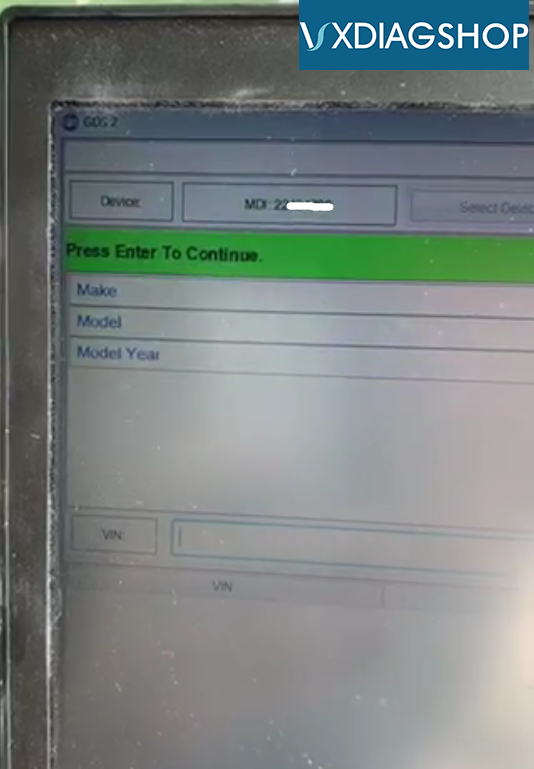
Opened VXDIAG software, then diagnostics, then GDS2 software, it installed GDS2, then opened GDS2, next clicked find VIN, found the car, then followed instructions.

  • module diagnistics
  • hybrid powertrain control model 2
  • control functions
  • clear secured high voltage DTC’s
  • last tab, “DTCs Display”
  • select the item in list and click “Reset”. Once text above “Reset” button says “reset” exit the “Clear Secured High Voltage DTCs” procedure which should put you back at procedures menu
  • go back to “Hybrid/EV Powertrain Control Module 2” menu and select “Display DTC’s”
  • Click the “Clear DTC” button. It took me to another page with list of DTCs at top and had to add the DTC to list at bottom as a way to “selecting” it.
  • Click Ok, twice. At that point my DTC was clear and car started charging.

I checked to see if there were any other DTCs but did not see any. I turned the car of and it is currently charging.”

My advice to others trying to clear these codes is: Invest in the right tools and follow the step-by-step process. It saves you a lot of hassle and a trip to the dealer.

Volt running smoothly.

I strongly recommend purchasing directly from the official website (vxdiagshop.com), where you can get excellent customer support!

Also, there are relevant installation tutorials on the website, which might be helpful to you!

Good luck to everyone dealing with this issue!

2024/03/13

VXDIAG “GDS2.exe Shortcut Changed or Moved’ Solution

Problem:

One of our customers had a problem running vxdiag vcx nano gm 2023.10 gds2 from patch. Error
“The item GDS2.exe that this shortcut refers to has been changed or moved. Do you want to delete the shortcut?”

VXDIAG “GDS2.exe Shortcut Changed or Moved’ Solution

Solution:

GDS2.exe was killed by the anti-virus program.

Disable anti-virus program, download GDS2 and install again.

Especially on Windows 10 system, need to disable Real-time protection.

Select Start and type “Windows Security” to search for that app. Select the Windows Security app from the search results, go to Virus & threat protection, and under Virus & threat protection settings select Manage settings. Switch Real-time protection to Off. Note that scheduled scans will continue to run.

VXDIAG GDS2 Software V2023.10.19 Free Download

www.vxdiagshop.com

2021/04/16

Free Download 2020.7 VXDIAG GM GDS2 Tech2win Crack iSO

Free download GM GDS2 Tech2win crack for 2020.7 VXDIAG VCX NANO GM on mega:

https://mega.nz/file/0oZGXJaC#6mKkEWDB0Z6lz7wulFjzmb4bpyoK1KWDkQIzdQW8HFQ


Contributor: vxdiagshop.com engineer


Contained: GDS2, Tech2win, Patch, both new and old vx manager


Working or not? Any difference?

It is tested by an increasing number of users.

If you download the link supplied by the VXDIAG factory and found it failed to install or got any error, please download from this link, because we modified something so that you can use if successfully and pleasantly.

OS:

Win7: confirmed

Win8: not yet, but should be okay

Win10: confirmed


GM GDS2 Languages: English, Spanish, French, Italian, Portuguese, Netherlands, Russian, Arabic, Japanese, Chinese, Vietnamese
GM Tech2win language: English 


GM GDS2 & Tech2win Installation Manual


2019/08/23

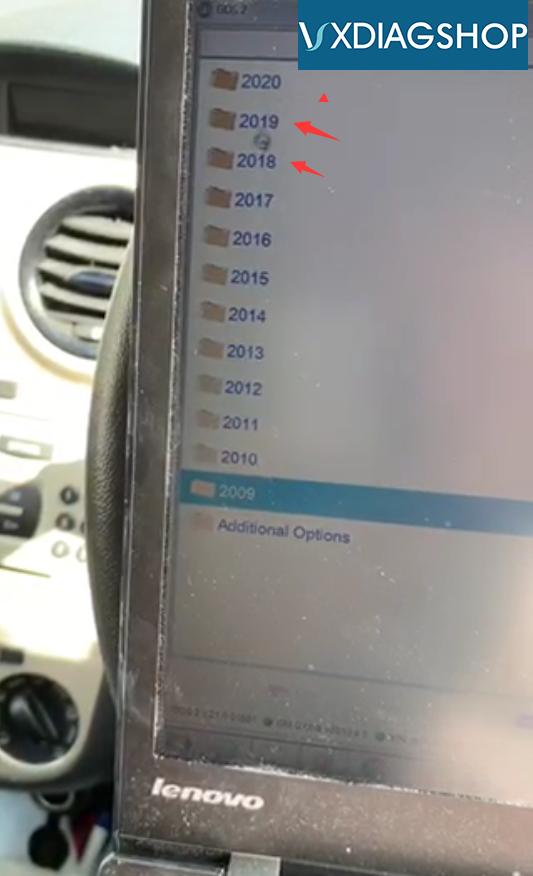
Does VXDIAG VCX GDS2 supports GM 2018 2019?

Q: Will VXDIAG VCX NANO GDS2 software supports GM vehicle till 2018 2019? Does tech2win software work on Saab and Opel?

A:  VXDIAG will work on GM new to 2019.  Tech2win does not support Saab and Opel vehicles.
vxdiag-gds2-car-list-2 vxdiag-gds2-car-list-3