Problem:
I installed VXDIAG Ford IDS V112 Native which works and communicates but allows no access to module programming a window pops up stating selection not available I have an internet connection how can I access module programming?
VXDIAGSHOP solution:
Download Ford IDS programming patch here, you will be able to access module programming.
FordExtendProgrogramming .exe
https://mega.nz/#!gREkDChZ!7Yo8_ks39I0Wr6-k8nspZauR6qMqvdfcqeHlR60GMxc

VXDIAG VCX NANO, VCX SE, VCX Plus, VCX DoIP multi diagnostic tool software and hardware support from vxdiagshop.com
Showing posts with label VXDIAG Ford IDS V112. Show all posts
Showing posts with label VXDIAG Ford IDS V112. Show all posts

2019/01/11
How to install VXDIAG Ford IDS V112 Software without VMware
How to: download and install VXDIAG Ford IDS or Mazda IDS latest version V112 software on nactive machine (no virtual machine).
Software version: V112.01
Compatible device: VXDIAG VCX NANO for Ford/Mazda, VXDIAG Multi tool for Ford/Mazda, VCM2 clone using VXDIAG solution
Operating system: Win7/Win8/Win10 (you can try yourself)
Preparation:
Download IDS V112 & patch from previous post here.
How to install Ford IDS V112/Mazda IDS V112 on native machine?
[embed]https://youtu.be/QPWqh48wKUY[/embed]
Step 1: Install IDS setup
Install IDS-112.01_Full setup


Accept license agreement
Select destination folder
Click on Install

Install IDS 112.01 installshield wizard until completed

Restart computer after installing setup
Step 2: Install VX Manager
Open VX Manager
Accept license agreement
Press Next

Installing VCX SDK Driver

This will also start VXDIAG Cloud Diagnostic Service

VX Manager installation completed
Connect the VXDIAG Ford interface with laptop

Open VX Manager to check connection status (If use VCX-DoIP interface, it will auto detect and connect to laptop)

Select Diagnostic Software: Ford IDS


Install Ford IDS driver
Step 3: Install Patch & Run IDS

Open IDS patch

Ford IDS requires teh following information: dealer type (Ford/Lincoln/Mercury),Dealer code (1111) and country
Press tick icon to continue

Auto starts IDS software and diagnose vehicle.
Done.
http://www.vxdiagshop.com/service/how-to-install-vxdiag-ford-ids-v112-without-vmware-7029.html
Software version: V112.01
Compatible device: VXDIAG VCX NANO for Ford/Mazda, VXDIAG Multi tool for Ford/Mazda, VCM2 clone using VXDIAG solution
Operating system: Win7/Win8/Win10 (you can try yourself)
Preparation:
Download IDS V112 & patch from previous post here.
How to install Ford IDS V112/Mazda IDS V112 on native machine?
[embed]https://youtu.be/QPWqh48wKUY[/embed]
Step 1: Install IDS setup
Install IDS-112.01_Full setup
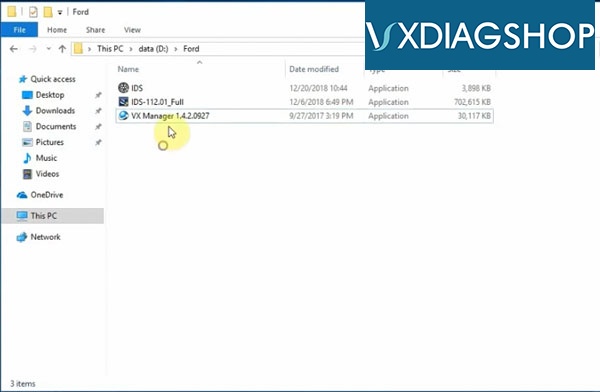
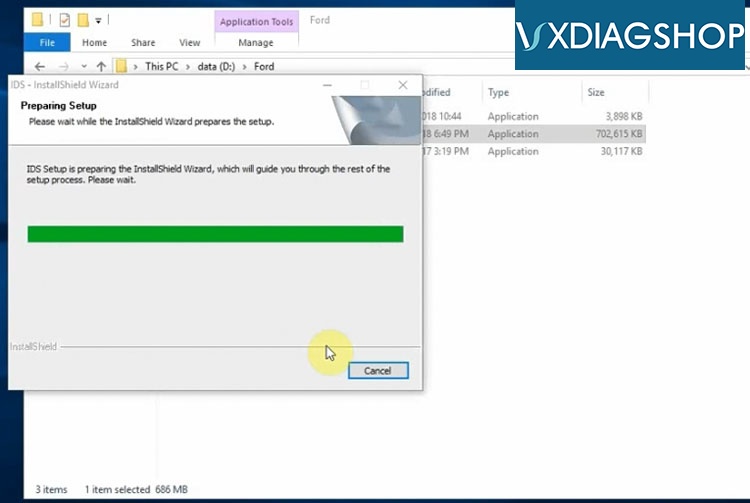
Accept license agreement
Select destination folder
Click on Install
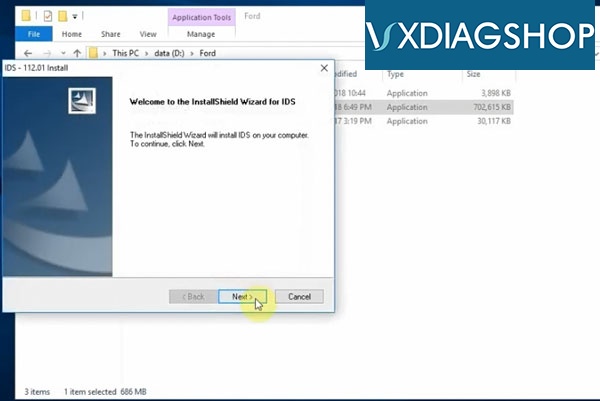
Install IDS 112.01 installshield wizard until completed
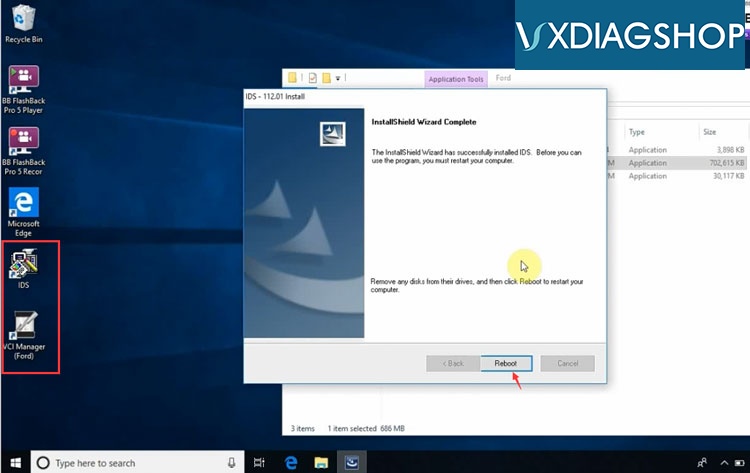
Restart computer after installing setup
Step 2: Install VX Manager
Open VX Manager
Accept license agreement
Press Next
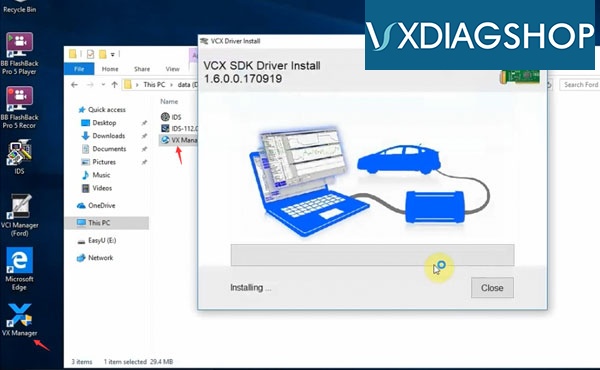
Installing VCX SDK Driver
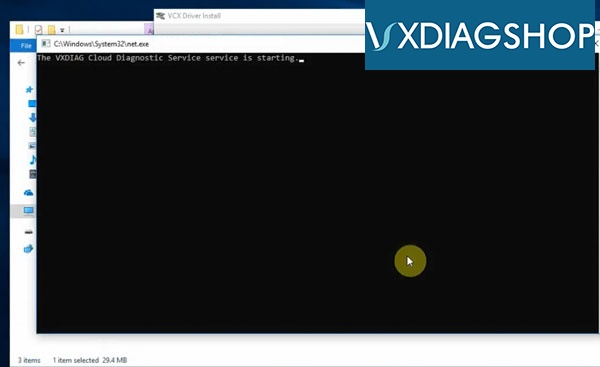
This will also start VXDIAG Cloud Diagnostic Service
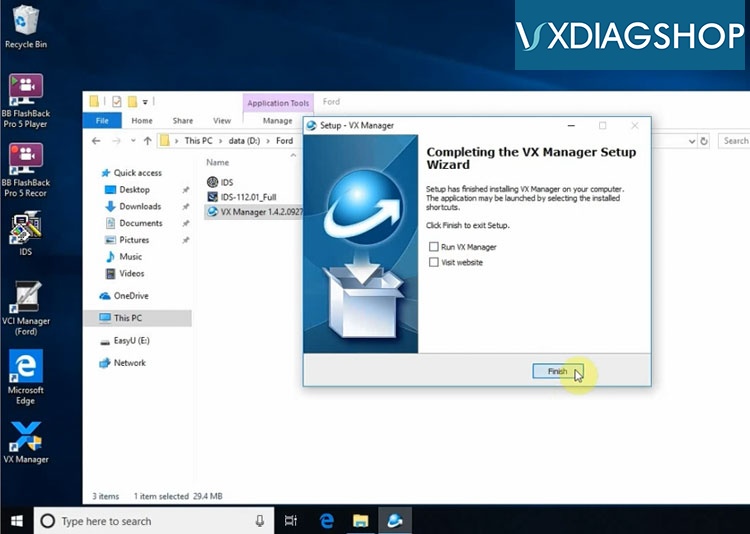
VX Manager installation completed
Connect the VXDIAG Ford interface with laptop
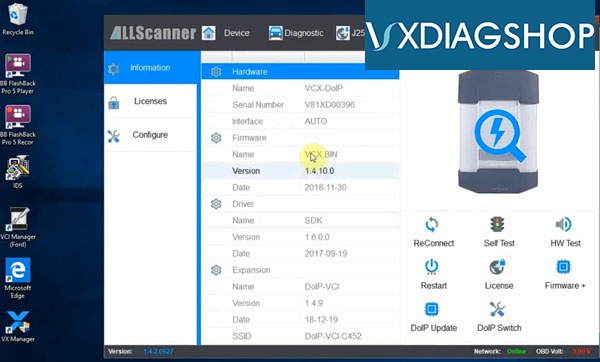
Open VX Manager to check connection status (If use VCX-DoIP interface, it will auto detect and connect to laptop)
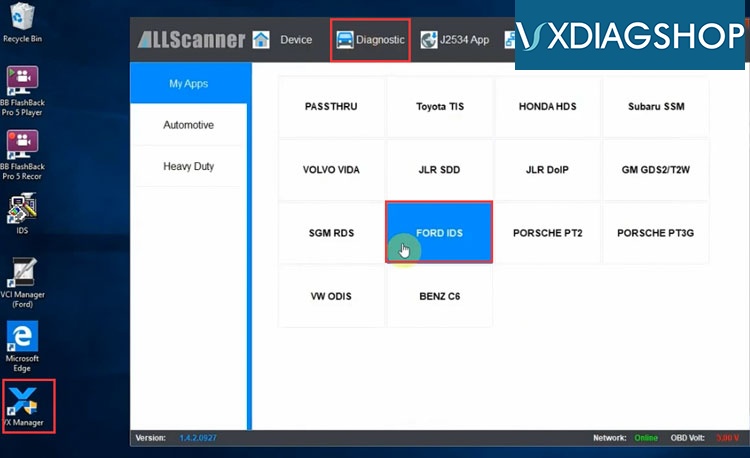
Select Diagnostic Software: Ford IDS
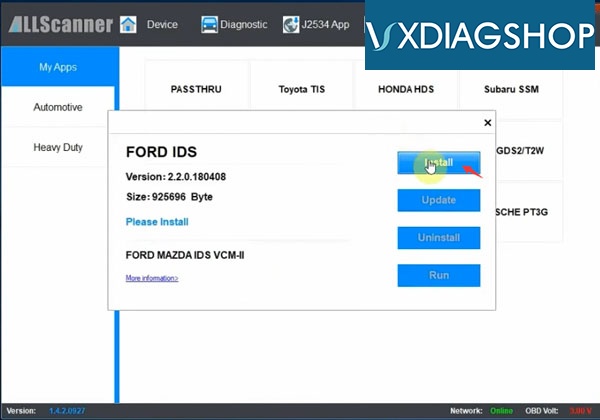
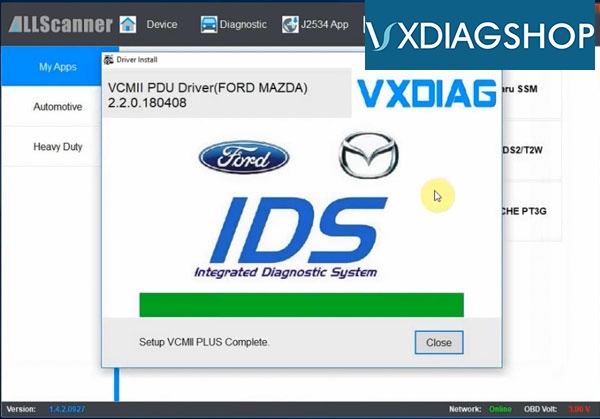
Install Ford IDS driver
Step 3: Install Patch & Run IDS
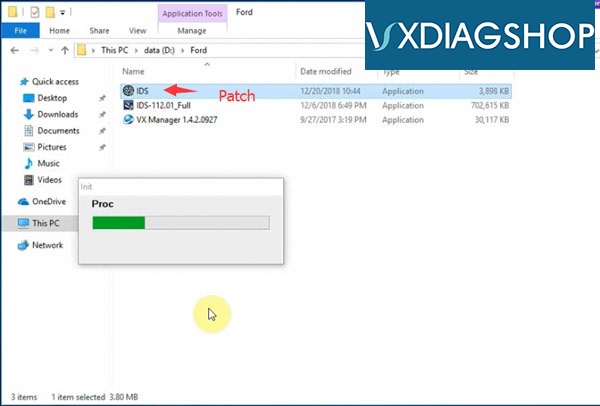
Open IDS patch
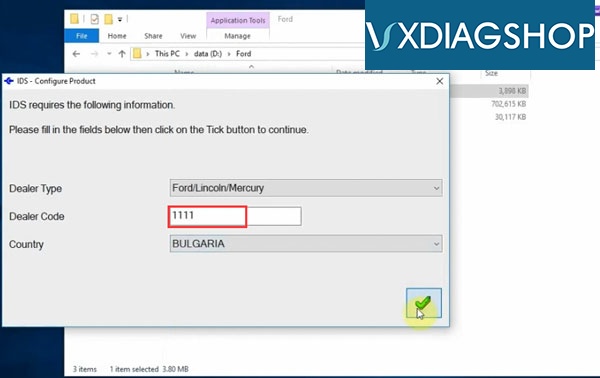
Ford IDS requires teh following information: dealer type (Ford/Lincoln/Mercury),Dealer code (1111) and country
Press tick icon to continue
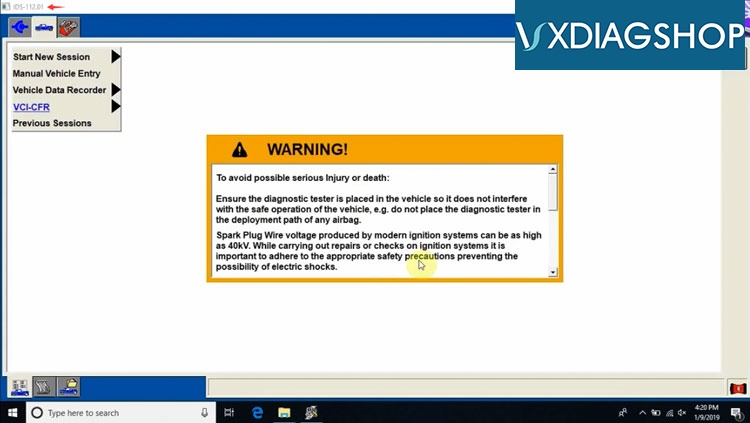
Auto starts IDS software and diagnose vehicle.
Done.
http://www.vxdiagshop.com/service/how-to-install-vxdiag-ford-ids-v112-without-vmware-7029.html
Subscribe to:
Posts (Atom)