Showing posts with label VXDIAG Scanners. Show all posts

2022/08/31

How to Check VXDIAG Device IP when No Device Found?

VXDIAG diagnostic tool common “No device” error is usually caused by an incorrect device IP address.

check vxdiag device ip 1

How to check if VXDIAG scanners device IP is correct?

Take Windows 10 system as an example

Open Network & Internet settings-> Change Adapter options

check vxdiag device ip 2

check vxdiag device ip 3

check vxdiag device ip 4

Check Ethernet (Realtek USB FE Family Controller) network Status->Details

check vxdiag device ip 5

check vxdiag device ip 6

check vxdiag device ip 7


Check IPv4 DHCP and DNS server IP address

The correct IP address should be 192.168.171.1 or 192.168.8.1.

check vxdiag device ip 8

If IP is incorrect, reset firmware is required. Check the instructions here:

http://blog.vxdiagshop.com/2022/05/10/vxdiag-no-device-detected-with-vx-manager-1-8-6-onwards/

2021/10/07

VXDIAG 2TB HDD No Network Solution

Here is the working solution to vxdiag scanner with 2TB hard drive (HDD) no network connection problem.


Symptoms:

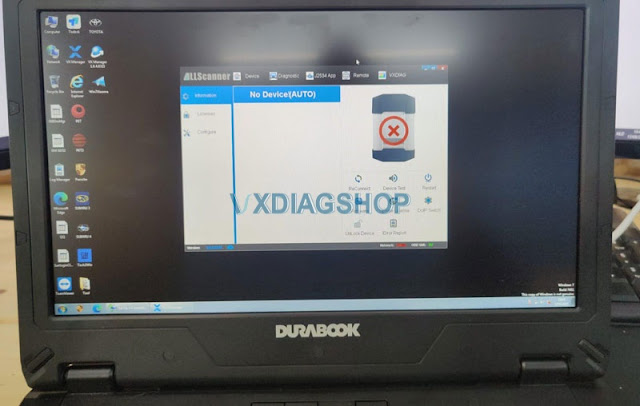
1. No device is detected in vx manager

2. No network connection when choosing certain software GM, Subaru, Porsche etc

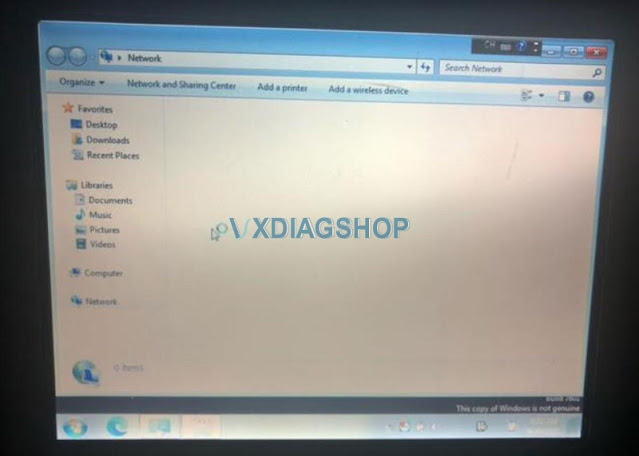
VXDIAG 2TB HDD No Network 1
VXDIAG 2TB HDD No Network 2

Reason:

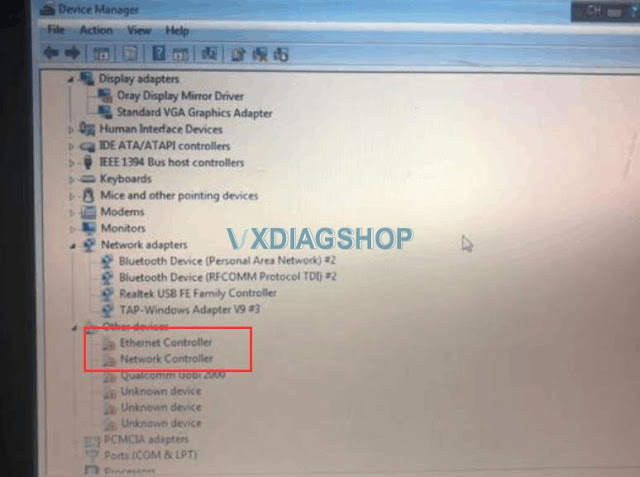
Missing Ethernet Network Controller driver (NIC driver)

VXDIAG 2TB HDD No Network 3

How to solve:

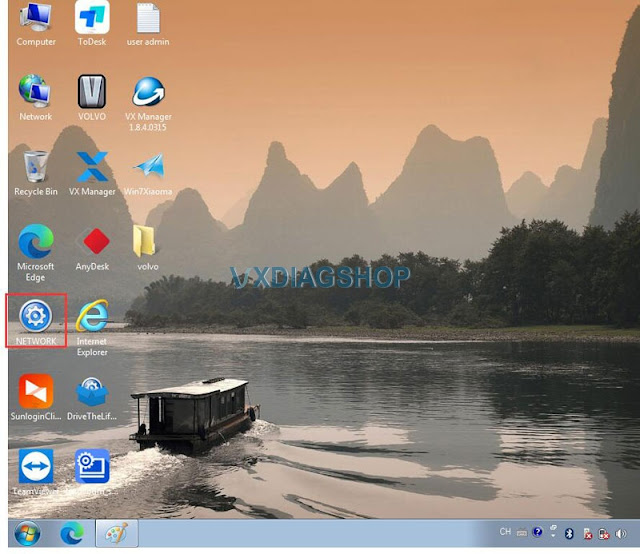
Run NETWORK program on desktop or Tool folder, install the Driver Genius. The network connection should be fine.

VXDIAG 2TB HDD No Network 4

www.vxdiagshop.com

https://www.vxdiagshop.com/service/solve-vxdiag-2tb-hdd-no-network-connection.html

2020/08/10

Free Download Honda HDS 3.103.048 for VXDIAG Scanner

 HDS (Honda Diagnostic System) software version V3.103.048 is verified working with vxdiag scanners (vcx pro for Honda, vcx plus for Honda, vxdiag full etc).


Version:  HDS 3.103.048 + I-HDS 1.005.048 + J2534 Rewrite 1.00.0034 + Immobilizer Setup Tool 1.3.9

Operating System: WinXP, Vista, Win 7, WIN8, WIN10

Language: English Chinese Spanish French Korean Portuguese Indonesian

Year: 2020
Date of update: 2020


Free Download Honda HDS 3.103.048 Software Torrent

https://mega.nz/folder/2QpWgATI#rYNeXcLKIqGfZY1XZya_Kg


File including

HDS software 3.103.048
Honda Extension 1.0.33
i-HDS 1.005.048
Immobilizer Setup Tool 1.3.9
J2534 ECU Rewrite: 1.00.0034, Build Date: 02/19/2020, Calibration File Count: 2096

download-honda-hds-v3-103-048


*The HDS software here does not test with other Honda VCIs, you are at your risk.

honda-hds-v3-103-048-software-1

honda-hds-v3-103-048-software-2

honda-hds-v3-103-048-software-3


Honda HDS functions include:
•DTC reading and clearing
•Snapshot function (capture data relative to a trigger event)
•Vehicle data display (value, line graph, or bar graph formats)
•DLC locator diagrams
•Data list display (real-time display of ECU parameters)
•Onboard tutorial
•Generic scan tool runs basic tests on non-Honda/Acura vehicles (HDS Tablet and Pocket Tester only)
•Control module update functions (HDS Tablet and Pocket Tester only)

Honda I-HDS replaces HDS. To diagnose newer cars, I-HDS is required. The interface is easier to use. So you need to install HDS first and I-HDS afterwards. 

The J2534 Rewrite software allows you to update powertrain modules such as PCM and TCM.

Test coverage: Dynamical, Body, Chassis, ABS, SRS, Anti-theft, etc. HDS supports CAN BUS system, and it can program key and re-program the Auto ECU.

www.vxdiagshop.com

2019/09/03

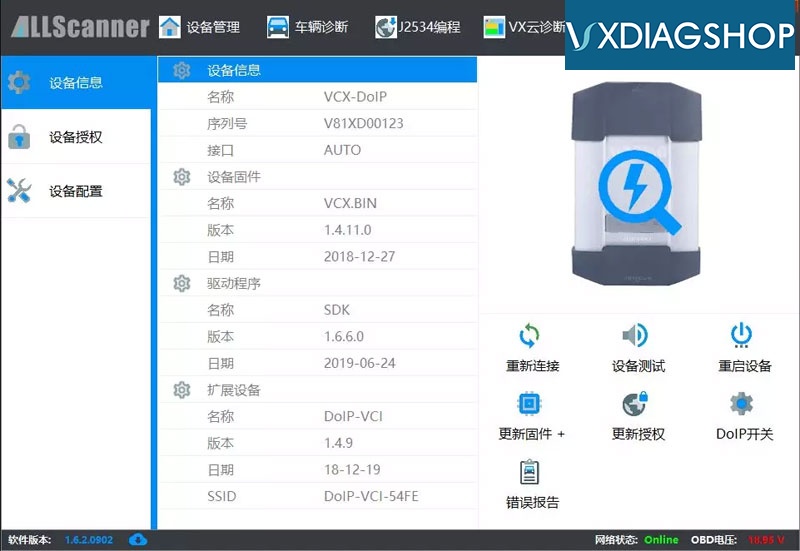
VXDIAG VX Manager Driver Update to V1.6.2 (2019.09.02)

New VX Manager driver for all VXDIAG scanners released to V1.6.2.

2019.09.02 V1.6.2 Build 0902

* Optimize the stability of the DoIP firmware upgrade program.
* Update Offline prompts and do not upgrades automatically.
vxdiag-vci-update
How to install VX Manager?

2019/08/27

VXDIAG Scanners 8.28 Big Sale Promotion

VXDIAGSHOP.com now is rolling out the 8.28 mid-year big sale promotion.

Top vxdiag scanners at favorable price:
Item No.ProductOriginal Price (USD)Promotion Price (USD)
SP238-WWiFi VXDIAG VCX NANO 5054 for VW65.0059.99
SP239VXDIAG VCX NANO Ford/Mazda89.0079.99
SP239-WWiFi VXDIAG VCX NANO Ford/Mazda99.0089.99
SP240VXDIAG VCX NANO for JLR95.0079.00
SP240-WWiFi VXDIAG VCX NANO for JLR105.0089.00
SP241VXDIAG VCX NANO  for GM Opel109.0099.00
SP241-WWiFi VXDIAG VCX NANO  for GM Opel119.00109.00
SP245VXDIAG VCX NANO for Toyota69.0062.99
SP245-WWiFi VXDIAG VCX NANO for Toyota75.0069.99
SP319VXDIAG VCX NANO for Volvo59.9955.99
SP304VXDIAG VCX Pro with 3 software239.00199.00
SP323VXDIAG VCX Pro with 7 software439.00399.00
VX01-WVXDIAG VCX for Toyota Honda JLR219.00199.00
VX02-WVXDIAG VCX for Porsche and JLR without HDD519.00499.00
VX03-WVXDIAG VCX for Porsche and JLR with CF30 Laptop749.00699.00
VX05-WVXDIAG Subaru SSM3299.00269.00
VX06-WVXDIAG VCX for Toyota Ford Mazda Landrover/Jaguar 4 in 1209.00199.00
VX07-WVXDIAG VCX for FORD/MAZDA/HONDA/JLR 4 in 1219.00199.00
VX10VXDIAG VCX for BMW, VW, JLR with 2TB HDD459.00399.00
VX10-1VXDIAG A3 for BMW with HDD459.00399.00
VX10-BVXDIAG VCX for BMW, VW, JLR without HDD369.00329.00
VX10-CVXDIAG for BMW only without HDD229.00199.00
VX11VXDIAG for Benz and BMW without HDD469.00419.00
VX11-BVXDIAG Benz C6 without HDD369.00349.00
VX15VXDIAG VCX DoIP without HDD499.00449.00
VX16-BPorsche Tester III with SSD 240G & Panasonic CFAX3 Laptop2,599.002,399.00
VX17VXDIAG Full brand with 2TB HDD & T4201,199.001,099.00
VX17-BVXDIAG full brand host only979.00869.00

Any questions feel free to contact us:
Email: sales@vxdiagshop.com
Skype: vxdiag.com
Whatsapp: 0086-18064450969

2019/08/01

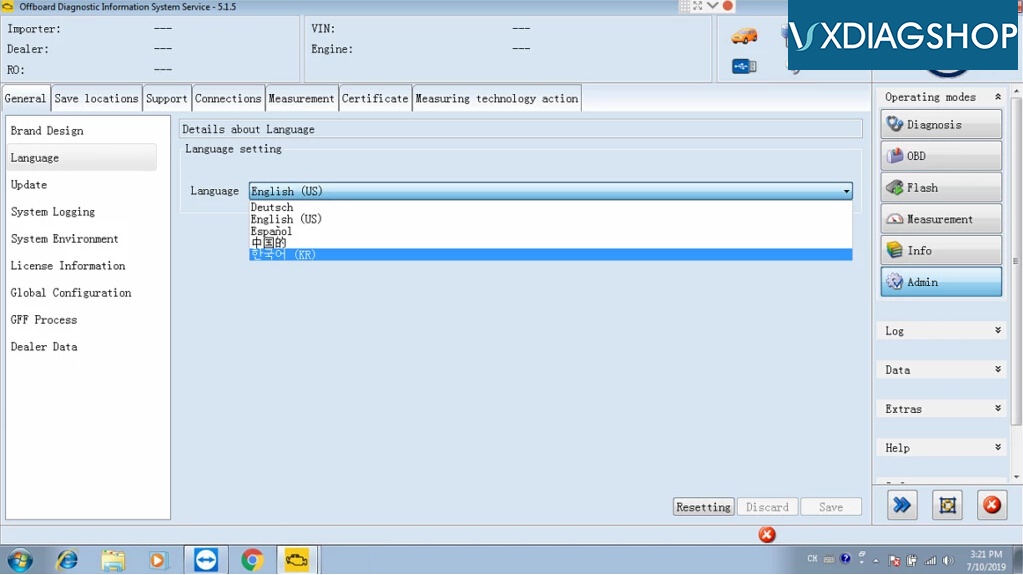
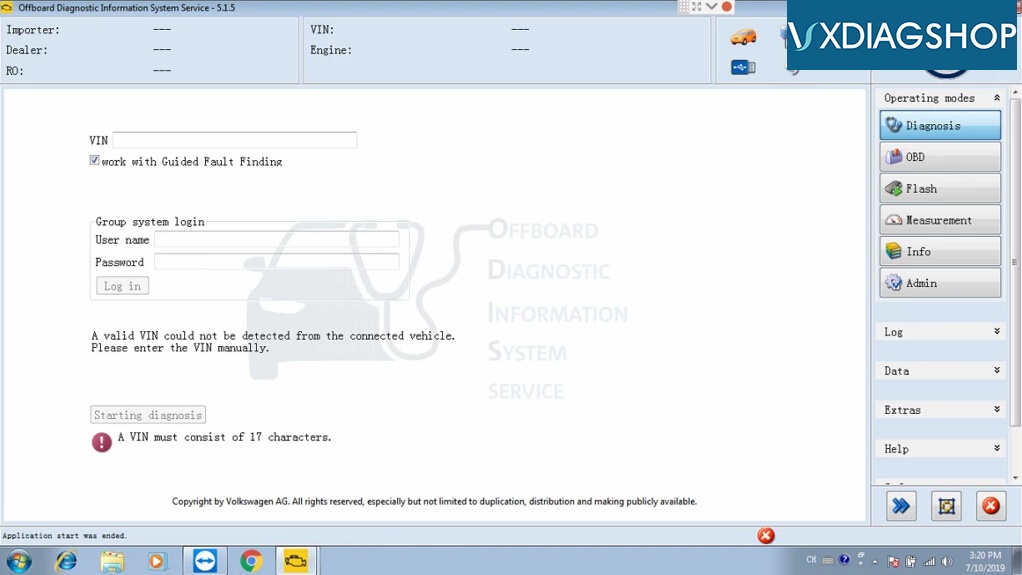
Free Download ODIS 5.1.5 Software for VXDIAG Scanners

Latest ODIS v5.1.5 (Offboard Diagnostic Information System) software has been tested and verified working no issue with VXDIAG scanners.  With this software it is possible to diagnose all the vehicles of the VW, Audi, Skoda, Seat, Bentley and Lamborghini brands.

Free Download VXDIAG ODIS 5.1.5 software 
https://mega.nz/#F!GYhTmQoZ!8W6usmnVxUpm_IJX3hJZYw
Software version: ODIS 5.1.5 + PostSetup 89.0.110
ODIS 5.1.5 software works for Audi VW Skoda Seat Bentley new car models till 2019
vxdiag-odis-515-sw-2
vxdiag-odis-515-sw-1
Compatible devices: VXDIAG VCX NANO 5054 for VW and VCX Pro
(We have not tested it on vas 5054a. You are at your risk)
Operating system:
WIN 7 32 bits/WIN 7 64 bits
Multi-language:
English Japanese Portuguese Romanian Korean Dutch Polish Turkish Spanish French Italian Croatian Danish German Swedish Finnish Slovenian Czech Russian Greek Chinese
Postsetup 89.0.110 car brands:
Audi: 2019.06.00
Skoda: 2019.03.00
Bentley: 2019.02.01
Bugatti: 2019.03.00
Lamborghini: 2019.03.00
MAN: 2019.09.00
Volkswagen Nutzfahrzeuge: 2019.09.00
Seat: 2019.06.00
Volkswagen PKW: 2019.09.00


Installation procedure is exactly the same like with older versions (ODIS 4.4.1)!

2019/07/09

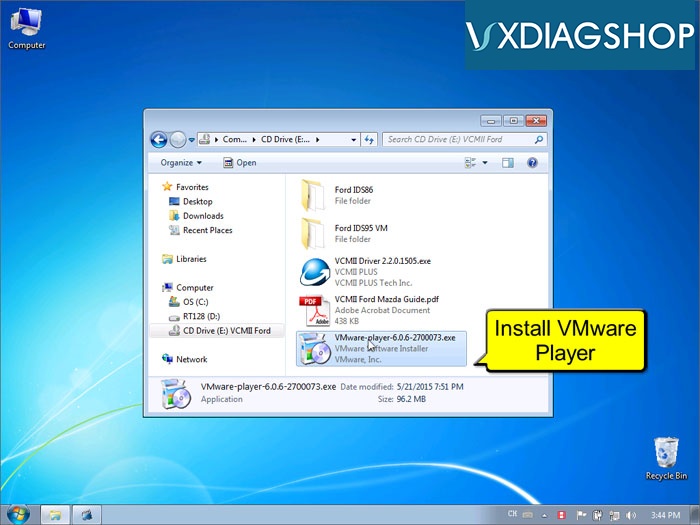
Free Download VMware Player 6.0.6 for VXDIAG Scanners

VXDIAGSHOP here provides VMware Player 6.0.6 download free in case someone needs it.
https://mega.nz/#!dEU3GApQ!WgKNuv3G691mGf8_lxZ9HLEeNmAHUJqIB3DCnKfTq5U
vxdiag-vmware-player

vxdiag-ford-ids-vmware-7
What VXDIAG scanner software required to be loaded on virtual machine?
Older Ford IDS software i.e, IDS v86, IDS v95, IDS v98.  You can easily use Ford IDS and Mazda IDS in one PC with VMware.
Older VXDIAG GM GDS2, i.e GDS2 v2016-10, GDS2 v2018-01

Note:
Newer IDS V112 or above, newer GDS 2019.02 or above can be installed on native machine without VMware now. 

All old and new vxdiag software can be download free here:
http://www.vxdiagshop.com/info/vxdiag-diagnostic-software-download-4048.html


Related post:
How to Setup VXDIAG VCX NANO old Ford IDS on VMware
VXDIAG VCX NANO Ford IDS Another Review on VMware
VXDIAG VCX NANO Ford IDS V112 verified working on Windows 8 (Native Install)
Install VXDIAG VCX NANO GM V2019.02 Software (native install)