Showing posts with label VXDIAG Multi diagnostic tool. Show all posts

2019/06/11

Allscanner VXDIAG multi diagnostic tool Ford/Mazda Review:Programming,Reprogramming

Do you have any good success with Allscanner VXdiag multi diagnostic tool for Ford/Mazda/Honda/JLR/Toyota/Subaru to programming or reprogramming ?Here are Allscanner VXDIAG multi diagnostic tool reviews.

I own one of them with licence for Ford/Mazda/Honda/JLR.

I've been having problems using it with Ford/Mazda IDS at first but now I've come to a point where I succeed using it for programming Ford/Mazda cars.
To be honest... that's the only function I was looking for.... Programming or reprogramming Ford/Mazda modules but I had honda & JLR licence for 10$ extra so I went for it, but Honda HDS software that works with it is very old... (3.014...useless) and I feel safer to run JLR with my cardaq+
DO NOT INSTALL PASSTHRU DRIVER , ONLY FORD VCM2 DRIVER
I think that's the main reason I wasn't able to program module with it... now that I only use VCM2 driver, it's working.
I'm making a list of the functions I tried and the result of these tests.
2005 Ford Five Hundred (3L)Ford IDS 101.4 (VM)
GEM module reprogramming - SUCCESS
2008 Mazda 3 (2L)Mazda IDS 103.02
PCM module reprogramming - SUCCESS
2007 Ford Expedition (5.4L)Ford IDS 101.4 (VM)
DSCM module installation (PMI) - SUCCESS
LTM Liftgate/trunk module reprogramming - SUCCESS
PCM module reprogramming - FAILED (had to use FMP)
Vxdiagshop.com

2018/11/23

How to use VXDIAG Cloud Diagnostics Function?

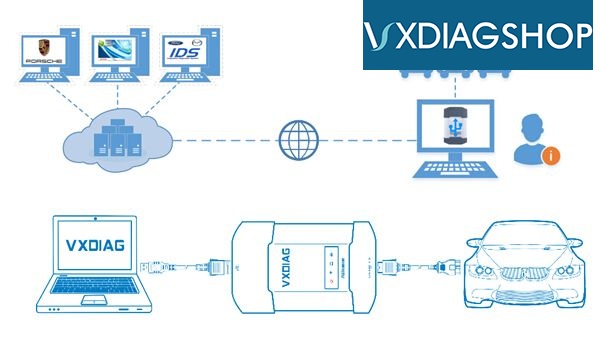
The tutorial will show you how to use VXDIAG Cloud Diagnostics. Just use your VXDIAG VCX NANO or VXDIAG Multi diagnostic tool. (No need install any software on PC)
vxdiag-cloud-diagnostics-1
Why to use VXDIAG Cloud Diagnostics?
You don’t have to install any OEM software on PC. You can login cloud diagnostic server and diagnose your car directly online after connecting interface to laptop and car. Isn’t it cool?
What you should know about VXDIAG Cloud Diagnostics?
VXDIAG Cloud Diagnostics can work on all VXDIAG VCX NANO interfaces and VXDIAG Multi diagnostic tools.
Free download VX Manager 1.2.0.0905: (Needed for VXDIAG Cloud Diagnostics)
https://mega.nz/#!esxVxIzb!h3CJbcyNG0u1OE_Tam978pygzfuKktQMrRCDcM9E0H8
VXDIAG Cloud Diagnostics laptop requirements: Win 7, Win 8 or Win 10 OS systems (Win XP is not supported); Explorer 11 or Google chrome (For login cloud diagnostic server http://cloud.vxdiag.net)

How to use VXDIAG Cloud Diagnostics?
Part 1. Set up VX Manager Driver
Part 2. Login VXDIAG cloud diagnostic server and start diagnosis.
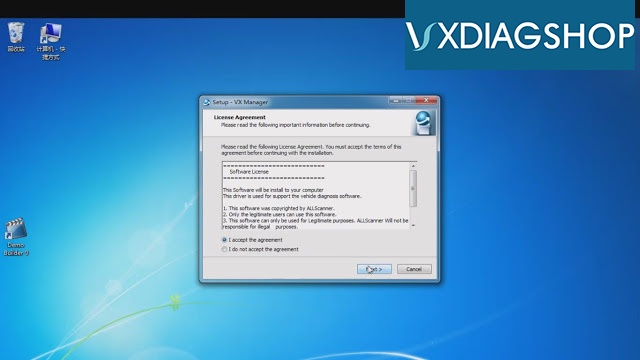
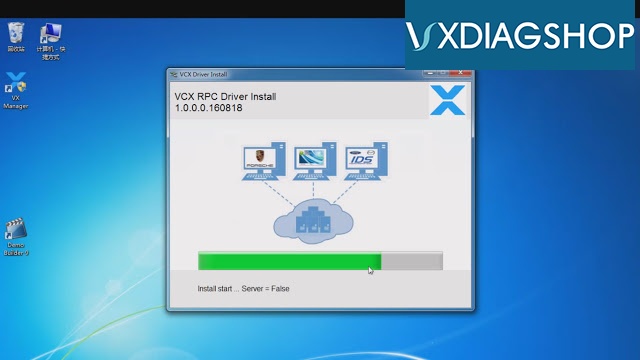
Step 1. After installed VX Manager, double click the icon. It will pop up an interface, choose “I accept the agreement”, click “Next”, then “Next”. Wait for a minute it will show “VCX SDK Driver Install”, after that click “Finish”.
vxdiag-cloud-diagnostics-2
vxdiag-cloud-diagnostics-3
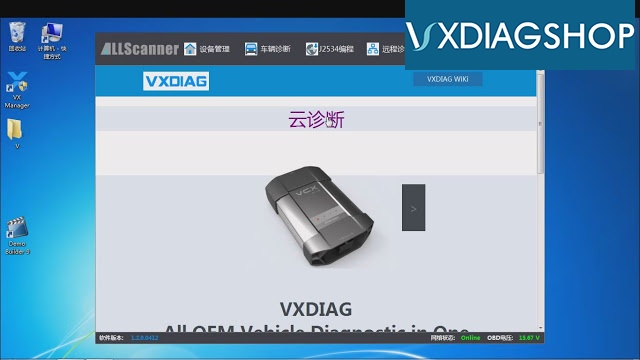
Step 2. Double click the “VCX Manager” shortcut, click “Cloud Diagnostics”
vxdiag-cloud-diagnostics-4
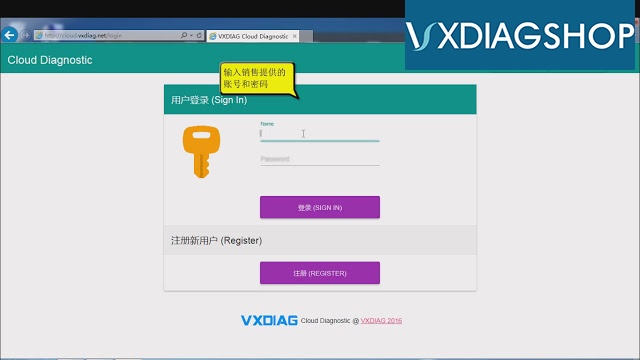
Then it will pop up a website for login. Input name and password (You can ask the sales),
vxdiag-cloud-diagnostics-5
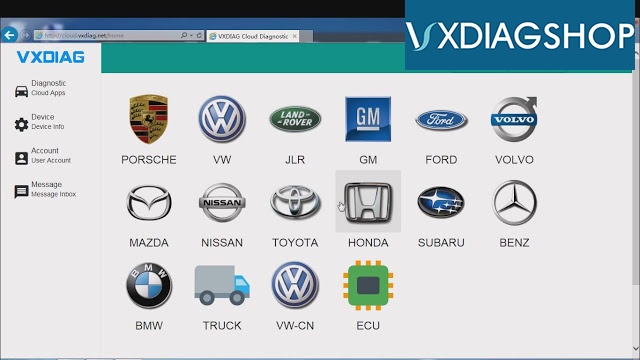
Step 3. After login, you can choose whichever car brand to start cloud diagnosis.
vxdiag-cloud-diagnostics-6
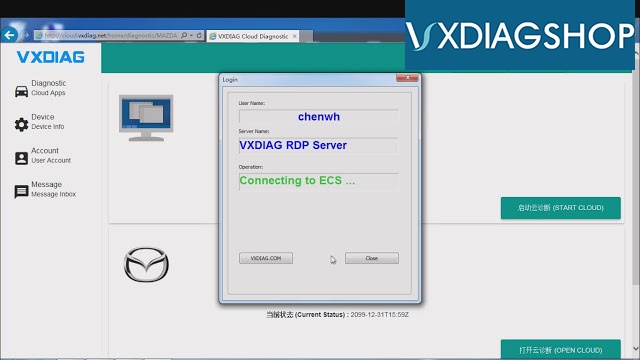
For example, choose “Mazda” and click “Open Cloud” (During diagnose process if there is any pop-up connect question please always choose “connect” and “yes”)
vxdiag-cloud-diagnostics-7
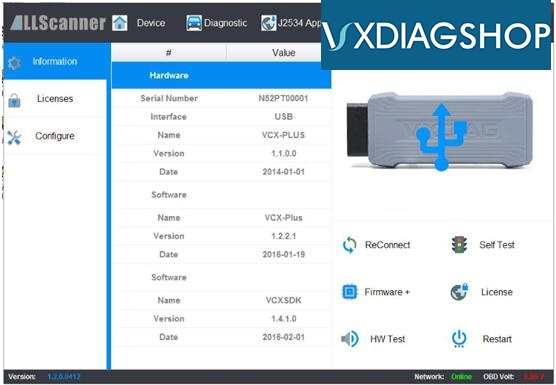
You can see the detailed information of your interface.
vxdiag-cloud-diagnostics-8
Step 4. Double click the “Mazda IDS” icon on desktop. Choose “Open a new dialogue program” then it will show “Communicating to PCM”. After that you can start VXDIAG Cloud Diagnostics by VXDIAG VCX NANO or VXDIAG Multi diagnostic tool now!

http://www.vxdiagshop.com