Showing posts with label VXDIAG JLR VCX DoIP. Show all posts

2022/08/15

VXDIAG JLR Pathfinder Login Only Once for Account?

Problem:

Me and some others had login problem with the JLR Pathfinder online programming and vxdiag vcx se jlr device.

When you try to login then your Login not work, this problem only show.  vxdiag is blocked by the JLR official?


Answer:

It is not the device issue.  JLR server is under maintenance. During this time, users can only login to user once for the account.

The problem will be solved later.

JLR Pathfinder has changed the online programming policy.

Pathfinder diagnosis is not affected, only programming.

http://blog.vxdiagshop.com/2022/03/15/jlr-pathfinder-will-be-shut-down-in-april/

2021/07/06

VXDIAG JLR DoIP Driver Update to V3.2.1.702

JLR DoIP v3.2.1.702 driver update:

* FIX: Solve the problem of the new version software CCF and programming failure (CHECK HERE).

* Optimize: DoIP protocol communication processing.

* Optimize: Improve the speed of diagnosis and programming.


The steps to update JLR DoIP v3.2.1.702:

  1. click on “Car diagnosis”
  2. My application
  3. JLR DoIP
  4. Click on “Install”
VXDIAG JLR DoIP Driver Update to V3.2.1.702


JLR DoIP v3.2.1.702 applicable hardware:

VXDIAG VCX SE for JLR Jaguar Land rover and VCX DoIP JLR


www.vxdiagshop.com

2019/07/31

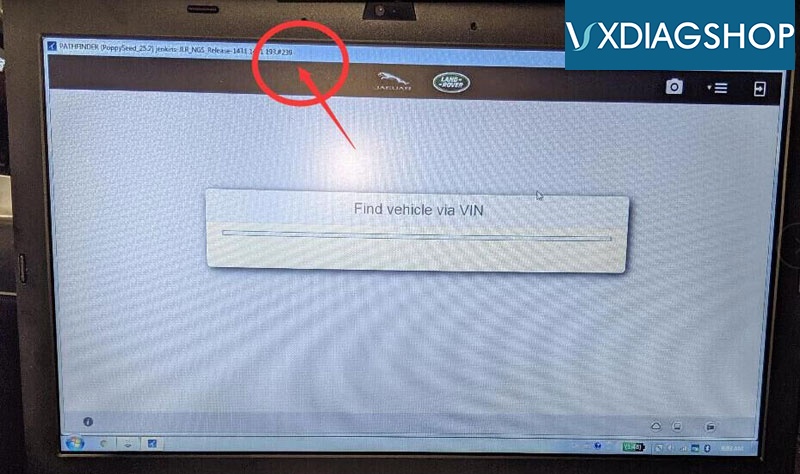
VXDIAG JLR DoIP stuck at find vehicle via VIN Problem Solution

Symptoms:
Vehicle model:  Range Rover sport autobiography year 2019
Device:  VXDIAG JLR VCX DoIP scanner

I have a technical question for jlr doip.
I have everything connected. All firmware updated on jlr doip.
I am using authorized dealer login. I am unable to connect. It is stuck at find vehicle via VIN. And does not proceed.
I also try using my own independent repairer login. Samething, it is stuck on find vehicle via VIN.
Here is a picture of me logging in.
vxdiag-2019-ranger-rover-2
The software is ok to detect Bosch doip in settings.
Internet connection ok.
This is using authorized dealer login.
Samething with my own independent login.

VXDIAGSHOP Solution:
Please update Pathfinder software to latest version (current version goes to v242 till July 2019)
Make sure you have enabled internet connection.


Test result:
I updated to V242 on jlr doip HDD.
I also found vx manager, automatically change to wireless. But I am using USB. I re-configure to connect USB. I can use now. Thanks.