Showing posts with label VXDIAG VCX Pro. Show all posts

2021/04/13

Solve VXDIAG VCX Pro License Invalid or Expired

I have VXDIAG VCX Pro with full authorization and when I want to update it, it gives me this error “The device license for this application is invalid or expired!” . What to do next, please go on reading.

vxdiag-vcx-pro-license-expired-1

vxdiag-vcx-pro-license-expired-2

vxdiag-vcx-pro-license-expired-3

vxdiag-vcx-pro-license-expired-4

Working solution for sharing:

I had to update vx manager to the latest version and then reboot. Only after that did the license update. vx manager shows as version 1.8.4.0315. I had to download the latest version off the website (http://vxdiag.net/ )  instead of clicking the update button, otherwise your vxmanager still shows as version 1.8.1.

vxdiag-vcx-pro-license-expired-5


Good Luck!


Any question on VXDIAG VCX Pro or the alternative VXDIAG VCX SE PRO, contact at www.vxdiagshop.com.

2020/07/02

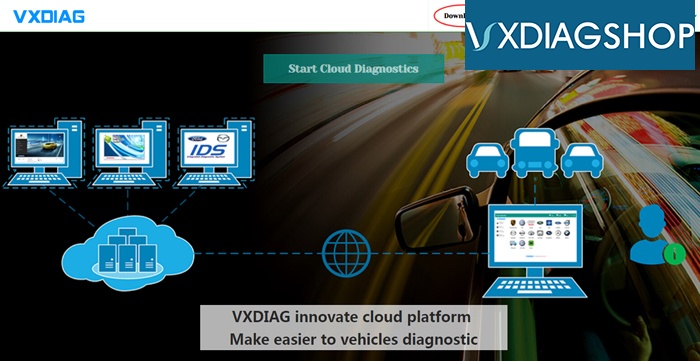
VXDIAG Cloud Diagnosis cannot be reached Solution

Question:
I bought the vxdiag vcx nano pro for GM, Ford Mazda and VAG from vxdiagshop.com. I tried to access Cloud diagnosis on official website. It failed me and told this site cannot be reached.
How can i access the Cloud Diagnosis?
vxdiag-cannot-access-cloud-diagnosis-1

vxdiag-cannot-access-cloud-diagnosis-2
Solution:
VXDIAG Cloud Diagnosis is not available now.
It is not necessary to access Cloud diagnosis any more. Because all VXDIAG software can be installed without VMware which is easier to use.
The function of vxdiag cloud diagnosis can be found here.
http://blog.vxdiagshop.com/2018/11/23/use-vxdiag-cloud-diagnostics-function/
See
For other software installation, please search our blog.

2020/03/27

VXDIAG VCX NANO Pro vs. VXDIAG VCX SE BMW/JLR

What’s the difference between VXDIAG VCX NANO Pro 3-in-1 and VCX SE BMW/JLR?


We can hardly tell the difference between the scanner appearance. They looks like the same. Both supports USB and WiFi connection.
vxdiag-vcx-nano-pro-1
vxdiag-vcx-nano-pro-bmw-jlr


Difference:
VXDIAG VCX SE BMW or JLR is a single license interface. Cannot add other car brand software to it.
While the new vcx nano pro is a multi brand device. Comes with default GM+ VW+ Ford/Mazda 3 car software (with other optional software Honda HDS, Volvo VIDA, Subaru SSM3, Toyota techstream, JLR SDD, JLR DoIP).
You are allowed to add up to 8 car brands into one vcx pro.

Note: VCX NANO Pro has special Serial Number (starts with V94SE*****) on the back of the unit. While vcx se SN usually starts with letter S or N.
vxdiag-vcx-nano-pro-sn

2020/03/22

2020 VXDIAG VCX Pro adds JLR DoIP and Subaru License

Vxdiagshop.com rolls out the upgrade version VXDIAG VCX NANO Pro with 3 car brand software optional.  Check the difference between the new and old vcx pro.


Similarities:
1. Able to add more 1 software license to the vcx pro. Comes with 3 software in default.
The old and new vcx pro both have following software optional license: GM GDS2, FORD/MAZDA IDS, VW ODIS, HONDA HDS,  VOLVO VIDA, TOYOTA Techstream,  JLR SDD


Difference:
1. Outlook.
The new VCX Pro adds Bluetooth connection and a “Fn” firmware reset button.
While the old vcx pro supports USB connection only.
old-vs-new-vxdiag-vcx-pro

2.The new vcx pro adds JLR DoIP and Subaru license which the old one does not support.
New vcx pro supports up to 8 car brands.
The old vcx pro supports up to 6 car brands.


FYI:
VCX Pro does not come with software CD. Software can be downloaded free. If you don’t want to install software one by one, buy a software HDD in our website.

2019/08/06

Is VXDIAG VCX Pro Compatible with BMW Benz or DoIP License?

As titled, our customers have asked is it possible to add JLR DoIP license to the VXDIAG VCX Pro green interface.
vxdiag-vcx-pro-1
Note:
VCX Pro  (#SP304 3-in-1 &  #SP323 7-in-1)  Serial Number starts with P71***** is NOT  compatible with BMW, Benz, Subaru, Porsche nor JLR DoIP license.

VCX Pro only supports following software license:
GM GDS2 Tech2Win/FORD IDS/MAZDA IDS/VW ODIS/HONDA HDS/VOLVO VIDA/TOYOTA TECHSTREAM/JLR SDD
 
VCX Pro 7-in-1 comes with all 7 license.
You are free to choose any 3 licenses to the 3-in-1 interface.

2019/06/12

VXDIAG VCX Pro "Device not recognized" or "Device not found" solution

Device: VXDIAG VCX Pro green interface with 2TB software HDD
Symptom:
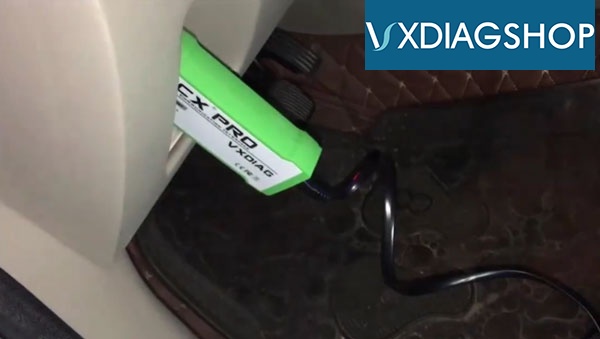
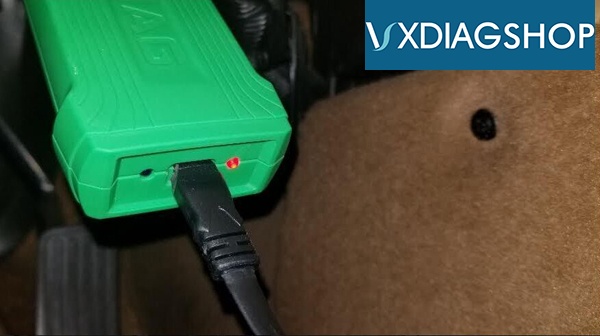
The green indicator of vcx pro turns on with beep sound. The blue indicator flashes occasionally.
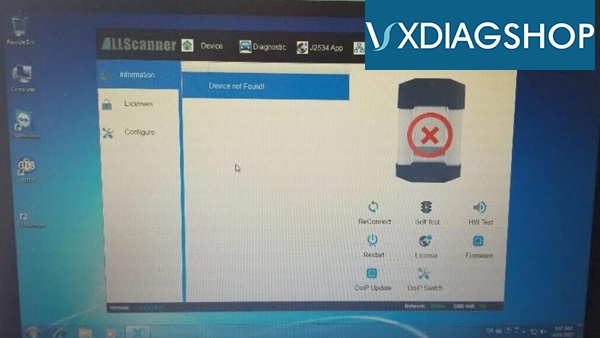
VX Manager cannot detect device, gave an error "Device not found"
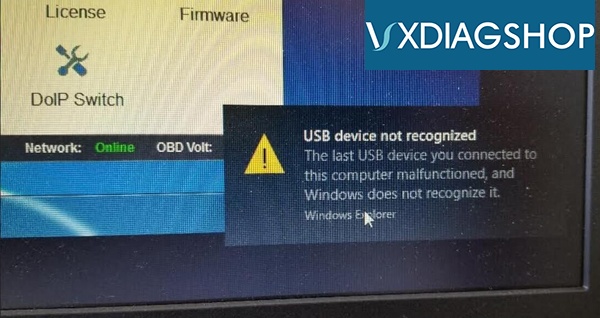
After connected vcx pro with laptop, another error displayed "USB device not recognized".
Install HDD on other laptops, all the same errors.
How to solve the problem?
vxdiag-vcx-pro-cannot-connect-1
vxdiag-vcx-pro-cannot-connect-3
vxdiag-vcx-pro-cannot-connect-2
VXDIAGSHOP Solution:
The error properly caused by the VX Manager.
VX Manager is too old to run.
Go to VXDIAG official website: www.vxdiag.net
Press "Download" to download the latest VX Manager.
vxdiag-vx-manager-download
If problem still exists, feel free to contact us:
Email: Sales@VXdiagShop.com
Skype: VXdiag.com
Whatsapp: 0086-18064450969

2019/03/25

VXDIAG VCX Pro Ford IDS License Not Found & Initialization Error5 Solution

Problem:
When I tried to install Ford IDS software v112 for vxdiag vcx pro green intreface, it gave me 2 errors. My Disk C is full so i installed IDS on Disk D with other vxdiag software applications Techstream, Vida, HDS.
Error 1:
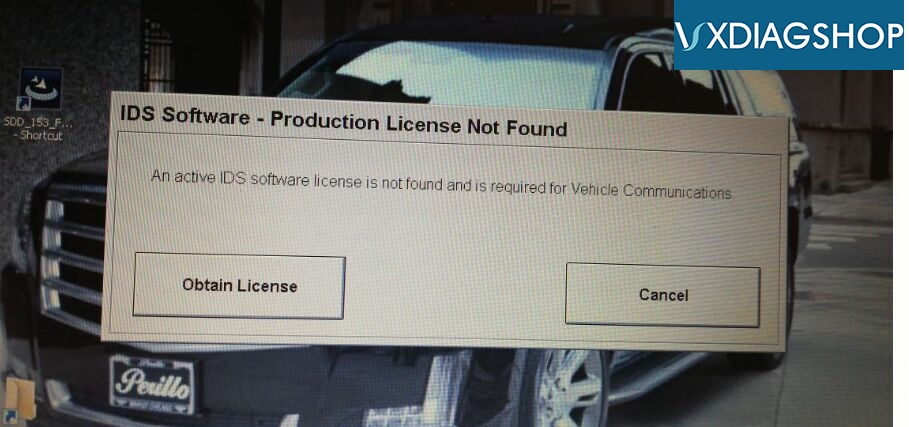
IDS Software- Production License Not Found.
An active IDS software license is not found and is required for
Vehicle Cummunications.
ids-software-license-not-found
Error 2:
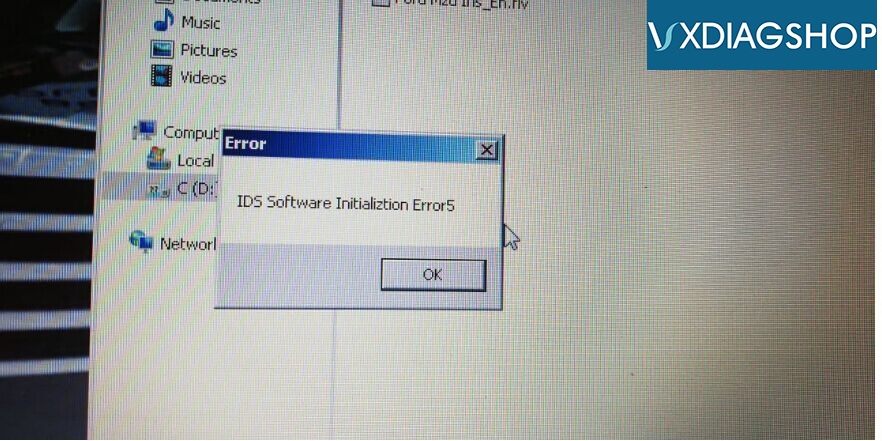
IDS software Initialization Error5
ids-software-initializtion-error5
VXDIAGSHOP engineer solution:
1. VXDIAG Ford IDS software MUST be installed on Disk C.
2.Better install JLR SDD, Ford/Mazda IDS, Honda HDS and Volvo VIDA software seperately (on different laptops)
3.So you need uninstall software and opeating system to reinstall software.

If you have trouble in installing vxdiag software, better go for vxdiag and Levono laptop package. Software is pre-installed before shipping.

2019/02/14

VXDIAG VCX NANO vs. VCX Pro with Multi Brands

What's the difference between VXDIAG VCX NANO series and VCX Pro (green interface with multi-brand software)?
vxdiag-vcx-pro-1
1. VCX NANO interface supports single car brand software only. You cannot add other license to the device.
While you are able to add other car brand software to VXDIAG VCX Pro scanner.
Avaliable car software are: Toyota Techstream, Honda HDS, Ford/Mazda IDS, Volvo VIDA, JLR SDD, GM GDS2/Tech2win,VW ODIS
2.VCX NANO has USB and WiFi version, VCX Pro has USB version only.


Note: Both NANO series and VCX Pro cannot work with BMW, Benz, Subaru SSM, Porsche PIWIS license. For these license, you need VXDIAG Multi Tool series hardware.