Showing posts with label vxdiag vcx nano for jlr. Show all posts

2024/07/18

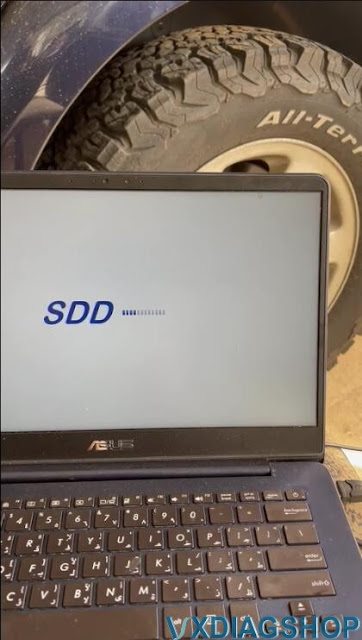
VXDIAG JLR SDD No Network Connection Solution

Problem:

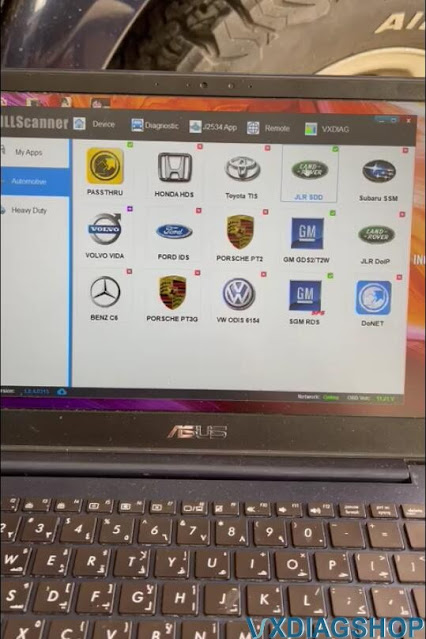
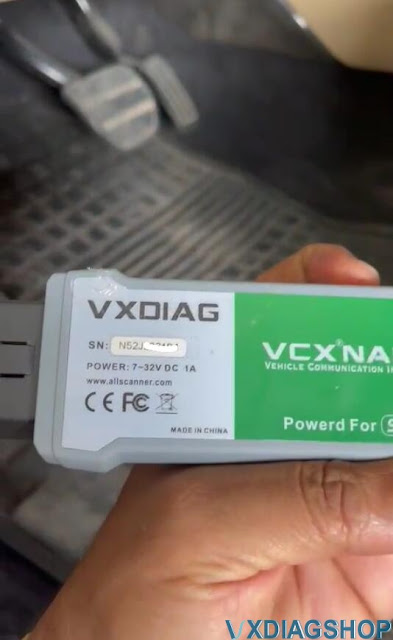
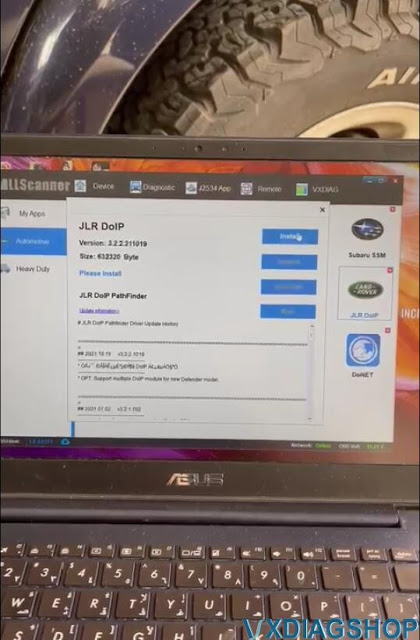
Got the VXDIAG VCX NANO JLR SDD V164 software installed, and ran SDD, but failed to connect with the vehicle. Software says no network connection. Any solution?

VXDIAG JLR SDD No Network Connection 1

VXDIAG JLR SDD No Network Connection 2

Solution:

In this case, you have to run SDD from offline patch (on desktop) and complete dealer information.

First run JLR SDD Offline patch (file name without date), run SDD, then close.

Then run JLR SDD Offline patch (file name with date) to open SDD software.

VXDIAG JLR SDD No Network Connection solution 1

Run SDD software, go to Settings, then complete dealer information (Must complete dealer info to use SDD).

VXDIAG JLR SDD No Network Connection solution 2

Select Country, City, dealer name

Fields marked with an * are required.  You can randomly input any value.

VXDIAG JLR SDD No Network Connection solution 3

2023/04/17

How to Install VXDIAG JLR SDD V164 Software?

Here is the instruction on how to install Jaguar Land rover JLR SDD V164 software on Windows 7 64bit.

V164 tested working with vxdiag vcx nano jlr, vcx se jlr doip and other VCX Plus scanners.


Better tested it on Win7 64bit system. Other systems test by your side.


Software can be downloaded in the previous post:

Free Download VXDIAG JLR SDD V164 and Patch

How to Install JLR SDD V164 for VXDIAG?


Step 1: Install SDD setup

Install SDD_164 full.exe setup

Install VXDIAG JLR SDD V164 Software 1

Select setup language
Install setup

Install VXDIAG JLR SDD V164 Software 2

Accept license agreement

Install HV Safety Installer Setup

Install VXDIAG JLR SDD V164 Software 3

Install VXDIAG JLR SDD V164 Software 4

Install MOXA Windows driver setup

Install VXDIAG JLR SDD V164 Software 5

Finish installing SDD 164 setup

Install VXDIAG JLR SDD V164 Software 6

Restart computer


Step 2: Run Patch

Extract path zip file
Run JLR.SDD.Offline.exe patch

Install VXDIAG JLR SDD V164 Software 7

Install VXDIAG JLR SDD V164 Software 8

Run JLR SDD on desktop, login with user name and password

User name: y-cai1

Password: april2012

Install VXDIAG JLR SDD V164 Software 9

Install VXDIAG JLR SDD V164 Software 10

Install VXDIAG JLR SDD V164 Software 11

Exit SDD software

Then run JLR.SDD.Offline.Fix.2020.7.14 patch


NOTE:

Offline default works offline, you run offline patch.

If with DoIP JLR device and need to use it online, run online patch.


Step 3: Install VX Manager
Install vx manager
Install passthru and JLR SDD driver

Run JLR SDD from patch

www.vxdiagshop.com

2022/06/14

VXDIAG JLR SDD Change Jaguar Speed Limiter Success

I got the vxdiag vcx nano jlr sdd from vxdiagshop.com.  Installed the driver, launched the VX Manager, launched SDD without reinstalling (same one I’ve been using with VCM) and it picked it up as JLR-VCI. I drive a Jaguar X150 2010 year. vxdiag worked like a charm and I was able to pull codes, clear codes, and toggle switches in the suspension diagnostic mode, everything worked as promised, plus it works through wifi too.

VXDIAG JLR SDD Change Jaguar Speed Limiter

Connects to all modules too without a problem.

vxdiag jlr sdd is doing all updates SDD online with Jaguar server on an old win 7 computer,, think there was 3 or 4 updates so 163.

Hook up with my Jaguar and wanted to change speedlimiter.  My Jag has no active cruise or camera but has tested the speed limiter and works. When reading ecu sdd told me that i needed a special file to complete the operation, an option to save “update file link” on usb and get downloaded with an internet-connected computer set. Nothing to loose just plugged in usb to another computer and downloaded file from jaguar. done.
Plugged usb in sdd computer and pointed to usb when asked for update, done.
The process goes on and the speedlimiter is now set to the highest value.
Tested also kess v2 tool and that other blue jlr mangoose cable, not good at all. They was scary to read ecu with.

When I was in SDD i was setting the speedlimiter in “as built” configuration. Then i told SDD to use that file and write to car and as i understand it stores CCF on 3 places except “as-build” and all have to match. BCM RSJB and FSJB.
I just did what SDD told me to do.
I changed the AS_BUILT,  250 km/h to 300 km/h and “download” to car. Done.

2022/01/11

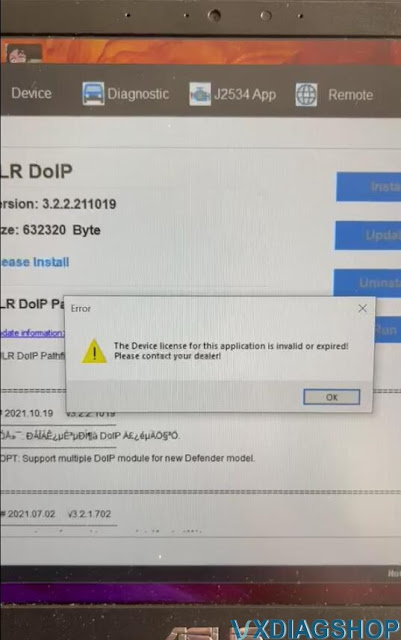
How to Fix VXDIAG VCX NANO JLR DoIP License Invalid or Expired?

Problem: 

I am doing a Land rover 2006 LR3 HSE V8 with 4.4 engine with vxdiag vcx nano jlr sdd scanner. I've downloaded SDD Full160 and got http Error:500 splash_screen_boot.index. SDD keeps loading won't continue.

I also tried to update JLR DoIP driver in vx manager, it failed to and says the device license for this application is invalid or expired. How can i fix this.

VXDIAG VCX NANO JLR DoIP License Invalid 1


VXDIAG VCX NANO JLR DoIP License Invalid 4

VXDIAG VCX NANO JLR DoIP License Invalid 5

VXDIAG VCX NANO JLR DoIP License Invalid 6

VXDIAG VCX NANO JLR DoIP License Invalid 7

VXDIAG VCX NANO JLR DoIP License Invalid 8

Vxdiagshop.com solution:

1. Make sure you have installed the patch for JLR SDD. Run SDD from the patch.  Don't start SDD from vx manager JLR SDD driver !!!

Check: JLR SDD V160 Download & Installation

2. You don't need to update DoIP driver for vcx nano.

DoIP driver (or license) is used for Pathfinder for newer Jaguar Land rover 2017 onwards.

Besides, DoIP license cannot be added to the vcx nano jlr device. The license invalid error occurs if you are trying to update the DoIP driver.
You will need VXDIAG VCX SE JLR or JLR DoIP VCI interface to access DoIP models.

2021/10/14

VXDIAG JLR SDD Failed to Start on Windows 10 Solution

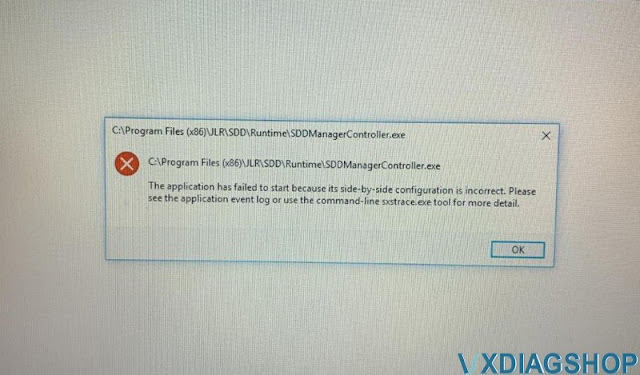
VXDIAG VCX NANO JLR SDD is compatible with WIN7 8 10, sometimes you run SDD with win10 and will get error “The application has failed to start”, then please follow this article to solve.

VXDIAG JLR SDD Failed to Start on Windows 10 1


Step 1. free download necessary programs from the below link:

https://mega.nz/folder/6jBQwLjS#s51J38OxUufw_7p6wpAbNw

File including:

1).DefenderControl

2). JLR Psonic Script Setup WIN10

3). MSVBcrtAio_v20190720.zip


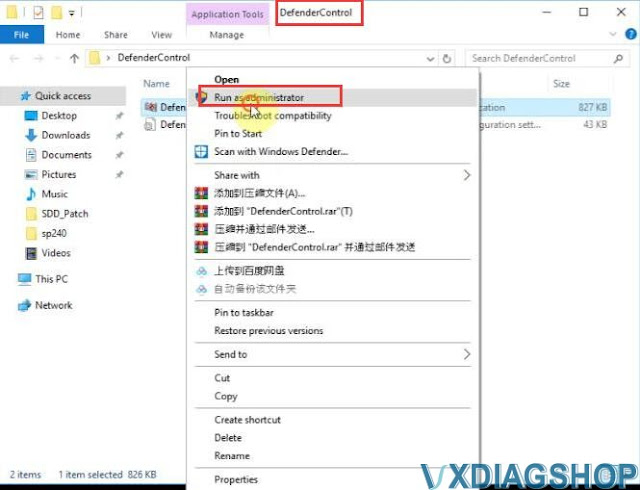
Step 2.Unzip “DefenderControl” from the desktop.

Right click on “DefenderControl” and select “Run as administrator”.

VXDIAG JLR SDD Failed to Start on Windows 10 2


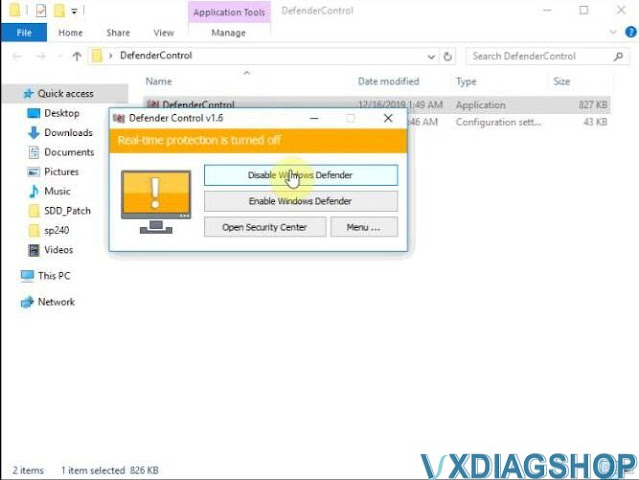
Click on “Disable Windows Defender”.

VXDIAG JLR SDD Failed to Start on Windows 10 3
VXDIAG JLR SDD Failed to Start on Windows 10 4

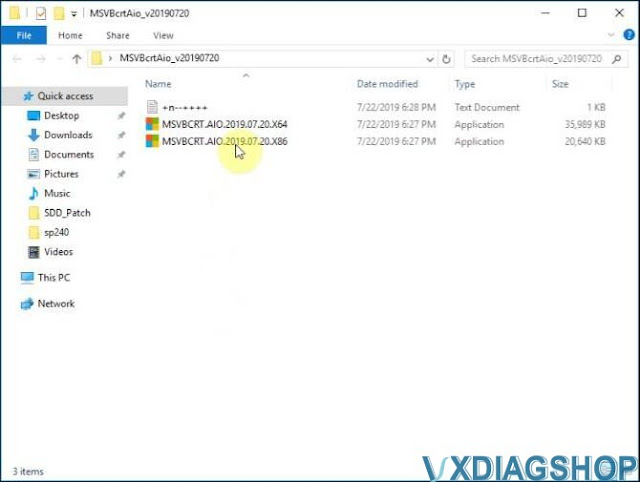
Step 3. Run ” MSVBcrtAio_v20190720″

Choose “X64” or “X86” according to your computer bit.

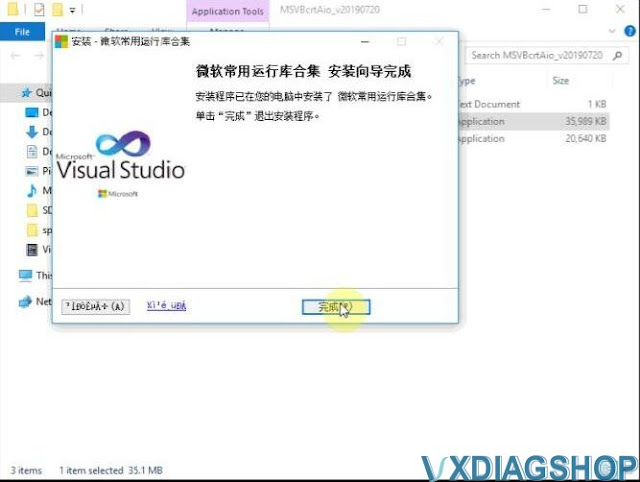
Then click on “Next” and then “Next”.

VXDIAG JLR SDD Failed to Start on Windows 10 5

VXDIAG JLR SDD Failed to Start on Windows 10 6

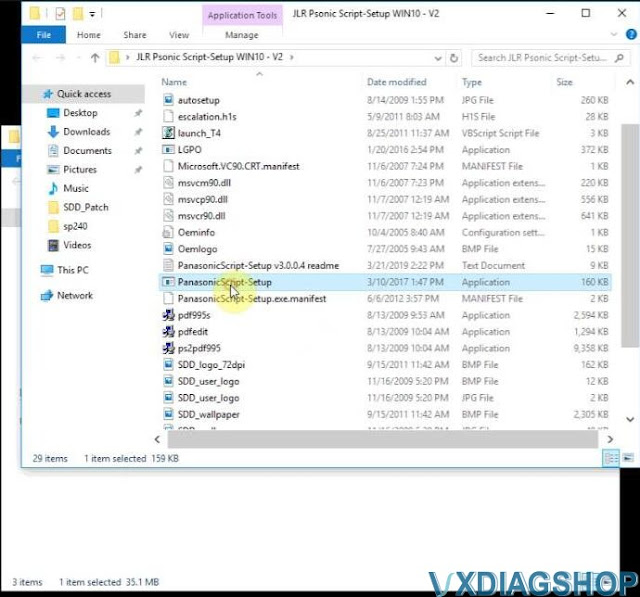
Step 4. Open JLR Psonic Script-Setup WIN10 – V2 to run ” PanasonicScript-Setup.exe”.

VXDIAG JLR SDD Failed to Start on Windows 10 7

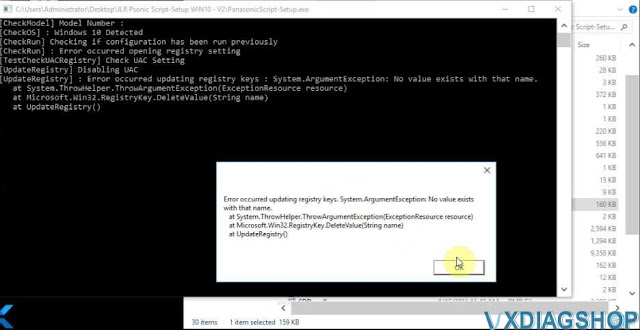
Again, open ” PanasonicScript-Setup.exe” and get message “Error occurred updating registry keys. System. ArgumentException: No value exits with that name. “, just click on “Ok”, do not care it.

VXDIAG JLR SDD Failed to Start on Windows 10 8

Alright, you can open JLR SDD software for VXDIAG NANO now.


Read also: VXDIAG VCX NANO JLR SDD V160 Win10 Installation

2021/09/06

Install VXDIAG JLR SDD V160 and Patch

VXDIAG VCX NANO for Jaguar Land Rover (both USB version and Wifi version) and VCX SE JLR released software SDD V160 and tested it working on Win7, Win8, Win10.


How to install JLR SDD V160 on Win10 for VXDIAG VCX NANO. Firstly install SDD 160 and then VX Manager 1.8.4.0315, finally install SDD Patch.


Free download SDD V160 and patch here:


Look at the VCX CD, it contains: SDD_Patch, SDD 160.00_FULL, VX Manager 1.8.4.0315.

install-vxdiag-jlr-sdd-v160-and-patch-1

Part 1. Install SDD V160.

Open ” SDD 160.00_FULL”, click on “Run”.

Choose setup language, JLR SDD V160 language available:

English, Dutch, French (Standard), German, Italian, Japanese, Portuguese (Brazilian), Portuguese (Standard), Russian, Spanish etc.

install-vxdiag-jlr-sdd-v160-and-patch-2


Click on “Next” and preparing setup.

Click on “Next” to install SDD on your computer.

Tick off “I accept the terms of the license agreement” and then click on “Next”.

Tick off “I have read and understand this firmware compatibility warning and then click on “Next”.

Please select the destination drive and then click on “Next”.

install-vxdiag-jlr-sdd-v160-and-patch-3


Click on “Next”.

Click on “Ok” to upgrade the Adobe Reader.

install-vxdiag-jlr-sdd-v160-and-patch-4


Click on “Install” to begin the installation.


Click on “Yes” to make ActiveCGM to be the default TIF viewer.

install-vxdiag-jlr-sdd-v160-and-patch-5


Click on “Next” to the HV Safety Installer Setup.

install-vxdiag-jlr-sdd-v160-and-patch-6

Application is being installed.

install-vxdiag-jlr-sdd-v160-and-patch-7


Click on “Finish” to complete the HV Safety Installer Setup Wizard.

install-vxdiag-jlr-sdd-v160-and-patch-8


Click on “Next” to install NOXA UPort 1110 / 1130/1150 Windows Driver Version1.6 on your computer.

install-vxdiag-jlr-sdd-v160-and-patch-9


Click on “Next”;

Click on “Next”;

Click on “Install”;

Click on “Finish”;

install-vxdiag-jlr-sdd-v160-and-patch-10


Click on “Ok” after you see Self-Registration Error.

JLR SDD is configuring your new software installation, this process may take several minutes to finish.

WinstallShield Wizard Complete, tick off “Yes, I want to restart my computer now.” then click on “Finish”.

install-vxdiag-jlr-sdd-v160-and-patch-11

install-vxdiag-jlr-sdd-v160-and-patch-12

Part 2. Install VX Manager 1.8.4.0315

Back to the disk and open “VX Manager 1.8.4.0315”


Select “1 -passthru -J2534” and “4-JLR-SDD”, and then click on “Next”.

Installing VCI SDK…

install-vxdiag-jlr-sdd-v160-and-patch-13

Complete installing VX Manager 1.8.4.0315.

install-vxdiag-jlr-sdd-v160-and-patch-14


Part 3. Install SDD Patch

Run SDD Patch offline mode before starting SDD software.

Open ” SDD_Patch” folder.

Modify the configuration options under Name in the Install.ini file, and replace the file names with the file names of the current version in order, paying attention to the order.


Then run AutoJLR.exe setup.


Then run Offline Mode.

Okay, this is vxdiagshop.com engineer show you how to install JLR SDD V160 on Win10 for VXDIAG VCX NANO Jaguar and Land Rover. Hope it helps!

http://blog.vxdiagshop.com/2021/09/07/vxdiag-vcx-nano-jlr-sdd-v160-win10-installation/