Showing posts with label ista. Show all posts

2024/12/11

Diagnose Toyota Supra J29 with ISTA and Techstream

How to use Toyota ISTA to diagnose latest Toyota Supra J29 vehicles?


Step 1: Download Toyota ISTA from the official Toyota website. You don’t need to sign up or pay for anything.
Step 2: Install Toyota Techstream and activate it.
Step 3: After activation of Techstream, install ISTA. Toyota’s ISTA checks for an activated Techstream install. Due to that, there is no need for additional activation in ISTA.

That’s all you need. If you want to use the psdzdata from the ISTA install for ESYS, type this command into CMD as administrator:
MKLINK /d “C:\Data\psdzdata” “C:\Program Files (x86)\ISTA4J29\PSdZ\psdzdata”

I was able to successfully do flashing using ESYS 3.30.1. I was unable to test coding as I was using a VM and launcher pro won’t activate in a VM.


NOTE:

If open ISTA J29 and get a window titled: “Toyota ISTA usage notes” and there’s an “X” to close it. But if close it the entire software closes as well.

How to bypass this message screen or how to go to the ISTA menu?

Diagnose Toyota Supra J29 with ISTA and Techstream

Switched resolution to 1280×1024 and is able to see the agreement acceptance button. That window is gone.

2024/06/11

VXDIAG BMW ISTA-P Screen Resolution Insufficient Solution

Problem:

Failed to start BMW ISTA-P from 2TB HDD of the VXDIAG VCX SE full device.

It said screen resolution is insufficient to run the application. Any solution?

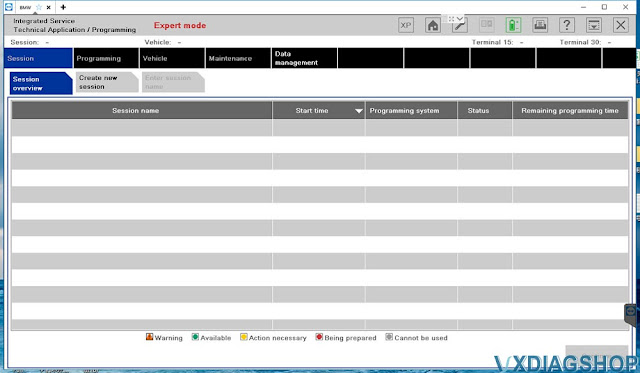
VXDIAG BMW ISTA-P Screen Resolution Insufficient 1

Solution:

ISTA-P resolution is too low.

The resolution of the ISTA-P software does not match the resolution of your laptop.

Follow the reset resolution in ISTA-P.

Run ISTA-P software, press “i” icon

VXDIAG BMW ISTA-P Screen Resolution Insufficient 2

Select Reset Settings

VXDIAG BMW ISTA-P Screen Resolution Insufficient 3

Press Yes to reset the Config settings.

VXDIAG BMW ISTA-P Screen Resolution Insufficient 4

Run ISTA-P software again.

Choose Automatic Search 

VXDIAG BMW ISTA-P Screen Resolution Insufficient 5

Set the resolution as the same as your laptop/computer.

VXDIAG BMW ISTA-P Screen Resolution Insufficient 6

www.vxdiagshop.com

2024/03/11

VXDIAG VCX SE BMW ISTA 4.39 Error Firmware After Update?

Problem:

VXDIAG VCX SE BMW scanner and ISTA 4.39 software have no communication, it is in Firmware status. Tried updating the firmware, still the same. Any clue?

VXDIAG VCX SE BMW ISTA 4.39 Error Firmware After Update

Solution:

Reinstall BMW ICOM driver in vx manager. Problem will be solved.

 Check instruction here: How to Reinstall VXDIAG BMW ICOM Driver?


2024/02/18

VXDIAG VCX SE ISTA+ Failed to Program BMW Fxx KL15 KL30?

Problem

Today I tried to see if I can program X1 F48 with the vxdiag vcx se BMW dongle (software ista 4.39.20) and have the following error every time (fault ICOM connection).

All error reading, correct id KL15 and KL30 but same error.


VXDIAG VCX SE ISTA+ Failed to Program BMW Fxx 1

VXDIAG VCX SE ISTA+ Failed to Program BMW Fxx 2

VXDIAG VCX SE ISTA+ Failed to Program BMW Fxx 3

VXDIAG VCX SE ISTA+ Failed to Program BMW Fxx 4

VXDIAG VCX SE ISTA+ Failed to Program BMW Fxx 5

VXDIAG VCX SE ISTA+ Failed to Program BMW Fxx 6

Solution:

VXDIAG BMW ISTA+ does not support F/G/I series programming/coding, it can be done via E-sys engineering software.

For E series use INPA and WinKFP.


2023/08/01

VXDIAG Update BMW Driver to Support ISTA 4.42

VXDIAG released new BMW ICOM Driver Update on July 28th, 2023.

2023.07.28 V1.4.7.230728

BMW ICOM device version update to support ISTA 4.42.

Update ICOM driver in vx manager.


VXDIAG BMW ISTA 4.42 hard drive will be available soon.

VXDIAG Update BMW Driver to Support ISTA 4.42


2023/02/03

VXDIAG VCX SE BMW Not Connect ISTA 4.39 Solution

Problem:

I got the vxdiag vcx se for bmw but can’t be tested with bmw ista+ 4.39 version software, it prompts that the firmware needs to be updated shown as below.

vx manager, firmware and vci version all up to date. Any solution?

VXDIAG VCX SE BMW Not Connect ISTA 4.39 Solution 1

VXDIAG VCX SE BMW Not Connect ISTA 4.39 Solution 2
VXDIAG VCX SE BMW Not Connect ISTA 4.39 Solution 3

VXDIAG VCX SE BMW Not Connect ISTA 4.39 Solution 3

Solution:

1. Make sure you have BMW ICOM driver installed.

VXDIAG VCX SE BMW Not Connect ISTA 4.39 Solution 5

2. ISTA 4.39 is too new, you need latest BMW ICOM firmware patch support.

Free download BMW ICOM Update.exe patch for ISTA+ 4.39

https://drive.google.com/file/d/1uNURPf3H71mOOzzqDwAbnZTGbWYxRsMY/view?usp=share_link

2022/05/15

How to Set up VXDIAG VCX SE with Latest ISTA 4.35?

Sometimes you may get firmware error when running ISTA 4.34 4.35 or later version with vxdiag vcx se bmw because the BMW driver is not update-to-date to support the latest ISTA.

Here is the customer solution to this issue. You are at your own risk.


‘I found the solution

now VCX  SE can work with latest ISTA version 4.35.18 or any ISTA version

below link to download 2 ICOM firmware just install them on PC and VCX will work.’

https://mega.nz/file/rf4hBJrD#qdcDMoRlFVwKs-MU7Cfy73HdNB0BaEaIawjPoPnB1oQ

Set up VXDIAG VCX SE with Latest ISTA 1

Set up VXDIAG VCX SE with Latest ISTA 2Set up VXDIAG VCX SE with Latest ISTA 3

2022/04/13

How to Solve VXDIAG ISTA 4.33 4.34 Firmware Error?

Question:

I got the vxdiag vcx se BMW, when connecting to ISTA 4.34, it says need a firmware update, where can I get firmware for the connector?

First tried Version 4.34.31. I also tried a 4.33.xx version and got the same firmware error.

Solve VXDIAG ISTA 4.33 4.34 Firmware Error 1

Solve VXDIAG ISTA 4.33 4.34 Firmware Error 2

Solution:

VXDIAG default ISTA (ISTA+) goes to V4.32. BMW driver is not update-to-date to support 4.33 or 4.34 above version.

You will be informed once there is a new BMW driver version.

It is recommended to get the vxdiag bmw hdd instead.

www.vxdiagshop.com

2022/02/23

How to Fix Cannot Open VXDIAG VCX SE BMW ISTA-P?

Problem: 

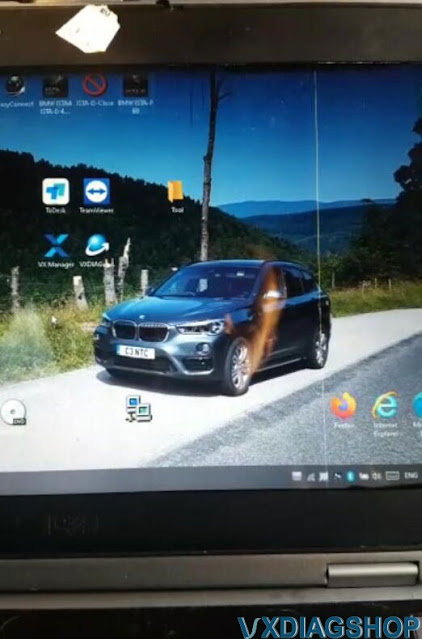
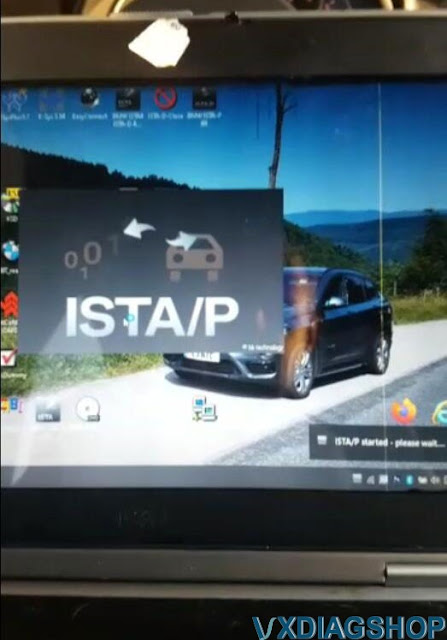
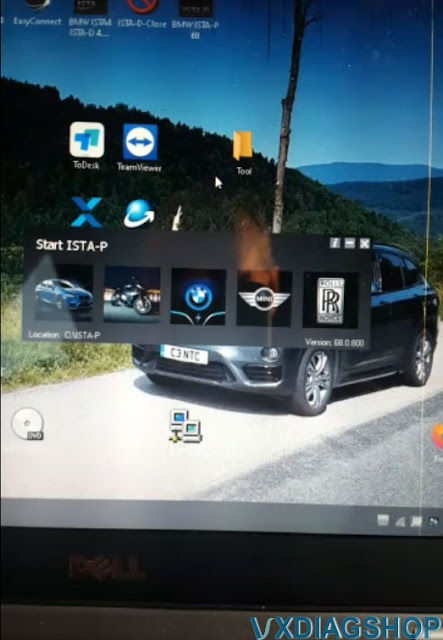
I had a problem running VXDIAG VCX SE BMW ISTA/P 68.0.800. Software started but does not continue, it quit and nothing. Any idea how to fix it?

Cannot Open VXDIAG VCX SE BMW ISTA-P 1

Cannot Open VXDIAG VCX SE BMW ISTA-P 2

Cannot Open VXDIAG VCX SE BMW ISTA-P 3

Solution:

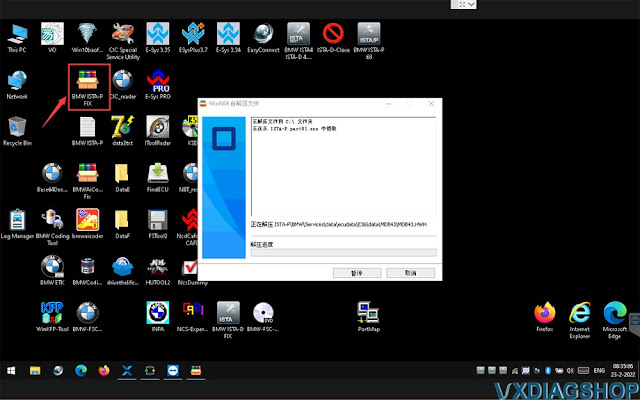
Run BMW ISTA-P FIX program on the desktop

Run ISTA/P again. It will be ok.

Cannot Open VXDIAG VCX SE BMW ISTA-P 4

Cannot Open VXDIAG VCX SE BMW ISTA-P 5

How to Change VXDIAG BMW ISTA+ ISTA-P Language?