Showing posts with label VXDIAG PIWIS III. Show all posts

2024/01/24

How to Disable Porsche TPMS by VXDIAG PIWIS III?

Tutorial: How to disable TPMS for Porsche using PIWIS III diagnostic software.

vxdiag porsche piwis iii

When you have the tires replaced, first you must actually disconnect the TPMS control unit so that the CAN Controller does not continue to recognize it.


The control unit is located in the front trunk next to brake fluid reservoir.

1. Remove and unplug the dome light on the cowling plastic. Remove all of the screws that hold this entire plastic panel in. There are a good number on top by the seal and one on each side by the bottom.

2: Now unplug the control unit it is part number 997 618 103 06, Do not remove it. This way you can always just plug it back it and use it again.

3. Reassemble the front trunk again.

4. Hook up the PIWIS tester to the car via the OBD2 port and do a complete check of all the control units.

5. Select “Gateway” and then “Coding” then “”Required Control Units List”. This will list all installed CAN units.

6. Now select “Tire Pressure Monitoring System” and change to ” Not Installed” and code it, then exit to the main screen again.

The next steps will code your instrument cluster and to do so will require that you have your engine number, so have it handy, you will find out why.

7. Select “Instrument Cluster” and then “Coding” then “Vehicle Variants”.

8. Now select your “Model Year” then “Model”, “Roof Version”, “Country” (02 is for USA, Puerto Rico). The next item will be “Versions” (553 is USA/Canada).

9. Select your “Individual and exclusive equipment” by highlighting each item that would apply such as: 454-Cruise, 023-Silver Colored Gauge faces etc. DO NOT select 423/483 TPM!!!! This is the TPMS for the cluster and must not be highlighted.

10. Move to the next screen and finish the “Audio and Communication ” by highlighting what applies to your car.

11. Next will be the “Wheel Size” and finally it will ask about your engine number.

12. Proceed forward and then Code with F8.

That’s it and now TPMS is removed.


www.vxdiagshop.com

2022/11/07

Can I Use VXDIAG VCX SE 6154 with PIWIS III?

Question: Possible to set up VAS 6154 clone (VXDiag VCX Nano) or the vcx se 6154 with Porsche PIWIS3 PT3G software?

Answer:

VAS6154 (VXDiag VCX Nano) OK, need downgrade

You can downgrade firmware for free with an older version vx manager (i.e from version 1.8x to 1.6). But after downgrade all licenses disappeared and you cannot work with device.

Some experts provide license installation for firmware 1.6x (downgrade vxdiag vcx nano also known as vas6154 clone to version 1.6) and software for license restore at any time (install license for work with PIWIS3 reworked for 6154 clone). You can use 6154 with any PIWIS3 installation, installing original drivers from VXmanager and can restore licenses at any time.

Before setting up. Check clone VAS 6154 firmware can be updated or not. Some clone VAS6154 firmware canot be updated.

VCX.bin firmware file for vas6154 clone if someone needed

How to downgrade the VXDIAG  firmware to an old version:

1. Make a backup of your ManagerCenterC.ini file (where your prog is installed).
2. Change one line in your original ini file to
FirmwareURL=”http://www.vxdiag.ugu.pl/xml.xml”
3. Open VX Manager and “update” your firmware.

After positive update, make your backuped ini file as valid and try regular update.


NOTE: We are not holding the responsibility for the damage.

vxdiag vcx 6154 piwis 3 1

vxdiag vcx 6154 piwis 3 2

VXDIAG VCX SE 6154 with PIWIS3, need luck.

Some managed to do it. But not for free.

If need a vcx se with Porsche license, check

https://www.vxdiagshop.com/wholesale/vxdiag-vcx-se-pw3.html

vxdiag vcx se 6154 piwis 3 1

vxdiag vcx se 6154 piwis 3 2


2021/02/22

Porsche PIWIS3 License Expired Update VCI Error Solution

Here share how to solve Porsche Tester III license expired problem.


Customer Problem: Porsche PIWIS III showed “License Expired! Available times 2. Please update VCI!”

porsche-piwis3-license-expired-1

porsche-piwis3-license-expired-2

Solution:

For your problem, what you need to do is to consult VXDIAGSHOP engineer, and we will update your device VCI via Team viewer.


Customer feedback:

Tested system, working fine, thank you for all your help.

2020/04/24

Porsche Coding under PIWIS Development Mode

Vxdiagshop.com here provides some coding procedures using Porsche PIWIS Tester.

To code you need to be in development (E) mode, which is unfortunately in German. I've made a start at doing some translations courtesy of Google Translate below.

If you play around in simulation mode, the car it uses is a 991 coupe. Whilst not exactly the same as the 981, it's very close. It's a good start at poking around the software to see where things are without having to be connected to the car.
Some general phrases
Codierung Anpassungen
Coding adaptations
Keine Eintrage gesetzt
No value set
Codierwert or kodierwert
Coding value
Wert
Value
Verbaut
Installed
Geandert
Changed
aktiv
Active
Inaktiv
Inactive
Einheit
Unit
Geandert
Changed
Schreiben
Save
Ja
Yes
Nein
No
MCR = Machine-readable Coding Rules
Manuelle Codierung ohne MCR Regeln (Entwicklung)
Manual coding without MCR rules (development)
Manuelle Codierung von Binärdaten (Entwicklung)
Manual coding of binary data (development)
Manuelle Codierung mit MCR Regeln
Manual coding with MCR rules
Automatische codierung
Automatic coding
Rucksetzen auf werkeinstellungen
Reset to factory settings
geben sie bitte fahrzeugdaten ein
Please enter vehicle data
werte andern und mit speichern
change values and save with
weiter zum nachsten screenmit
continue to the next screen with
coderung lauft
coding is running
codierung von steuergeräten
coding of control units
Control Module names
waehlebel
Gear selector lever
kombiinstrument
instrument cluster
kombilenkstockschaltermodul
steering wheel module
stoppuhr
stopwatch
audio verstärker
audio amplifier
bedien und klimaeinheit
operation and climate
parkbremse
park brake
reifendruckkontrolle
tyre pressure control
dämpfersteuerung
damper control
servolenkung
power steering
verdeck synchronisation
convertible top
BCM vorne
Front Body Control Module
BCM hinten
Rear Body Control Module
scheinwerfer links
Left headlight
scheinwerfer rechts
Right headlight
spurwechselassistent
lane change assistant
sitz fahre
driver seat
sitz beifahrer
passenger seat
tuer vorne links
left front door
tuer vorne rechts
right front door
soundaktuator innen
inside sound actuator
DME coding translations
Manual coding without MCR
Bestelltyp
ordered type
getriebetyp
transmission type
innenausstattung
interior decoration
kodierung kodierbyte
coding coding byte
tempomat
cruise control
start/stopp aktiv
start stop active
allradantrieb
all wheel drive
abgasklappen
exhaust flap
getriebedrehzahlsensor
transmission speed sensor
kraftstoff brasilien
fuel brazil??
Gerauschtypisierung Asien
Noise typing Asia
Tankleckdiagnose Feinstleck
Tank leak diagnosis
Kraftstoffmarkt
Fuel market
Kodierung gultig
Coding valid
Landercode
Country code
Nummern
Numbers
Ruckrufaktion
Product recall
Seriennummer Wegfahrsperre
Serial number immobilizer
Tester Produktionsmodul
Tester production module
Verbauvorschrift
Building regulations
Wagen und Verdeckfarbe
Car and top color
Wartungsdienste
Maintenance services
Manual coding with MCR
Landercode
Country code
Modelljahr
Model year
Produktschlussel
Product key
Bordcomputer
On board computer
Anzeigendonfiguration
Show configuration
schlussel
Key
fahrzustand
driving state

Last Mode coding DIY
This is a Porsche PIWIS DIY to recode the car so that it keeps the last driving modes set. I used this primarily to ensure that start/stop initialises OFF each time I start the car rather than me having to push the button each time I start the car.
I don't know what other modes it keeps for the next time your start the car. It seems to keep the last PASM and seat heating settings, but not SPORT or SPORT PLUS.
Note: Development mode is in German. English translations are after each step to show what you are doing.
I can't take credit for the procedure. I won't name who it was, but they know who they are, and thanks for the help.
If you are worried about doing this for the first time on your car, it's the same in simulation mode, so have a practice here first. Being simulation mode, it won't let you save it.
To make the coding changes, do the following.
Change the PIWIS mode to E (development)
Open the diagnostics for the car type, then make the following selections.
1. BKE (bedien und klimaeinheit)
operation and climate
2. Codierung Anpassungen
Coding adaptations
3. Manuelle Codierung ohne MCR Regeln (Entwicklung)
Manual coding without MCR rules (development)
4. Select both kodierwert:kodierwert default fahrzustand and kodierwert:kodierwert default fahrzustand last mode
codeword default driving state
5. In Wert (value) dropdown
Change ...fahrzustand to "last mode"
Change ...fahrzustand last mode to "ja"
6. Click schreiben (save) at bottom.
Coding complete. Exit and change the settings back to V (aftersales) mode if desired.

2020/04/23

Porsche Switch Console Coding with PIWIS Tester

The coding procedure can be applied to All Porsche Models.
Diagnostic system required: Porsche PIWIS II, PIWIS Tester III

PSE retrofit coding is done as follows:
The sports exhaust system button can only be coded on the right-hand side of the switch console.
Code keypad assignment.
REPLACING SWITCH CONSOLE (ALL MODELS) > ENABLING SPORT/SPORT PLUS/SPORT CHRONO PLUS FUNCTION
Information
On vehicles with the equipment variant SPORT/SPORT Plus/Sport Chrono Plus, a function enable process must be carried out after replacing the switch console.
1. Determine function enabling code in PIWIS.
2. Connect the Porsche PIWIS Tester to the vehicle and start the System Tester. Switch on ignition.
3. Select the vehicle type and start the PIDT.
4. Select Air conditioning control unit using the cursor keys and press [F12].
5. Select Drive links/checks .
6. Select Function enable using the cursor keys and press [F12].
7. Enter the function enabling code and save it by pressing [F8].​
REPLACING SWITCH CONSOLE (ALL MODELS) > ENABLING SPORT/SPORT PLUS/SPORT CHRONO PLUS FUNCTION > CODING KEYPAD
ASSIGNMENT
1.Connect the Porsche PIWIS 3 to the vehicle and start the System Tester. Switch on ignition.
2. Select the vehicle type and start the PIDT.
3. Select Air conditioning control unit using the cursor keys and press [F12].
4. Select Codings/adaptations .
5. Select Customer-specific settings using the cursor keys and press [F12].
6. Select Keypad assignment and press [F12].
7. Check the button assignment using the switch console.​
7.1. Select function of the switches from the shortcut menu if necessary.​
8. Press [F8] to save the button assignment.
9. The message Data has been written appears on the Tester screen. Press [F12] to exit.
10. Read out the fault memory and erase it if necessary.
11. Check the function of the switch console during a test drive.​
Maintenance of vehicle data
Select Additional menu by pressing F7 .​
Select the Maintenance of vehicle data function. Press F12 until M numbers​ appears in the Value group column.​
Select 176 - Sports exhaust system in the Coding value column. When you​ touch the Installed cell, a tick appears.​
Save the values by pressing F8 . Wait until the message Modified values have​ been buffered appears.​
Press F12 until F8 can be activated.​
Press F8 to write values. Wait until the message Generation of vehicle data is​ complete appears.​
Press F12 to switch to Log management. Open the log by pressing F10 and​ check that vehicle equipment 176 Sports exhaust system is displayed.​
 
Adapt coding
Press F11 to return to the list of control units.​
Select all control units.​
Switch to the Codings/adaptations menu.​
Select Automatic coding. Press F12 to continue. Wait until the message Coding has been completed successfully appears. Press F12 to continue.​
Once coding is complete, read out the fault memories of all systems, work through any existing faults and erase the fault memories.
www.vxdiagshop.com

2020/04/13

How to Update VXDIAG Porsche Tester III to V38.900?

Question: 
What is the latest PIWIS software of vxdiag tester iii? How can i update software to latest version?


Vxdiagshop.com solution:
The latest VXDIAG PIWIS III software goes to 38.900.000 (Till April 2020)

What’s new in PIWIS III 38.900?
38.900 with for the experts the developer/engineering mode activated to code without passing through the Porsche server.
Older software version 38.400 with unlimited activation, with a full engineering menu.  You can install a fresh version, 38.900 (the engineering menu has been cut down). Equipment tested, ready to go.
vxdiag-porsche-piwis-v38-900

Language: English, US English, German, French, Italian, Spanish, Japanese, Chinese, Russian, Portuguese
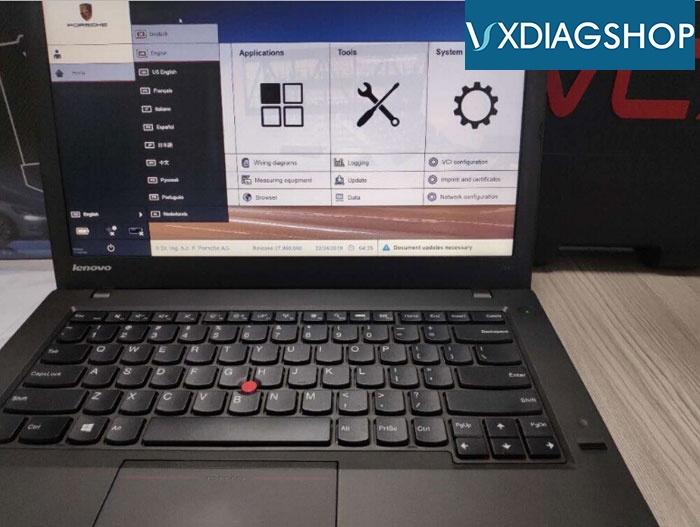
Operating system: Lenovo T440P Laptop Windows 7


How to Update VXDIAG Porsche Tester III?
Software comes in HDD format.
Update method: by sending back the 240G SSD (users need to bear the shipping fee ) or purchasing a new SSD.

www.vxdiagshop.com

2019/10/25

Diagnose old Porsche with VXDIAG PIWIS III PT3G

There is a rumor that VXDIAG Porsche PIWIS Tester III (PT3G) will not work on old models nor DoIP protocol.
vxdiag-porsche-vcx-doip-3

VXDIAG PIWIS3=  Porsche tester ii + PT3G software (2017 up and DoIP models)
It is the only VXDIAG VCI supports Porsche (latest 2018 version) especially the latest models based on Ethereum:

For Panamera (971) 2018
For Cayenne (92A) 2018
For Macan (95B) 2018
For 911 (991) 2018


Tester III perfectly compatible with Tester II:
PT3G Supports Porsche both old and new from year 2005 to 2018.
For Porsche 911(997) (991)
For Boxster/for Cayman (987)
For Cayenne up to MY 2010
For Cayenne from MY 2011
For Panamera