Showing posts with label VXDIAG Ford IDS. Show all posts

2022/07/20

VXDIAG VCX NANO Ford IDS V126 Installation Guide

VXDIAG tutorial: how to install vxdiag vcx nano ford ids v126 (vcx se ford, vcx full ford etc) driver and software on Windows 10 operating system.


First of all, Download Ford IDS V126 and patch here

http://blog.vxdiagshop.com/2022/07/05/free-download-vxdiag-ford-mazda-ids-v126-and-patch/
Open FordIDS folder
Run IDS-126_01_Full setup

VXDIAG VCX NANO Ford IDS V126 Installation 1

Install setup language
Press Next
Accept license agreement

VXDIAG VCX NANO Ford IDS V126 Installation 2

Press Install
Finish installing setup

VXDIAG VCX NANO Ford IDS V126 Installation 3

Press Reboot

Install VCI_Software_1.0.0.10 Ford VCI driver until finished

VXDIAG VCX NANO Ford IDS V126 Installation 4

VXDIAG VCX NANO Ford IDS V126 Installation 5


Open IDS Patch folder,
Copy and paste IDS_Patch to desktop

VXDIAG VCX NANO Ford IDS V126 Installation 6

Always download and install latest version vx manager here

http://www.vxdiagshop.com/info/vxdiag-diagnostic-software-download-4048.html

Select Ford/Mazda driver to install

VXDIAG VCX NANO Ford IDS V126 Installation 7

connect vcx nano or vcx se with laptop
vx manager detects device information

VXDIAG VCX NANO Ford IDS V126 Installation 8

Update firmware and license to the latest version

VXDIAG VCX NANO Ford IDS V126 Installation 9

Before running IDS, make sure the Ford IDS device driver has been installed

Run IDS from IDS_Patch on desktop
Select dealer type: Non-dealer, dealer code: 00000 and your country

VXDIAG VCX NANO Ford IDS V126 Installation 10

IDS software is ready to use

VXDIAG VCX NANO Ford IDS V126 Installation 11

NOTE: Don’t install Ford and Mazda IDS on the same PC. Mazda IDS does not require VCI driver.

http://blog.vxdiagshop.com/2022/07/20/install-vxdiag-ford-v126-driver-software/

2022/07/04

Free Download V126 Ford Mazda IDS for VXDIAG

Allscanner VXDIAG Ford and Mazda software new version V125 released on July 5th, 2022.


Software version: 

Ford IDS V126.01

Mazda IDS V126.01


Support Online programming, we don’t provide online account


Device affected: vxdiag vcx nano ford/mazda USB versionvxdiag vcx nano ford/mazda WiFi versionVXDIAG VCX SE ProVXDIAG FullVXDIAG VCX Plus 3 in 1 etc


Operating system: Win7, Win8 and Win10

Attention: Mazda and ford ids must be installed on different operative systems. On the same computer but on different windows(dual boot) only. Or on different computers


Free download Ford IDS V126

https://mega.nz/folder/6dwzgaJR#XW2q1xPdbgKV4XtZQqkB0w

File including:

IDS-126.01_full.exe
VCI_Software_1.0.0.10.exe
VX Manager 1.8.9.0601.exe

Free download Mazda IDS V126

https://mega.nz/folder/iQp1UACZ#d4ey2cWHmaEMf9n2dTcTAQ

File including:

IDS-126.01_full.exe
VX Manager 1.8.9.0601.exe

Free download Ford and Mazda IDS Patch

https://mega.nz/folder/OV4RRC6B#seCWP6UCzOPWEDYlQxZ1iQ


ford ids native install languages: Chinese (traditional, simplified), Czech, Danish, Dutch, English, Finnish, French, German, Greek, Hungarian,

Italian, Japanese, Norwegian, Polish, Portuguese, Romanian, Russian, Slovenian, Spanish, Swedish, Thai, Turkish


Ford IDS Installation:

1. Install Ford IDS-1**
2. Wait for the installation of Ford IDS – 1**, and restart the computer
3. Install the Ford original VCI software_ 1.0.0.10.exe
4. Install VX manager and Ford IDS driver
5. Wait for VX manager and Ford IDS driver installation to complete
6. Connect VCX device and install idspatch
7. Use idspatch to open IDs and start diagnosis.


Mazda IDS Installation:

1. Install mazdaids-1**
2. Wait for mazdaids – 1** installation to complete and restart the computer
3. Install VX manager and Ford IDS driver
4. Wait for VX manager and Ford IDS driver installation to complete
5. Connect VCX device and install idspatch
6. Use idspatch to open IDs and start diagnosis.

2022/05/19

VXDIAG Ford IDS Tested Working on Windows 11

New test reported: Vxdiag Ford IDS V125.01 was tested working on Windows 11 (Home edition). It was a Ford Edge 3.5L 2007.

Compatible devices: vxdiag vcx nano ford, vxdiag vcx se pro, vxdiag full etc


NOTE:

Update vx manager driver to latest version (1.8.8)

Don’t install Ford IDS and Mazda IDS on the same operating system, better don’t install GDS Techstream Tech2win etc programs with IDS.

Follow Ford IDS installation guide to set up IDS

Win11 Home edition is not very stable, Win10 is recommended. Win10 pro works 100%

VXDIAG Ford IDS V125 Tested Working on Windows 11 1

VXDIAG Ford IDS V125 Tested Working on Windows 11 2

VXDIAG Ford IDS V125 Tested Working on Windows 11 3


2022/02/20

VXDIAG Ford and FDRS Update F150 2021 APIM Module

The Ford F-150 2021 sync 4 apim update has to be done in the truck it is for. You cant do like sync 3 and just use any update. The manifest is vin specific and there are other things it looks for that only the truck its done in has.

If you get the FDRS two day pass and the unit mentioned about you can do the apim update yourself. Also you can update all the modules that need to be updated. The 1.4.0 update was a TCU update. 1.6.0 was gateway and 1.7.1 was the apim 21146 update. 2.1.0 was gateway 2.1.1 was gateway 2.3.0 is apim.

As of now the 21146 APIM update for Job 1 trucks is available for manual install in FDRS. It’s there in the software update tabs. It has to be completed through USB though. Sometimes it can take a while for the update to kick in and also have to make sure you don’t pull the usb until you get a completed message.

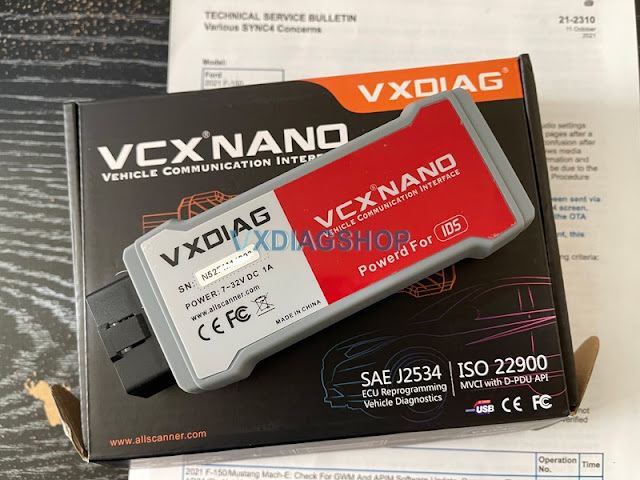
You will need a J2534 pass-through interface that connects FDRS to your truck. We use the VXDIAG VCX Nano for Ford. It’s a cheaper version of more expensive interface but gets the job done! You can read details how to set it up to work with FDRS here.

VXDIAG Ford and FDRS Update F150 2021 APIM Module 1

FDRS is only required until the USB is created. Once you have a USB you can drop FDRS. You do not need a scan tool or FDRS for the USB to kick off. People used that tool successfully on their truck and things went very well. They updated many modules successfully using it. It also works with forscan so its a great option for those with F150 2021 because you can use it for everything rather than needing a couple different tools.

The APIM update process is rather easy. Connect your interface to your truck and laptop running FDRS, open FDRS, read VIN from the vehicle. Once done, click on Toolbox tab. You should see all modules on your left hand side. Click on APIM (if its green), on the right-hand side you should see all options you can perform on this module. If there is update available, you should see it in this section. Once you initiate the APIM update, just follow the on-screen instructions, its pretty straight forward from there!

VXDIAG Ford and FDRS Update F150 2021 APIM Module 2

Also very important:

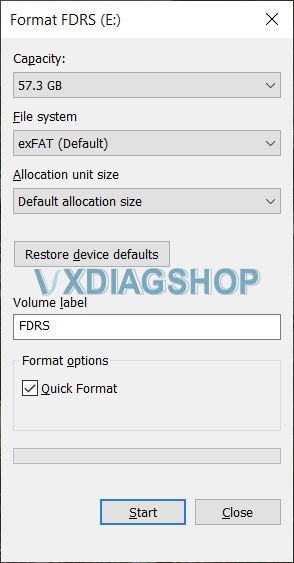
Make sure you format your USB flash drive to exFAT with default allocation size.

VXDIAG Ford and FDRS Update F150 2021 APIM Module 3

2021/11/03

Program Ford Focus 2007 ABS Module with VXDIAG IDS

It is enough to allow me to think that there is a chance of success after I swap out the ABS ECU with the one I ordered. You’ll need access to FJDS or IDS to finish the job. You can ask your dealer to do this, or you can purchase a license from Ford and do it yourself. If you decide to do it yourself, you’ll need a VXDIAG or VCM II adaptor.


I ordered the VXDIAG VCX NANO for Ford interface.  I downloaded FJDS from motorcraftservice. I was able to see the J2534 Pass-thru Device in the list. There is a VCI manager app that you will need load to connect for it to be recognized.

It’s finally working!
As far as the VCX NANO is concerned, it works. The cracked version of IDS that comes with it might not work with the newer vehicles, but if you purchase a license from motorcraftservice and download FJDS, you can use the malware of a “driver” that is included with it to connect to your vehicle.

It diagnosed an F-150 2019 yesterday.  Today we have 2008 ford focus. The ABS module was replaced and is required to be programmed.

Program Ford Focus 2007 ABS Module with VXDIAG IDS 1

Program Ford Focus 2007 ABS Module with VXDIAG IDS 2

Program Ford Focus 2007 ABS Module with VXDIAG IDS 3

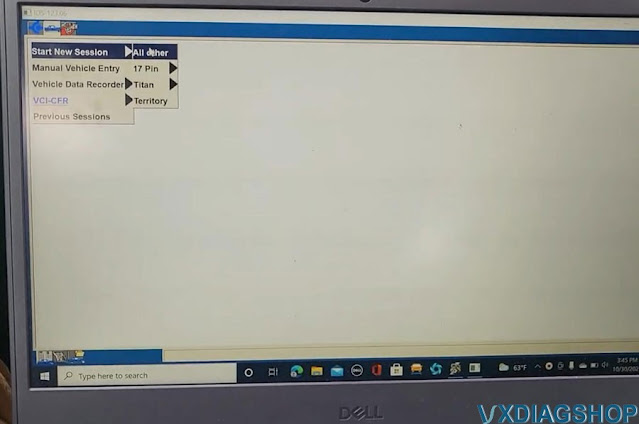
Run IDS, Start a new session- All other

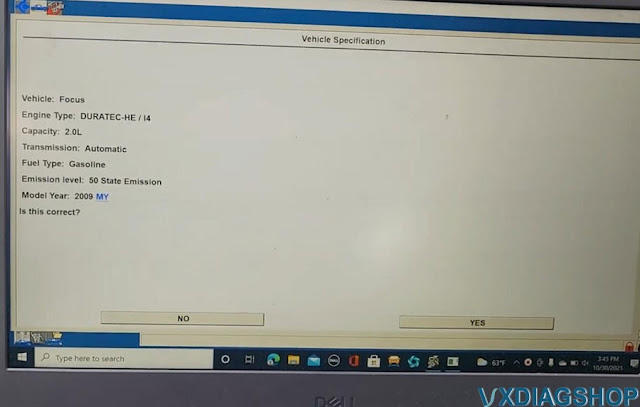
Detect vehicle information

Confirm VIN

Go to Major programming-Module Programming- ABS

Turn ignition switch to ON

Turn ignition off

Program Ford Focus 2007 ABS Module with VXDIAG IDS 4

install a new module in the vehicle

Turn ignition switch to ON

Program Ford Focus 2007 ABS Module with VXDIAG IDS 5

Program Ford Focus 2007 ABS Module with VXDIAG IDS 6

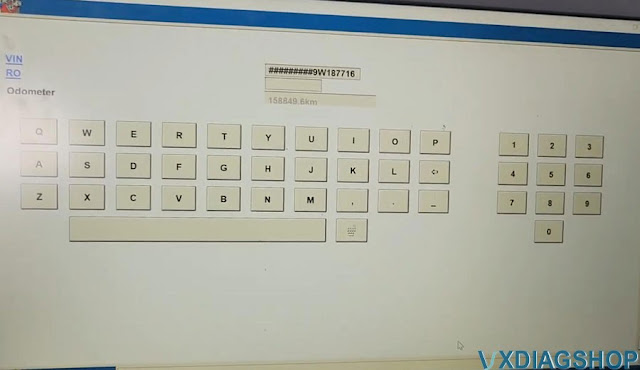
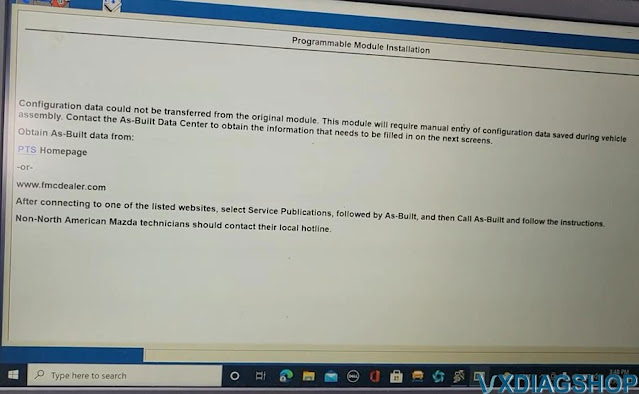
We are required to input as-built data

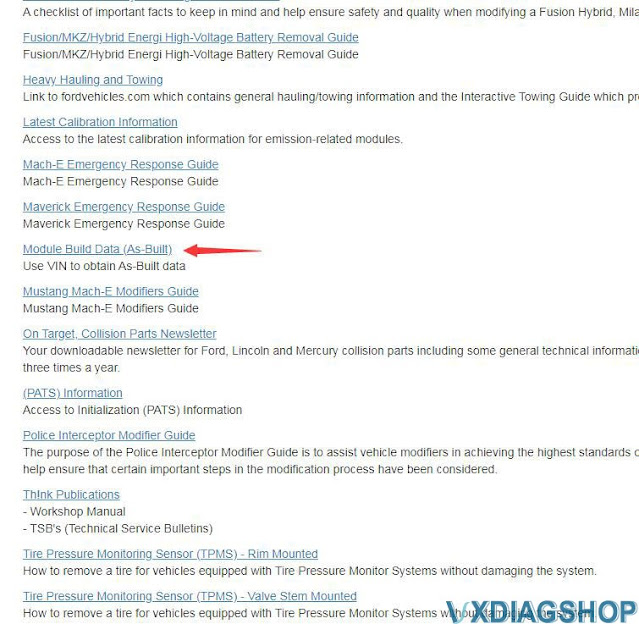
Go to motorcraftservice website


Program Ford Focus 2007 ABS Module with VXDIAG IDS 7

Program Ford Focus 2007 ABS Module with VXDIAG IDS 8

Program Ford Focus 2007 ABS Module with VXDIAG IDS 9

Select region and language, then Submit

Go to Free Resources- Quick Guide- Module Build Data (As-built)

IDS showed me the VIN number

Program Ford Focus 2007 ABS Module with VXDIAG IDS 10

Program Ford Focus 2007 ABS Module with VXDIAG IDS 11

Input VIN and it give me vehicle data

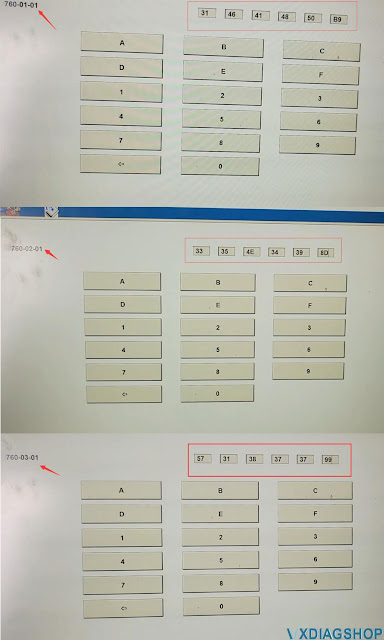
pull down and check ABS data, take a picture of the data

go back to IDS

manually enter ABS as-built data completely

Program Ford Focus 2007 ABS Module with VXDIAG IDS 12

Program Ford Focus 2007 ABS Module with VXDIAG IDS 13

Turn ignition off

Turn the key on

Program Ford Focus 2007 ABS Module with VXDIAG IDS 14

ABS Programming complete by vxdiag ford ids

Just run a self test to see what code is here

you see now here we have abs code and the other one this one is internal fault

i’m gonna clear the codes

there’s no ABS light anymore

checking your light because you have to start the car too.

Program Ford Focus 2007 ABS Module with VXDIAG IDS 15

www.vxdiagshop.com