Showing posts with label VXDIAG VCX NANO for GM/OPEL. Show all posts

2021/05/24

VXDIAG Program Opel ECU via SPS on PSA Service Box

The PSA group bought the Opel/Vauxhall so we have to go to the PSA SERVICE BOX website to reprogram the Opel ECUs.  Here are the tips on reprogram Opel ECU using a vxdiag vcx nano OpelOBD2 scanner and SPS via the PSA website.


Model Example: Opel Ampera 2012 1.4L


The vehicle can not start. GM says that what we need to do is update the versions of the K16 and K114B ECUs.

First, you need to register the Service Box website and pay for SPS subscription.

vxdiag-opel-ecu-sps-programming-1

The subscription options also depend on the country from which you connect.  Select an option you desired.

vxdiag-opel-ecu-sps-programming-2

They offer 2 hours of subscription (it took me 53.51 euro).  If you log out and reopen in another browser, press F5 and it will come back.

vxdiag-opel-ecu-sps-programming-3

After paying for the ServiceBox, select Technical Information-> Opel Legacy & Chevrolet Subscriptions

vxdiag-opel-ecu-sps-programming-4

You can see when the SPS programming subscription starts and ends.

The SPS procedure is the same as in the ACDelco TDS website.

vxdiag-opel-ecu-sps-programming-5

vxdiag-opel-ecu-sps-programming-6

Select SPS programming, accept license warning message, then install SPS

vxdiag-opel-ecu-sps-programming-7

Select diagnostic interface (If there is J2534 VXDIAG, select it. If doesn’t, select J2534 Tool to connect)

vxdiag-opel-ecu-sps-programming-8

Select vehicle information and device type (if failed to connect with VXDIAG Allscanner, select MDI2 instead)

vxdiag-opel-ecu-sps-programming-9

Confirm VIN

vxdiag-opel-ecu-sps-programming-10

vxdiag-opel-ecu-sps-programming-11

First we programmed the K114B Hybrid kinematic control module 2. Wait until the procedure completed.

vxdiag-opel-ecu-sps-programming-12

vxdiag-opel-ecu-sps-programming-13

Erase fault code after programming the module

vxdiag-opel-ecu-sps-programming-14

vxdiag-opel-ecu-sps-programming-15

Then program KB16 Battery power control module. Wait until the procedure completed.

vxdiag-opel-ecu-sps-programming-16

Again erase fault code when finish program 2nd module

You can program other ECU modules as well.

www.vxdiagshop.com


Read also:

Chevy Volt HPCM 2 Reprogramming with VXDIAG VCX NANO SPS

Buick 2008 GL8 SPS Programming with Vxdiag VCX NANO J2534

2019/03/11

VXDIAG GM GDS 2 Does Good Testing on 2010 Excel 2009 Regal

Vxdiagshop engineers has successfully tested GDS2 for VXDIAG VCX NANO for GM/OPEL on two Buick cars:
http://www.vxdiagshop.com/wholesale/vxdiag-vcx-nano-for-gm-opel-wifi-version.html
Operation system:
Win7 64bit /Win8 64bit system
Connection methods:
Via USB adapter or WIFI
Tested cars:
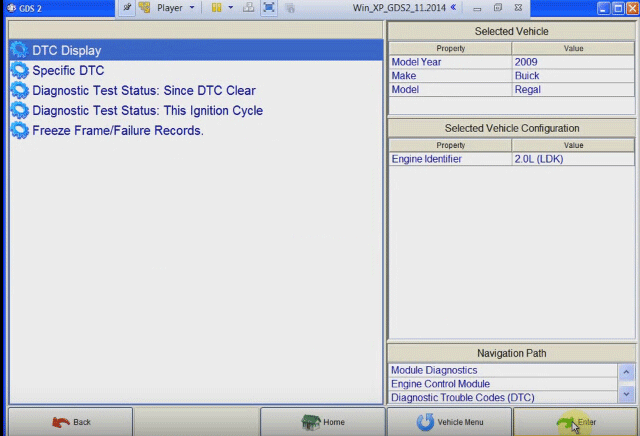
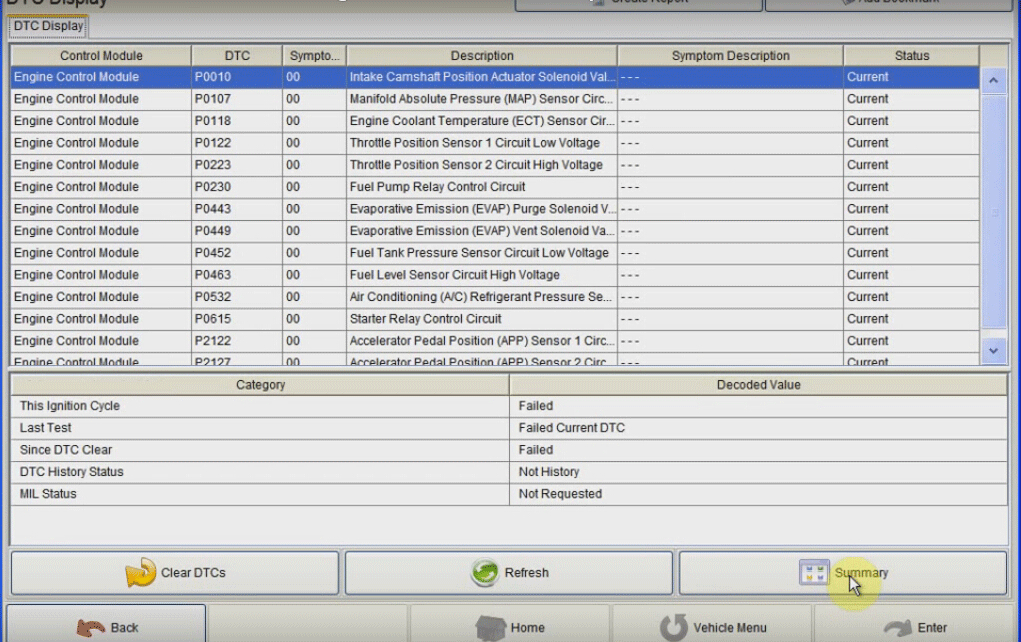
2009 Buick Regal
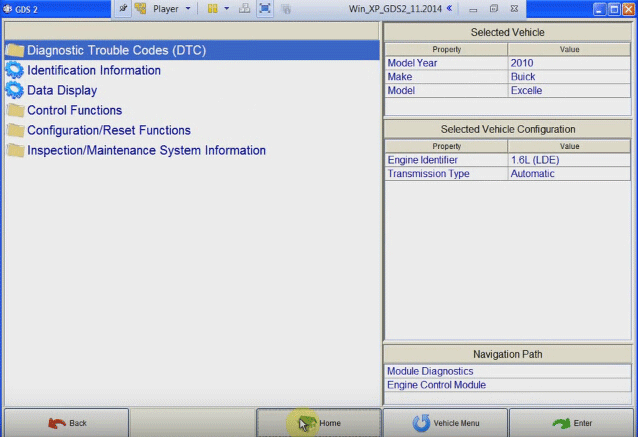
2010 Buick Excel
Test 1 - USB wired diagnosis on 2009 Buick Regal by GM VXDIAG GDS2
Open GDS2 software on desktop
Click Diagnostics

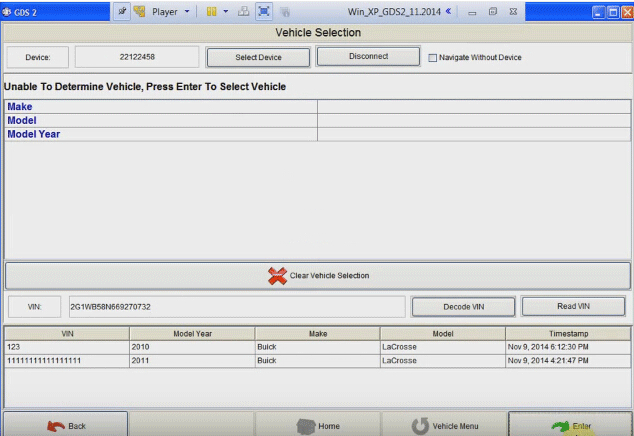
Come to GDS2 software program, click Enter

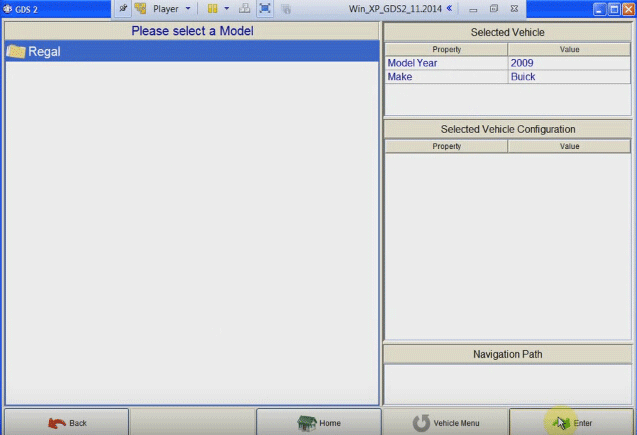
Select vehicle year and model, here obd2express technicians test a 2009 Buick Regal

Click Enter
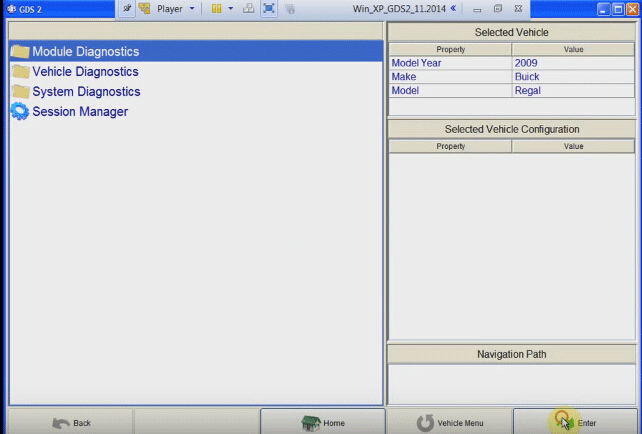
Module Diagnostics, click Enter

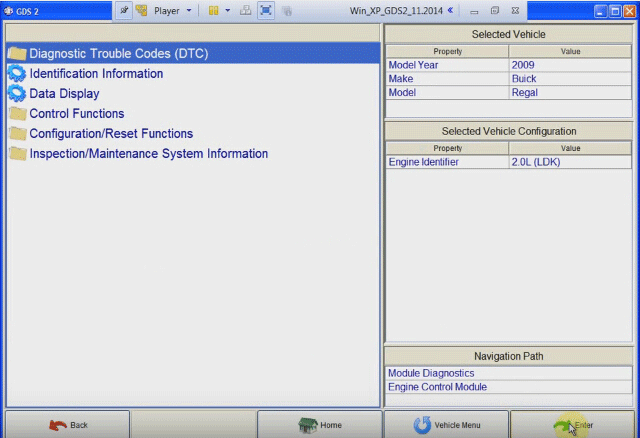
Engine Control Module, click Enter

Engine identifier: select 2.0L (LDK) and click Enter
Diagnostic Trouble Codes (DTCs) and click Enter

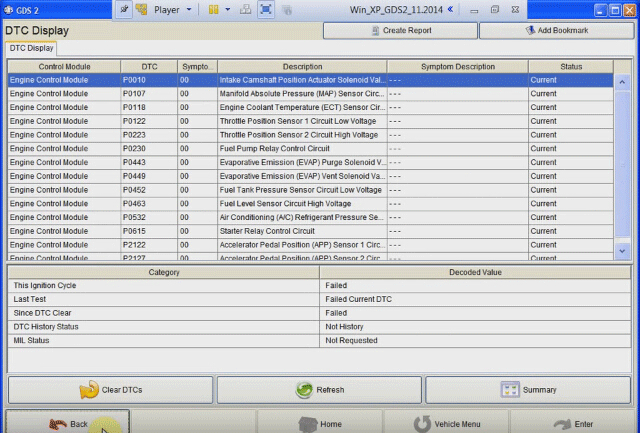
DTC display, click Enter

Click Details

Read and click Back
Go to Home page and Close Applications

Test 2 - Wireless diagnosis on 2010 Buick Excel with GDS 2
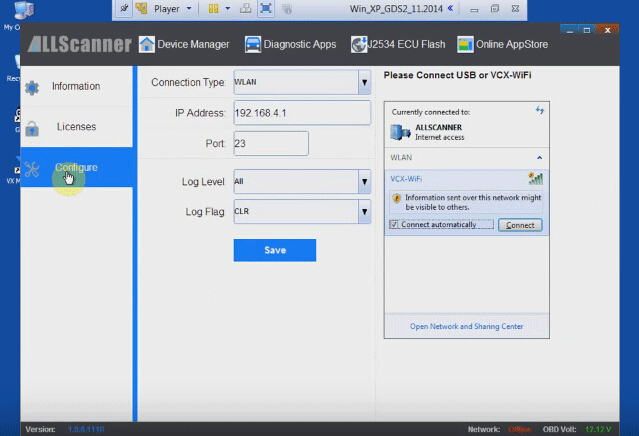
Connect VCX WIFI wireless connection

Open VX Manager on desktop
Press “Configure” function
Set Connection Type to “WLAN” and save it

Open GDS2 software on desktop and diagnose 2010 Buick Excel.

Module Diagnostics, click Enter
Engine Control Module, click Enter
Engine identifier: select 1.6L (LDE) and click Enter
Diagnostic Trouble Codes (DTCs) and click Enter
DTC display, click Enter
Click Details

Read and click Back
Go to Home page and Close Applications

Done!