Showing posts with label PIWIS3 VCX DoIP. Show all posts

2020/04/13

How to Update VXDIAG Porsche Tester III to V38.900?

Question: 
What is the latest PIWIS software of vxdiag tester iii? How can i update software to latest version?


Vxdiagshop.com solution:
The latest VXDIAG PIWIS III software goes to 38.900.000 (Till April 2020)

What’s new in PIWIS III 38.900?
38.900 with for the experts the developer/engineering mode activated to code without passing through the Porsche server.
Older software version 38.400 with unlimited activation, with a full engineering menu.  You can install a fresh version, 38.900 (the engineering menu has been cut down). Equipment tested, ready to go.
vxdiag-porsche-piwis-v38-900

Language: English, US English, German, French, Italian, Spanish, Japanese, Chinese, Russian, Portuguese
Operating system: Lenovo T440P Laptop Windows 7


How to Update VXDIAG Porsche Tester III?
Software comes in HDD format.
Update method: by sending back the 240G SSD (users need to bear the shipping fee ) or purchasing a new SSD.

www.vxdiagshop.com

2019/04/23

How to set up VXDIAG Porsche PIWIS3 VCX DoIP WiFi connection?

Question:
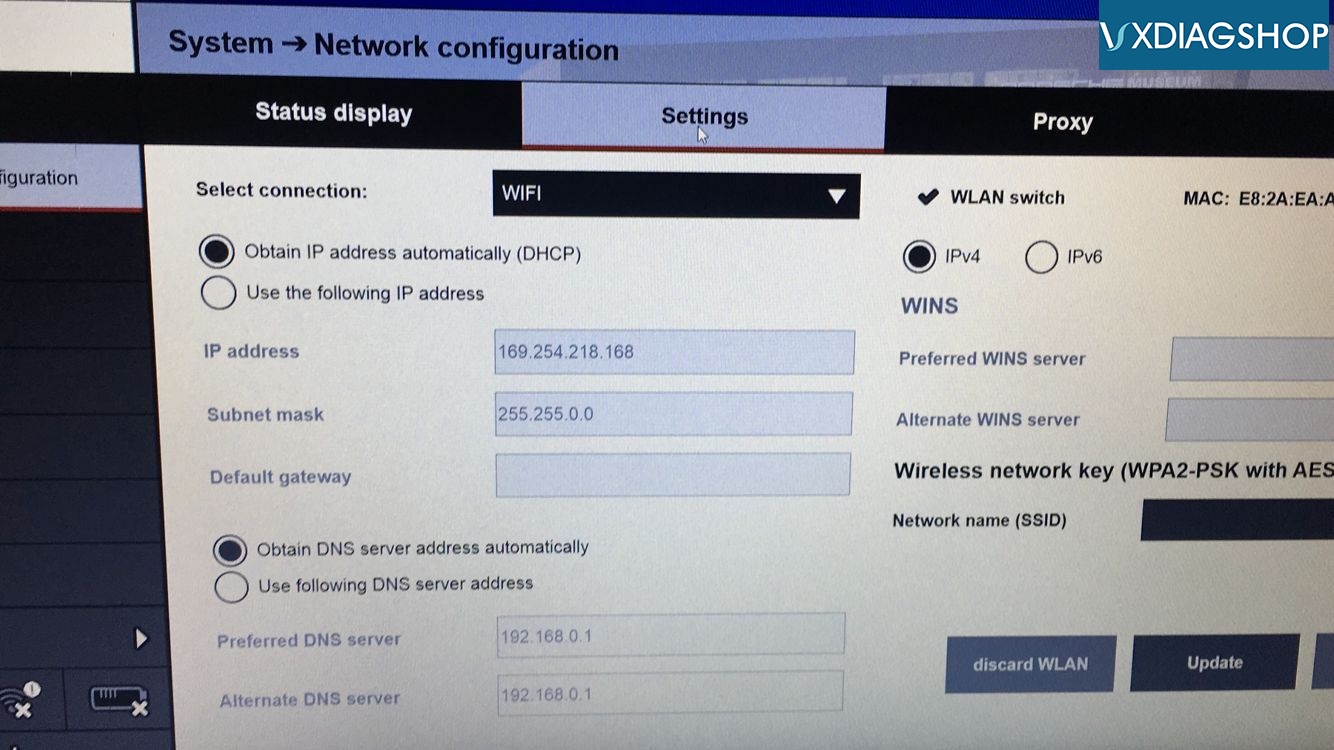
I cannot mange to setup wireless connection between vxdiag vcx doip porshe piwis3 and laptop. How can i enable wifi connection? How to search WLAN and set up IP address?
vxdiag-porsche-piwis-2-wifi-1
vxdiag-porsche-piwis-2-wifi-4
VXDIAGSHOP.COM solution:
Porsche PIWIS3 Wifi setting is the same as VXDIAG Porsche PIWIS2

How to set up/connect VXDIAG Porsche PIWIS2 VCX Plus with laptop via WiFi?

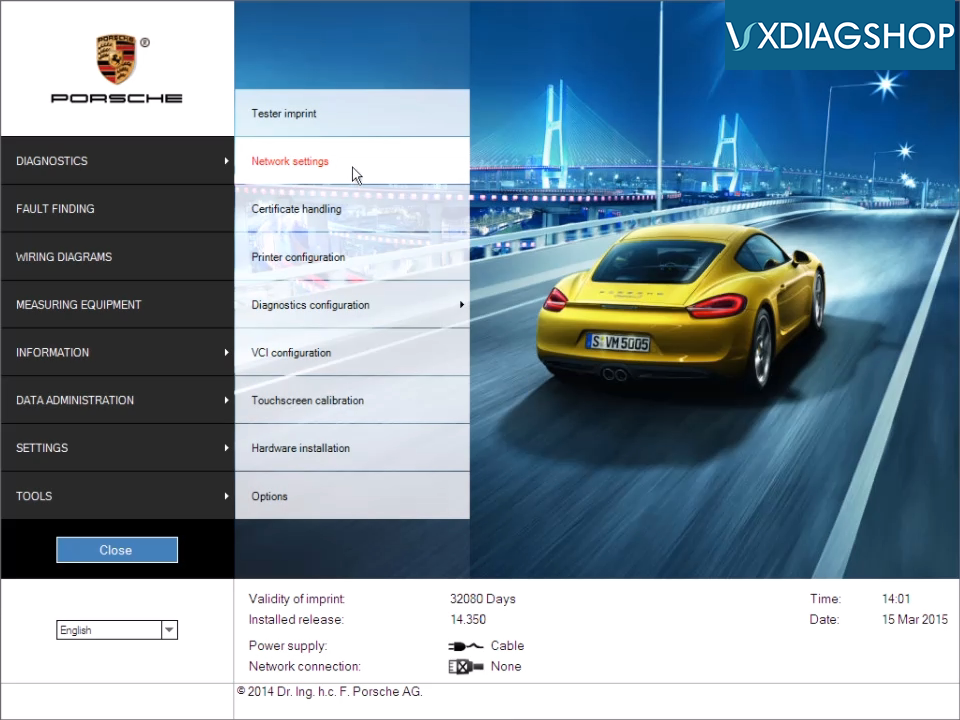
1.Click [SETTINGS]->[Network settings]

vxdiag-porsche-piwis2-wifi-1
vxdiag-porsche-piwis2-wifi-2

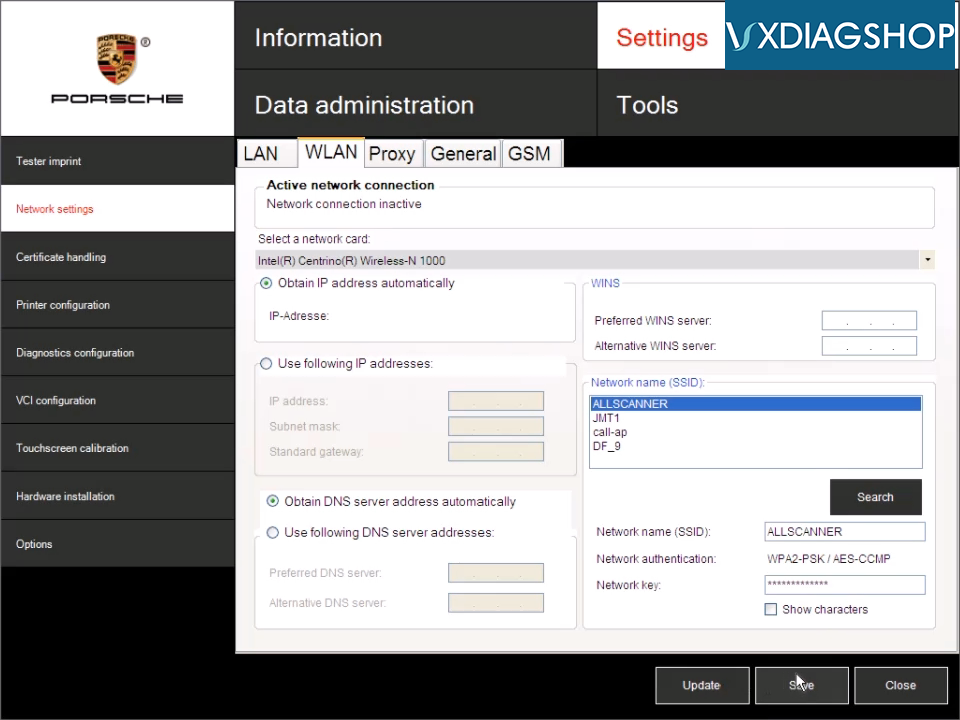
2.Click [WLAN],then Select a network card

vxdiag-porsche-piwis2-wifi-3

3.Click [Search],then click select Network name,and input Network Key

4.obtain ip address automatically:select [Obtain IP address automatically] and [Obtain DNS server address automatically],then click [Save]

vxdiag-porsche-piwis2-wifi-4

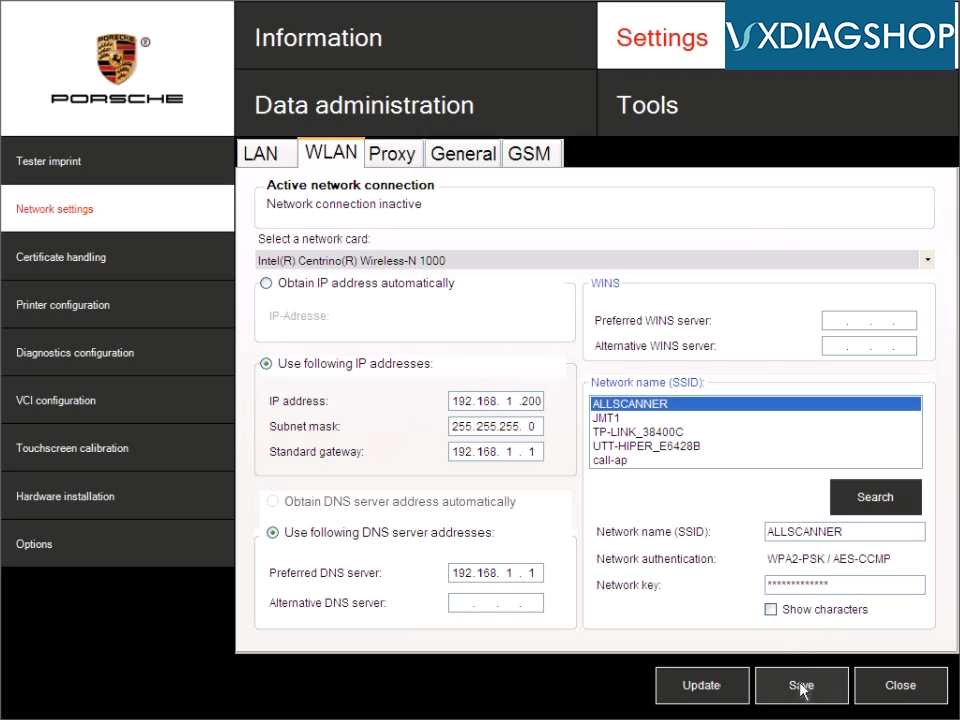
5.Manually settings IP address : select [Use following IP addresses] and [Use following DNS server addresses],then input IP address 、subnet mask 、standard gateway 、Preferred DNS Server , then click [Save]

vxdiag-porsche-piwis2-wifi-5
Video : WIFI Settings - obtain ip address automatically

Video : WIFI Settings - Manually settings IP address