Showing posts with label VXDIAG Subaru SSM III. Show all posts

2021/03/23

VXDiag SSM3 AT Learning 2011 Outback

Car model and year: 2011 Subaru Outback


Symptom: replaced the CVT valve body and got fluid back up to proper level. I have the VXDiag SSM3 tool and reset the two memories. I tried to re-learn using the tool but keep getting “AT learning ended abnormally”.

vxdiag-subaru

Image: VXDiag SSM3 tool


Advice:

you need lift the car up and then set the parking brake and then do the learn procedure, if it aborts during the test, adjust your parking brake accordingly…


Finally, AT Learning normally with VXDiag SSM III Subaru tool:

I have VXDiag SSM III running on an old Win7 PC (Win10 is not supported) that is not on the internet(or any network). If there is any malware I’ve not seen evidence of it yet – running about 30 days.


I was able to get the Subaru Select Monitor III software with the VXDiag tool to clear the Transmission diagnostic memories and complete the relearn on the CVT. In my case it did not seem to be the parking brake that caused the abnormal ending of the relearn since I adjusted the parking brake but it still did not complete the relearn.

My problem seemed to be that I need to do the Rear differential inspection mode. I went down this path since, in addition to the AT OIL TEMP light blinking 8 times per 2 seconds then off for two seconds and repeating (this pattern indicates the AT learning is not complete), the AWD light was blinking twice per second continuously. The Service Manual states:

““`
AWD light blinks at 2 Hz when any of following malfunctions are detected with engine ON.
1. When tire with different diameter is installed, or air pressure of any of four wheels is excessively low
2. When “Rear differential inspection mode” is judged as NG <Ref. to DI-84, Rear Differential Inspection
Mode.>
“““

So, I ran the Rear differential inspection mode and then the AT learning mode – and it completed normally. I took the car for a short drive and it feels much better – although still not shifting as smooth as it should. Maybe, it will improve.


Enjoy!

http://blog.vxdiagshop.com/2021/03/23/2011-subaru-outback-at-learning-with-vxdiag-ssm-iii/

2020/05/25

How to use VXDIAG SSM3 to Calibrate Subaru Force Sensor?

Why require a Force Sensor Calibration?
After EPB actuator assembly installation is complete (address DTC C0251), the Force Sensor Calibration Mode must be performed with the Subaru Select Monitor following the procedure.
Caution:
Subaru Select Monitor (SSM-III) is required for the Force Sensor Calibration Mode.
Make sure to perform this procedure with the vehicle parked in a horizontal place and to use wheel chocks.

Note:
When the following work is performed, use this function to perform calibration of force sensor in the parking brake actuator.
-Removing the parking brake assembly
-Replacing the electronic parking brake control module
-Adjusting the shoe clearance
After replacing the electronic parking brake control module, if the calibration of the force sensor has not yet been performed, the brake warning light will blink and "Force Sensor Line (abnormal) DTC will be detected.
1). Park the vehicle in a horizontal place using wheel chocks.
2). Connect the VXDIAG Subaru SSM3 scanner
3). On Main Menu display, select Each System Check
4). On System Selection Menu display, select Brake Control System
5). Click the OK button after Parking Brake System is displayed
6). On Maintenance Operation Mode display, select Force Sensor Calibration Mode
7). The confirmation screen of vehicle parking condition and wheel chocks usage is displayed. Confirm the parking condition and wheel chocks,. and click the YES button;
8). A message indicating the calibration mode in progress is displayed on the screen, and the Force Sensor Calibration Mode begins.
9). The message "Force sensor calibration done"
Turn ignition switch OFF is displayed on the screen.
Turn OFF ignition to end the calibration mode.

https://www.vxdiagshop.com/service/force-sensor-calibration-mode-in-subaru-ssm3.html

2019/06/24

How to install VXDIAG Subaru SSM III V2018.10 software

Here vxdiagshop.com provides step-by-step installation guide of VXDIAG VCX PLUS Subaru SSM3 (Subaru Select Monitor III) software.

Software version: SSM 3 V2018.10
Operating system: Windows XP/Windows 7
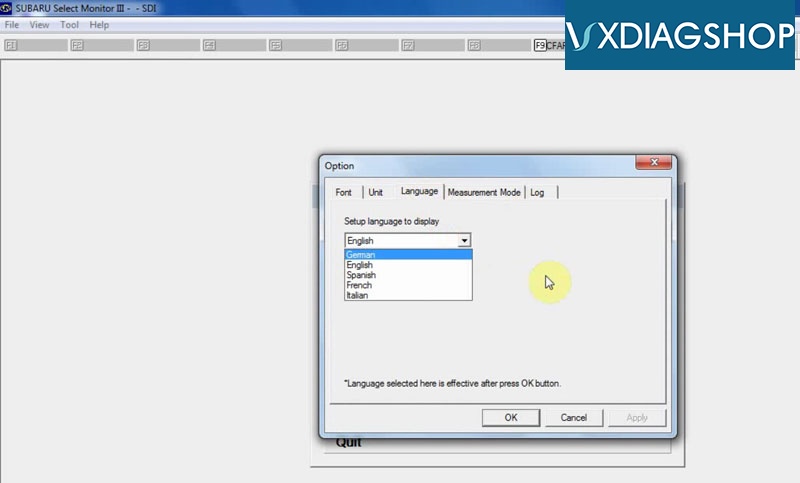
Language:English German Spanish French Italian

Main steps:
Step 1: Install SSM3 setup
Step 2:Install SSM4 setup
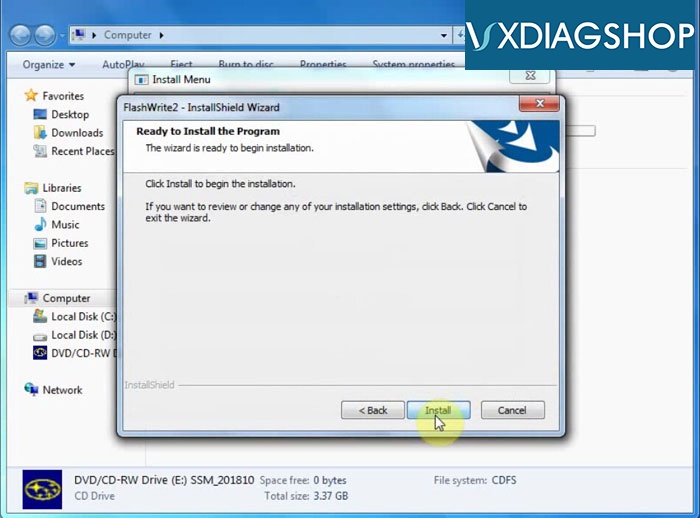
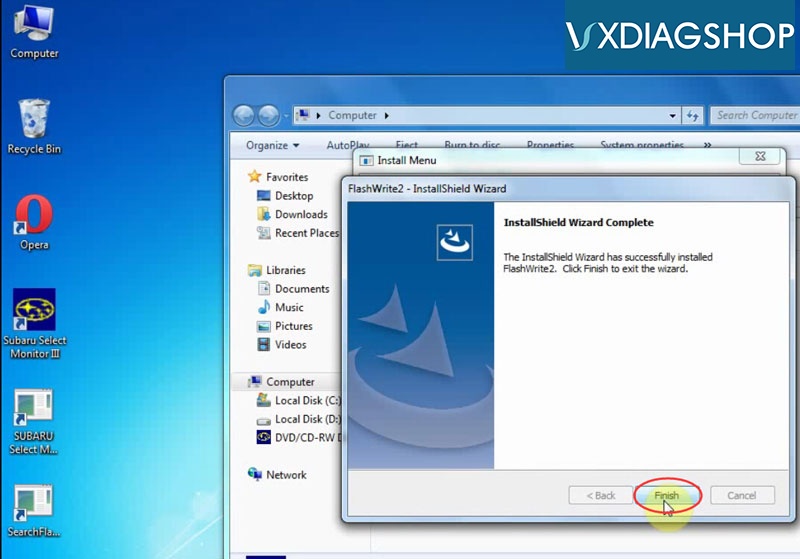
Step 3: Install FlashWrite
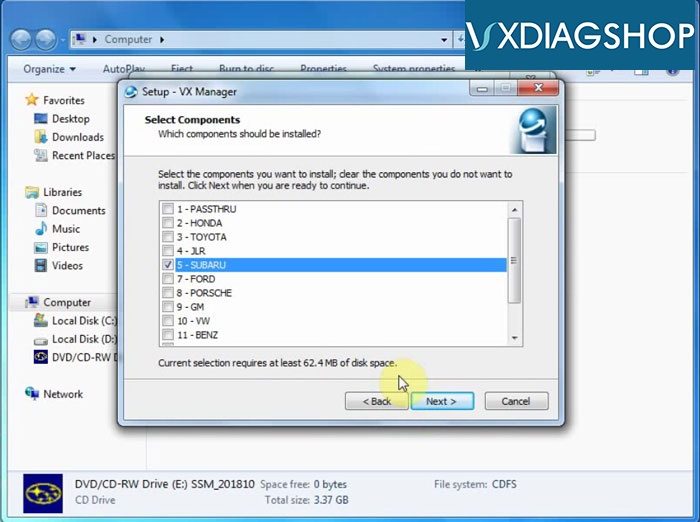
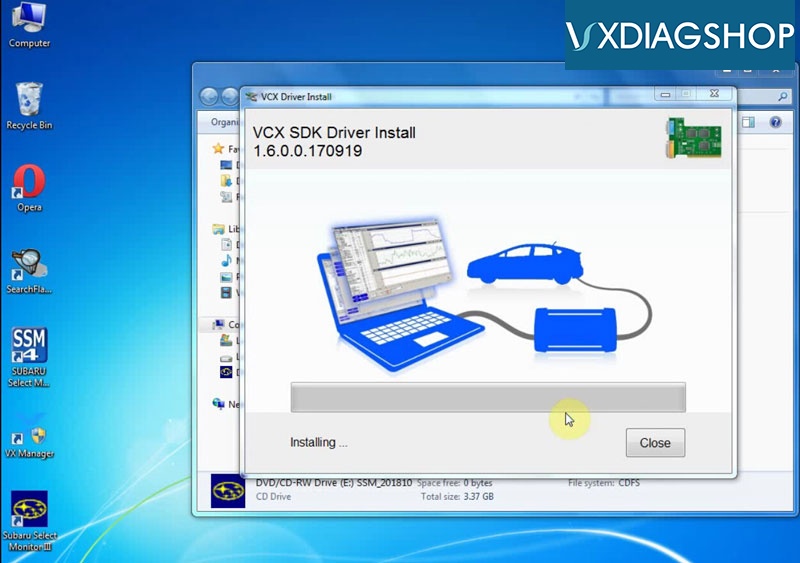
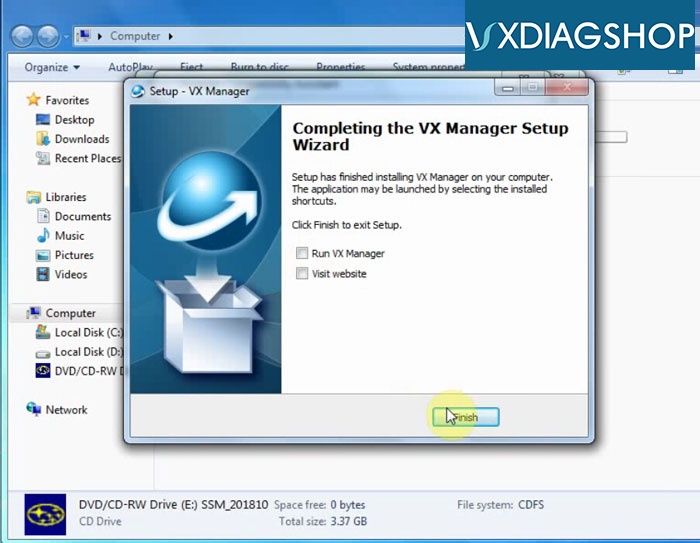
Step 4: Install VX Manager driver

Disclaimer: You should install SSM4 setup to finish installation. But VXDIAG scanner is not compatible with SSM4 software.  Do always use SSM3 software only.

Procedure:
[embed]https://youtu.be/LuHGWOiNKjE[/embed]
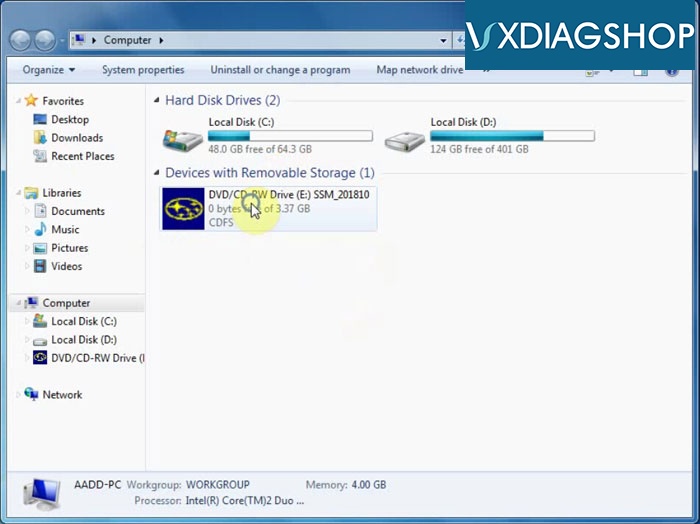
vxdiag-subaru-ssm3-v2018-install-1
Open SSM_201810 software CD
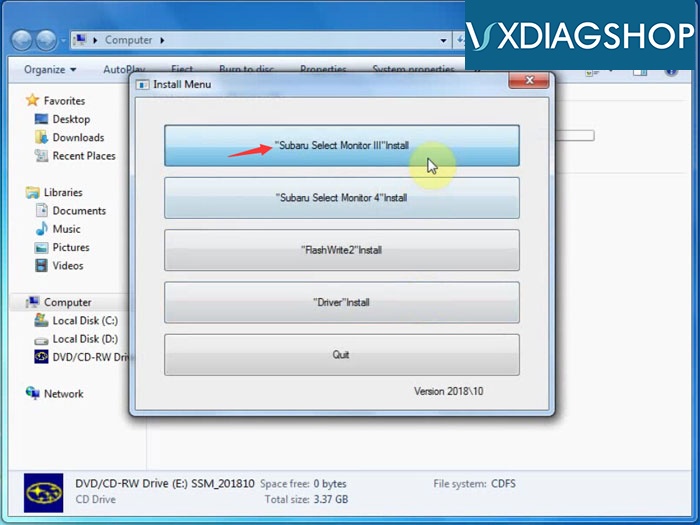
vxdiag-subaru-ssm3-v2018-install-2
Select "Subaru Select Monitor III" Install
Accept license agreement
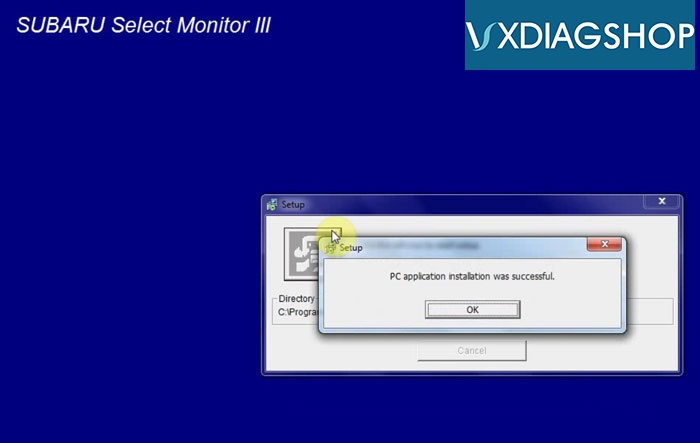
vxdiag-subaru-ssm3-v2018-install-3
Install diagnosis software setup
PC application installation success
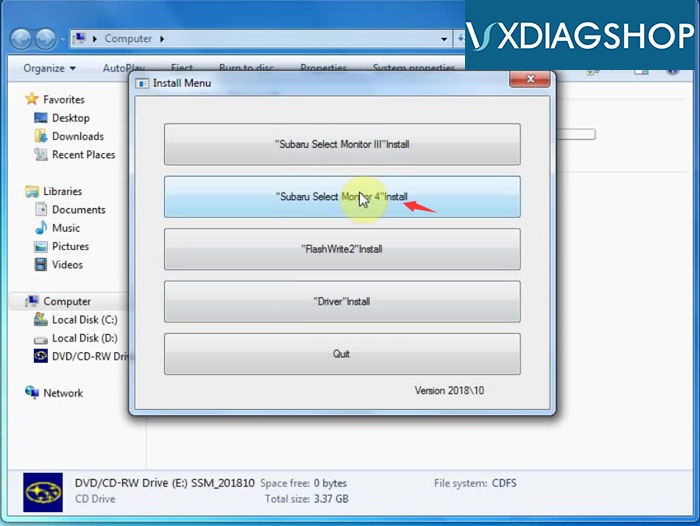
vxdiag-subaru-ssm3-v2018-install-4
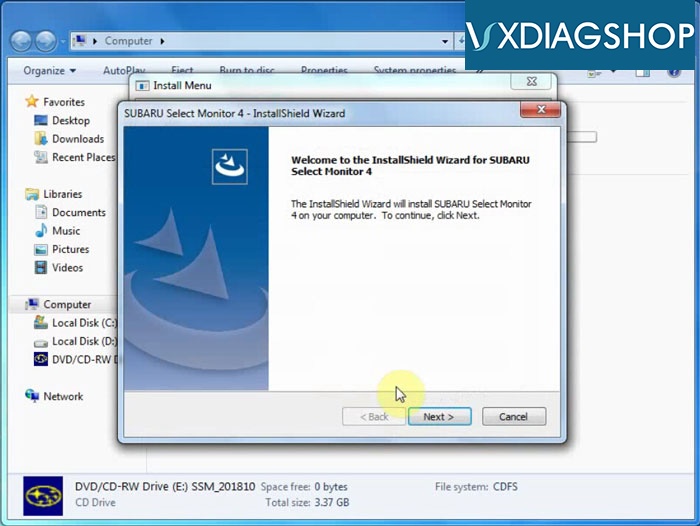
Select "Subaru Select Monitor 4" to install
vxdiag-subaru-ssm3-v2018-install-5
Install Wizard for SSM4
Accept license agreement
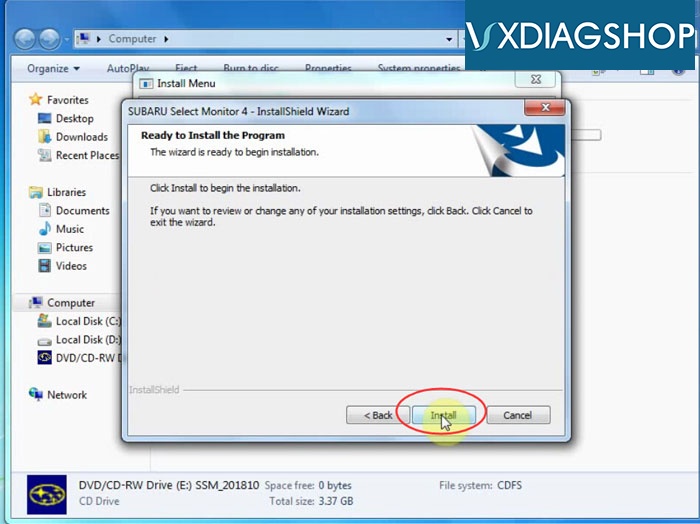
vxdiag-subaru-ssm3-v2018-install-6
Press Install
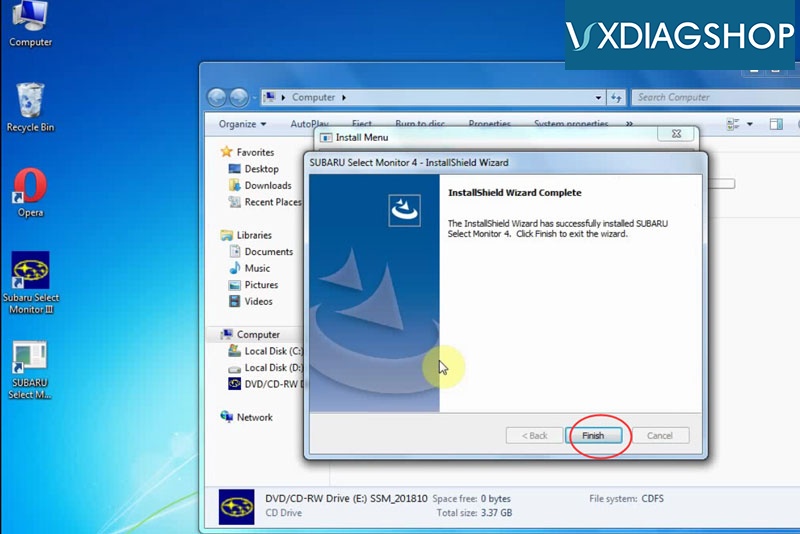
vxdiag-subaru-ssm3-v2018-install-7
The InstallShield Wizard has successfully installed Subaru Select Monitor 4
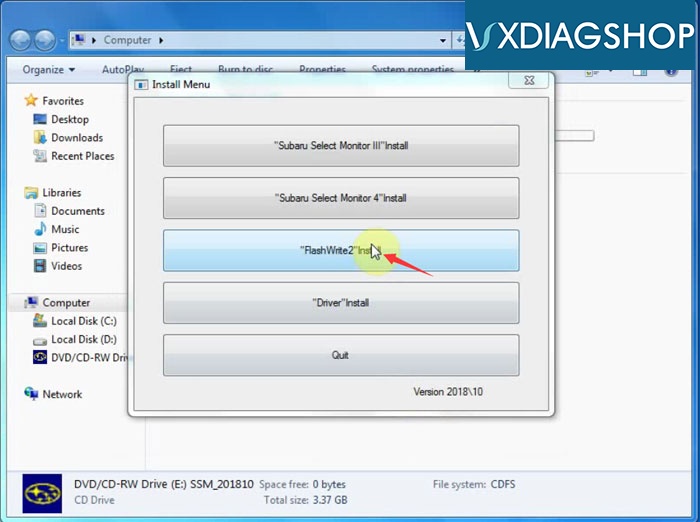
vxdiag-subaru-ssm3-v2018-install-8
Select "FlashWrite2" Install
vxdiag-subaru-ssm3-v2018-install-9
Press Next to install
Accept license agreement
Press Install
vxdiag-subaru-ssm3-v2018-install-10
Installed FlashWrite2" success
vxdiag-subaru-ssm3-v2018-install-11
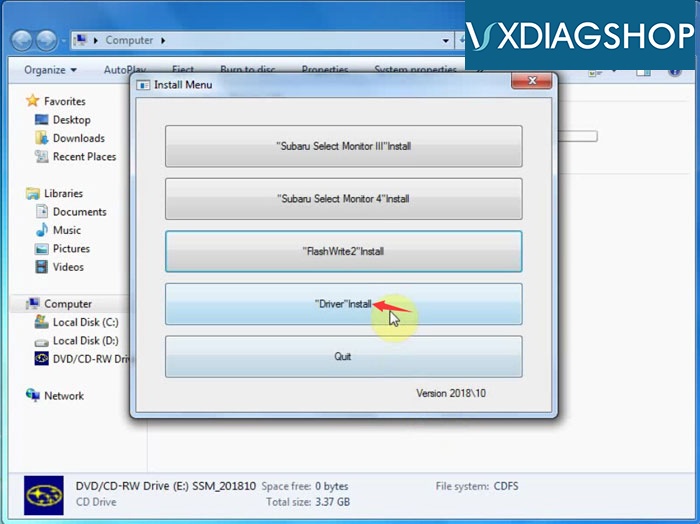
Select "Driver" install
Accept license agreement
Remove device when installing
vxdiag-subaru-ssm3-v2018-install-12
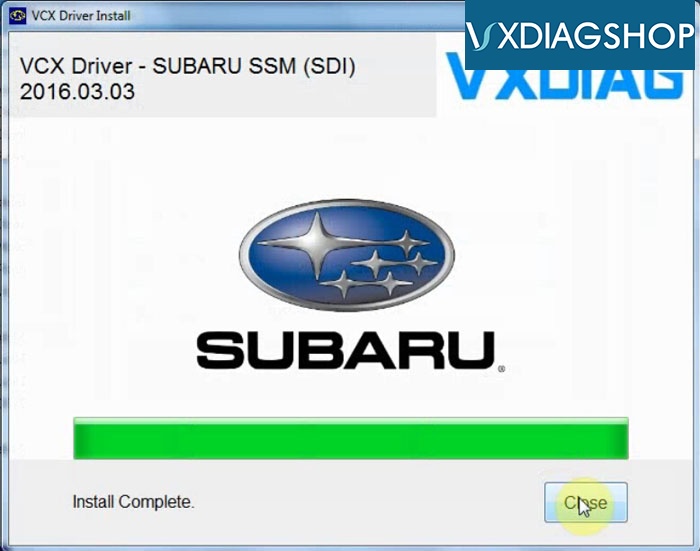
Select to install Subaru VX Manager driver
vxdiag-subaru-ssm3-v2018-install-13
vxdiag-subaru-ssm3-v2018-install-14
Install Subaru SSM VCX Driver completed
vxdiag-subaru-ssm3-v2018-install-15
Quit Install Menu
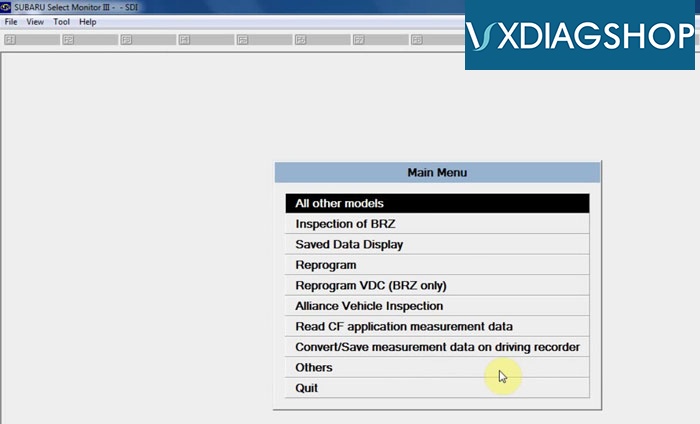
Run Subaru Select Monitor III software on desktop
vxdiag-subaru-ssm3-v2018-install-16
Go to Tool tab->Option to do select language you desired
vxdiag-subaru-ssm3-v2018-install-17
V2018.10 VXDIAG Subaru diagnostic software is ready to use.

www.vxdiagshop.com