Showing posts with label vxdiag. Show all posts

2022/01/06

VXDIAG VX Manager 1.8.6 DuiLib_ud.dll Not Found Solution

 If you have a system error running the new Allscanner vxdiag vx manager v1.8.6, here is the working solution from vxdiagshop.com.


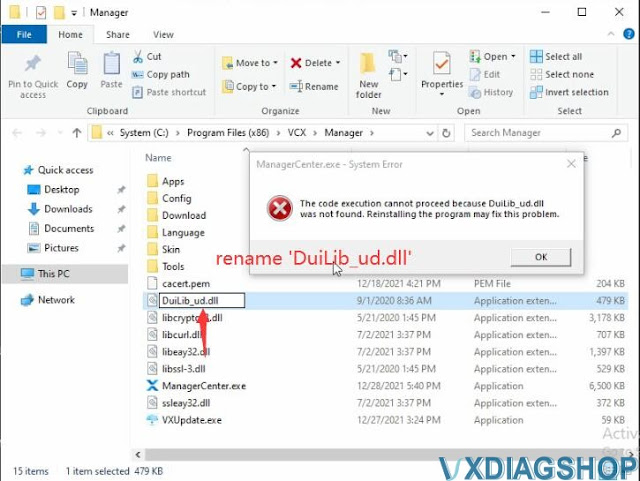
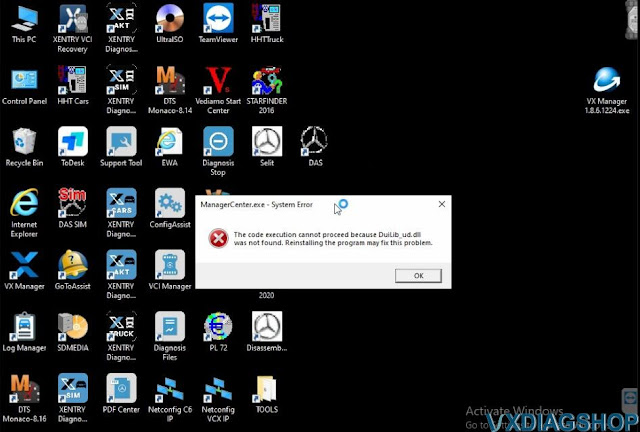
'ManagerCenter.exe- System Error

The code execution cannot proceed because DuiLib_ud.dll was not found. Reinstalling the program may fix this problem.'

VXDIAG VX Manager 1.8.6 DuiLib_ud.dll  Not Found Solution 1

Solution:

VXDIAG VX Manager 1.8.6 DuiLib_ud.dll  Not Found Solution 2

Right click on VX Manager shortcut on desktop- Open file location

VXDIAG VX Manager 1.8.6 DuiLib_ud.dll  Not Found Solution 3

VXDIAG VX Manager 1.8.6 DuiLib_ud.dll  Not Found Solution 4

You will see DuiLib_u.dll file
Rename it as 'DuiLib_ud.dll'

VXDIAG VX Manager 1.8.6 DuiLib_ud.dll  Not Found Solution 5

Run VX Manager again, it would be fine.


Free download VX Manager V1.8.6 here:

https://www.vxdiagshop.com/info/download/

https://www.vxdiagshop.com/service/vx-manager-v186-system-error-solution.html

2021/08/23

VXDIAG VX Manager Offline Solution

Problem:

VXDIAG asks to renew license in vx manager. However, it won’t let me install driver and renew license because VX Manager is in Offline status.  How to fix it?

VXDIAG VX Manager Offline

Solution:

VXDIAG VX Manager Offline Solution 1

Go to Control Panel – Network connection -Ethernet connection

VXDIAG VX Manager Offline Solution 2

Double click Ethernet connection
Go to Properties Interner Protocol 4 (TCP/IPv4)

VXDIAG VX Manager Offline Solution 3

Manually change DNS IP to 8.8.8.8 and save the setting.

If vx manage still shows offline status,  change another network connection and try again.

2021/05/31

When to use VXDIAG Unlock Device Function?

Question:

Hi, I have a question, what is the Unlock device function used for and when do i need to use that in vxdiag vx manager?

Vxdiag Unlock Device 1

Answer:

“Unlock Device” function is not frequently used.

The function is used when software exits unexpectedly and device is locked (displays Device Lock error message and locked icon image below). You can press this button to unlock.

Vxdiag Unlock Device 2

https://www.vxdiagshop.com/service/vxdiag-vx-manager-unlock-device-function.html

2020/06/15

How to Solve VXDIAG License Expires on December 31st 2020?

Recently some people reported that their vxdiag software license (i.e vcx nano odis 5.2.6, gds2) will expire on December 31st, 2020.
vxdiag-license-expire-dec-31st-2020


Vxdiagshop.com Solution:
License won't expire.  
License can be renewed for free by providing us your vxdiag Serial Number.

2020/04/29

VXDIAG VCX NANO Techstream Review on 2007 Prius

First rule of Toyota ownership - get a VXDIAG VCX NANO Toyota cable and the matching Techstream software.

Do a search on www.vxdiagshop.com for VCX cable. You want the one that has "Powered for TIS" on it (ie there are different versions for different car brands; the TIS one is for Toyota).
eg: http://www.vxdiagshop.com/wholesale/vxdiag-vcx-nano-for-toyota-wifi-version.html
Techstream is the software that Toyota dealerships use to diagnose cars.
Used with a laptop running Windows (I have Parallels and Windows on my Apple MacBook Pro), Techstream will tell you everything about the car.
Example:
2007 Prius with 148,000km - one of the modules died a while ago.
These error codes indicate a fault in the hybrid battery, particularly in block 7 (ie P3017 indicates block 7... the battery modules are paired into blocks):
vxdiag-vcx-nano-toyota-prius-1

You can see how block 7 has a lower voltage than the other blocks, indicating a faulty module.
vxdiag-vcx-nano-toyota-prius-2

I had to rebuild/repair the hybrid battery.

www.vxdiagshop.com

2020/04/01

Tops Reasons VXDIAG VCX NANO GM Over Tech2

Somebody said that the cheaper it is the only hard evidence that warrant buying the VXDIAG VCX NANO GM over the Tech2.  Is it true?

We have customers keeping both Tech2 clone and vcx nano. Here’s experience:
I have both the VCX and a Tech2 and the VCX is hands down a MUCH better tool. Here are the top reasons:
1. VCX works on Windows 7,8 and 10 – Tech2 needs Windows XP to work reliably and on my machine that means I need to run it in a VM machine
2. VCX works on multiple vehicle – almost all major brands. Tech2, not so much
3. VCX uses USB not the antiquated RS232 interface. I don’t even have a machine with RS232 anymore so I have to use a stupid/unreliable USB -> RS232 adapter to use the TECH 2 with my machines.
4. VCX can also be a wifi model – cool in that you can use the VCX on your car while operating it from a remote machine over wifi. That is pretty damn cool and allows you to pop the VCX on and go inside where its warm/to watch a game etc while working on your car.
5. VCX is MUCH cheaper

7. VCX includes software for early cars (Tech2Win) and the most recent cars (DSG2)
I just used my VCX NANO GM to do the ABS brake bleed on my 2004 Escalade ESV this weekend – it was a dream. Go ahead with the old Tech2 if that is what you already have, but for folks just getting a tool now or looking to upgrade, I would def go with the VCX for sure.
The VCX does sounds like the better option when you lay out all of the features, especially the multi-make platform and being able to interface with the late model GM diagnostic software.

2020/03/18

March 2020 Special Offer on VXDIAGSHOP

2020 March Special Offer on VXdiagShop.com
vxdiagshop-special-offer
Note: To Block COVID-19, vxdiagshop.com Offer Face Masks on sale, 10pcs/lot, 8.99USD/lot.
For all orders over $200, can get 1 Face Mask for free.
VXdiagShop.com Aims to Block COVID-19 with you all together!

www.vxdiagshop.com

2020/03/04

Necessary to Buy A Laptop with VXDIAG VCX NANO?

Question: 
I am specifically looking for a scanner that will do gauge sweeps on the instrument cluster.  Other than the Tech II, what other bi-directional scanners work well with our GMs?
I have seen a Youtube video of an Autel MS906BT doing exactly what I want, but $1000 is kinda steep.
I am looking for something in the $500 +/- range.
Grateful for any recommendations.


GM user feedback: 
I have a vxdiag vcx nano for gm and can confirm it works great. Software was a pain to setup, found out what I was given required 32bit windows for some reason. It will do anything a tech 2 can do. ABS bleeding, BCM and ECU programming.

Many people feel pain to setup GDS2/tech2win software. So it is necessary to get a vcx nano with a laptop and software pre-installed?

Look at what people saying:
look on vxdiag shop for the vxdiag nano if you buy that and have a tablet it works as a tech2win (software based tech2), the vxdiagshop also sells some interesting stuff and you can buy a older t440 lenovo or x220 laptop on ebay for $200 or less and then buy the $200 hard drive from vxdiag and have all kinds of automotive software it’s plug-n-play, they sell it with a laptop, better deal to get the laptop and then the hard drive and I guess the vxdiag. I have the vxdiag and a tablet works fine for tech2win. I got gds2 to run I just have to fix a bug in it still, If I get the laptop and hard drive it wont have the bug’s I have ran into with gds2 on the tablet.
interesting stuff and cheaper than spending $1000+ on a bosch.

2020/02/25

How to Set up VXDIAG VCX NANO GM WiFi Connection?

Here’s the guide to set up vxdiag vcx nano for gm WiFi wireless connection.

After well install GDS2 & tech2win software, connect vcx nano via WiFi follow the connection diagram
connect-vxdiag-vcx-nano-wifi-1
Search VCX WiFi and Connect it
connect-vxdiag-vcx-nano-wifi-2
Set a Work Network location
connect-vxdiag-vcx-nano-wifi-3

connect-vxdiag-vcx-nano-wifi-4
VCX WiFi is connected
connect-vxdiag-vcx-nano-wifi-5
Open VX Manager to check device info
connect-vxdiag-vcx-nano-wifi-6
Run Tech2Win software as Administrator 
Select North American
connect-vxdiag-vcx-nano-wifi-7
connect-vxdiag-vcx-nano-wifi-8
Select device type as MDI2
connect-vxdiag-vcx-nano-wifi-9
Tech2win software is ready to use.
connect-vxdiag-vcx-nano-wifi-10
connect-vxdiag-vcx-nano-wifi-11
connect-vxdiag-vcx-nano-wifi-12
Run diagnosis.


2019/09/23

GM SPS Programming not Show VXDIAG in Selection Solution

Question:
After installing all the  software and drivers I did a self test on DX and it did say all ok.
I have a 2007 Chevy Averlanche.
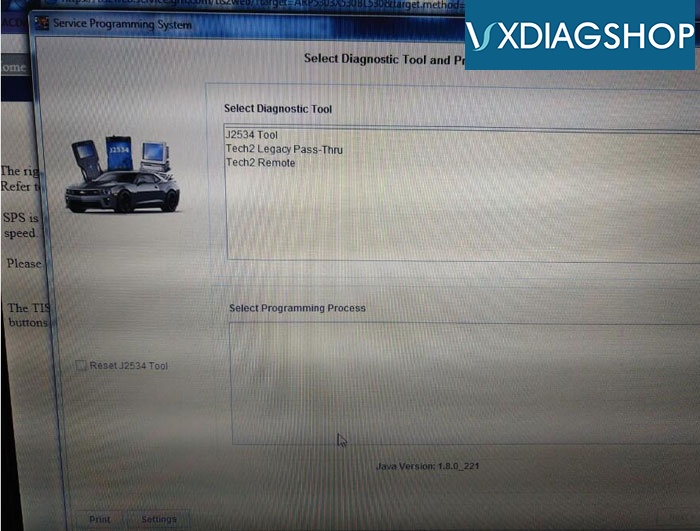
Did sign up for 2 year AC Delco Vehicle Programming Software when I go to SPS it will not show the VXDIAG in selection only some other tools J2534 Tool and Tech2 Legacy Pass Thru and Tech2 Remote. Which one should I choose?
sps-programming-1
 
VXDIAGSHOP Solution:
 
Please choose gm vcx nano interface as "J2534 Tool"
 
 
Feedback:
I did use J2534 tool and everything did work fine thank you for your help.

2019/08/01

VXdiagShop.com 5th Anniversary Promotion

To celebrate VXdiagShop.com 5th Anniversary , we are rolling out a biggest sale of the year 2019. 
Dearest VXdiagShop.com Customers,
Thanks very much for all your Support, Welcome to join us to celebrate our 5th Anniversary. We have activities as follow.
1. Top 35 Anni Crazy Special Items at Bottom Price
vxdiag-5th-anni
2. Play Lucky Draw after finish orders. We offer 4 classes 20 awards in total.
ClassAwardQuantityRemarks
1st6% VIP Code forever2Exclusive License
2nd7% VIP Code Once3Exclusive License
3rd10USD Voucher5Exclusive License, Order > 150USD
4th5USD Voucher10Exclusive License, Order > 50USD
    
lucky-draw
The 5th Anniversary promotions will last for 1 month, from Aug.1st to 31st.
Any doubts or problems, can contact us directly.
Sincerely
VXdiagShop.com Customer Service

2019/07/19

VXDIAG Full JLR SDD Software Not Starting After Enter Password Solution

Device: VXDIAG with full brand 2TB HDD
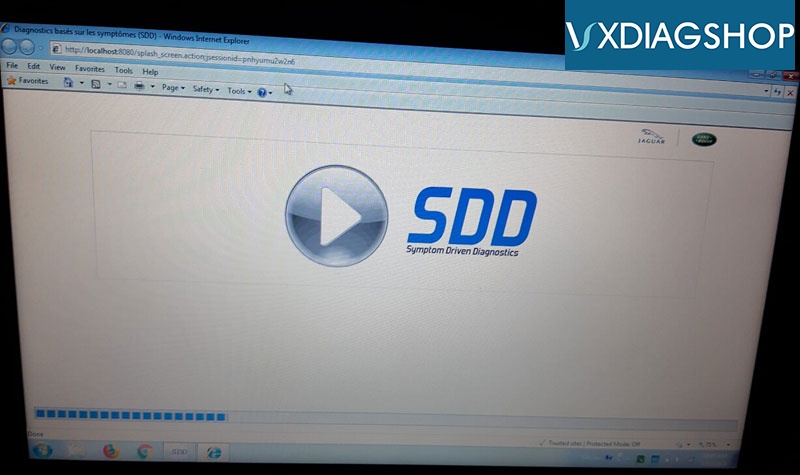
Problem:  software not starting after enter SDD user name and password
vxdiag-jlr-error-1
vxdiag-jlr-error-2
vxdiag-jlr-error-3
vxdiag-jlr-error-4
vxdiag-jlr-error-5
vxdiag-jlr-error-6
Possible reason:
You didn't install patch or run offline mode.

VXDIAGSHOP solution:
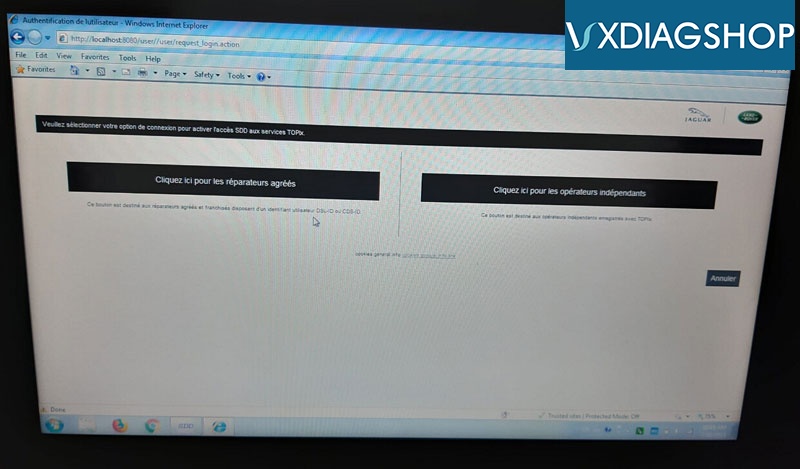
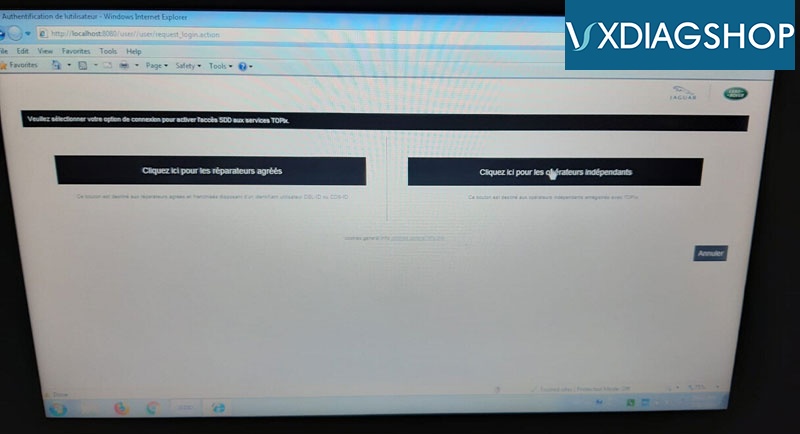
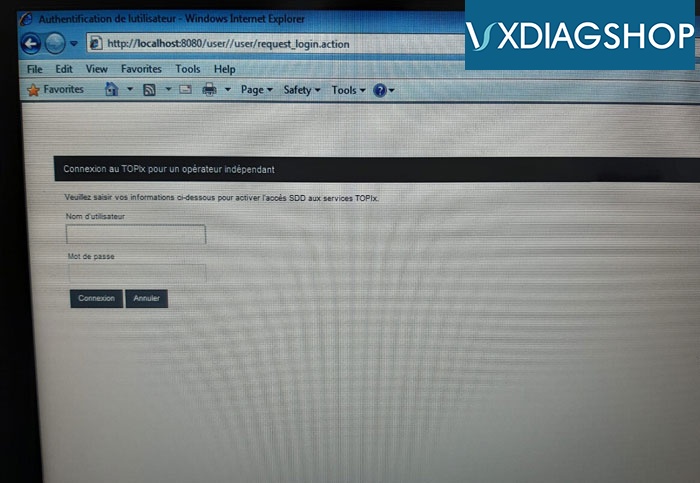
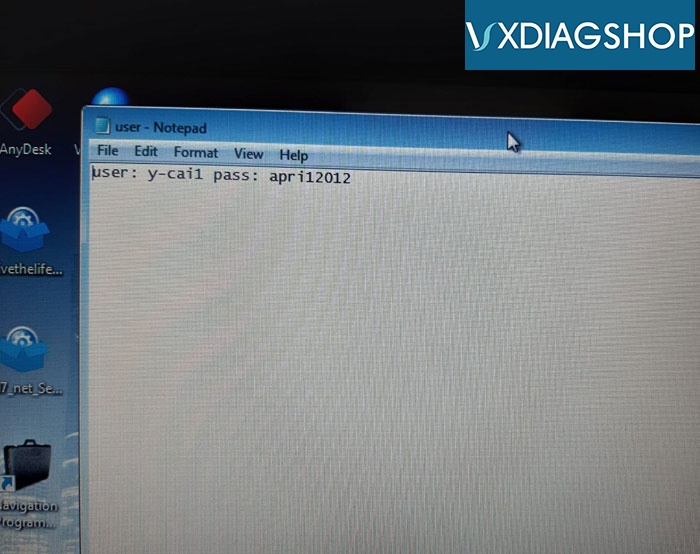
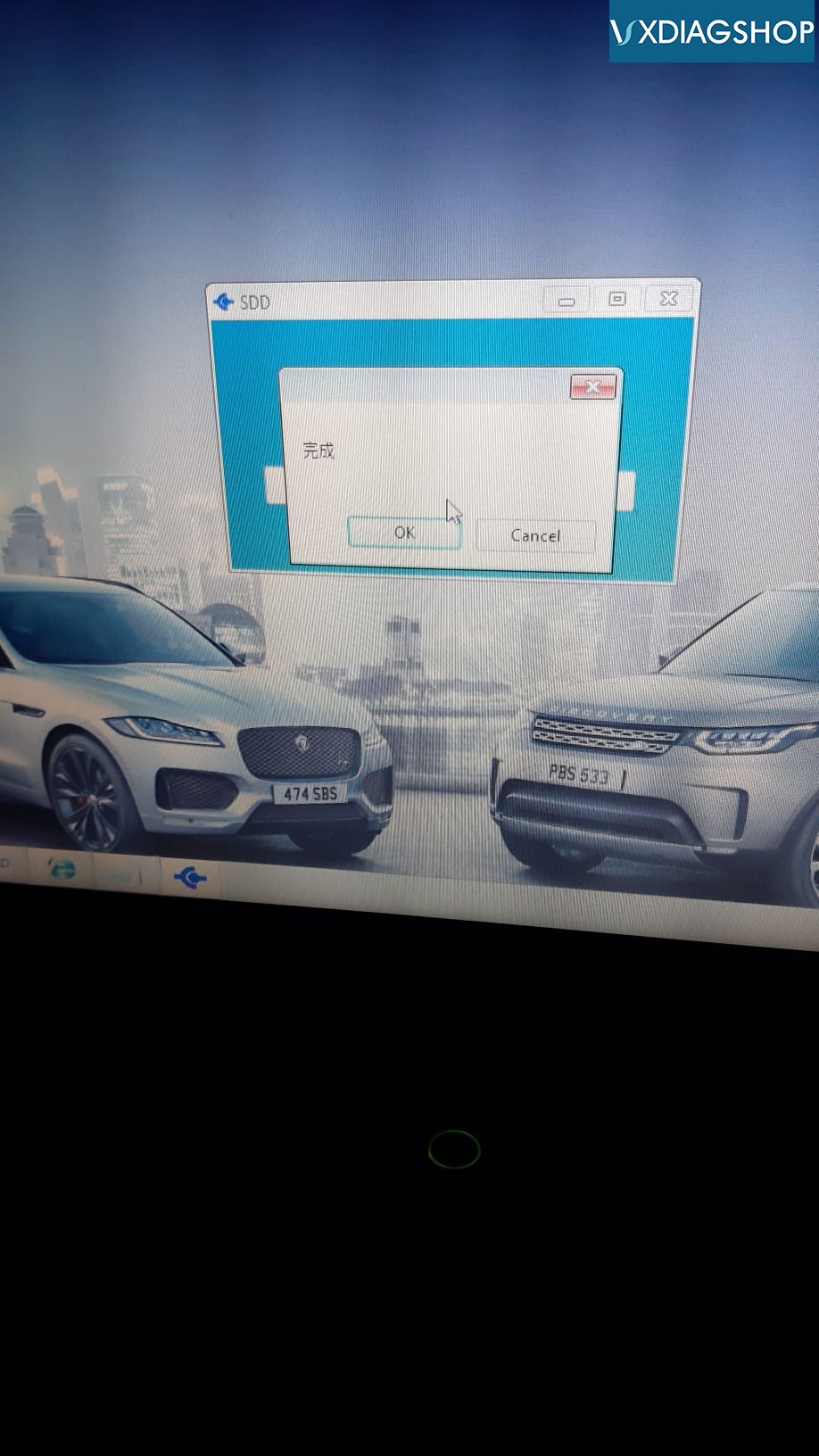
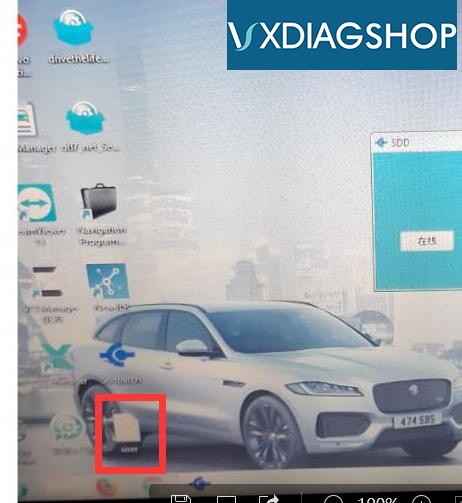
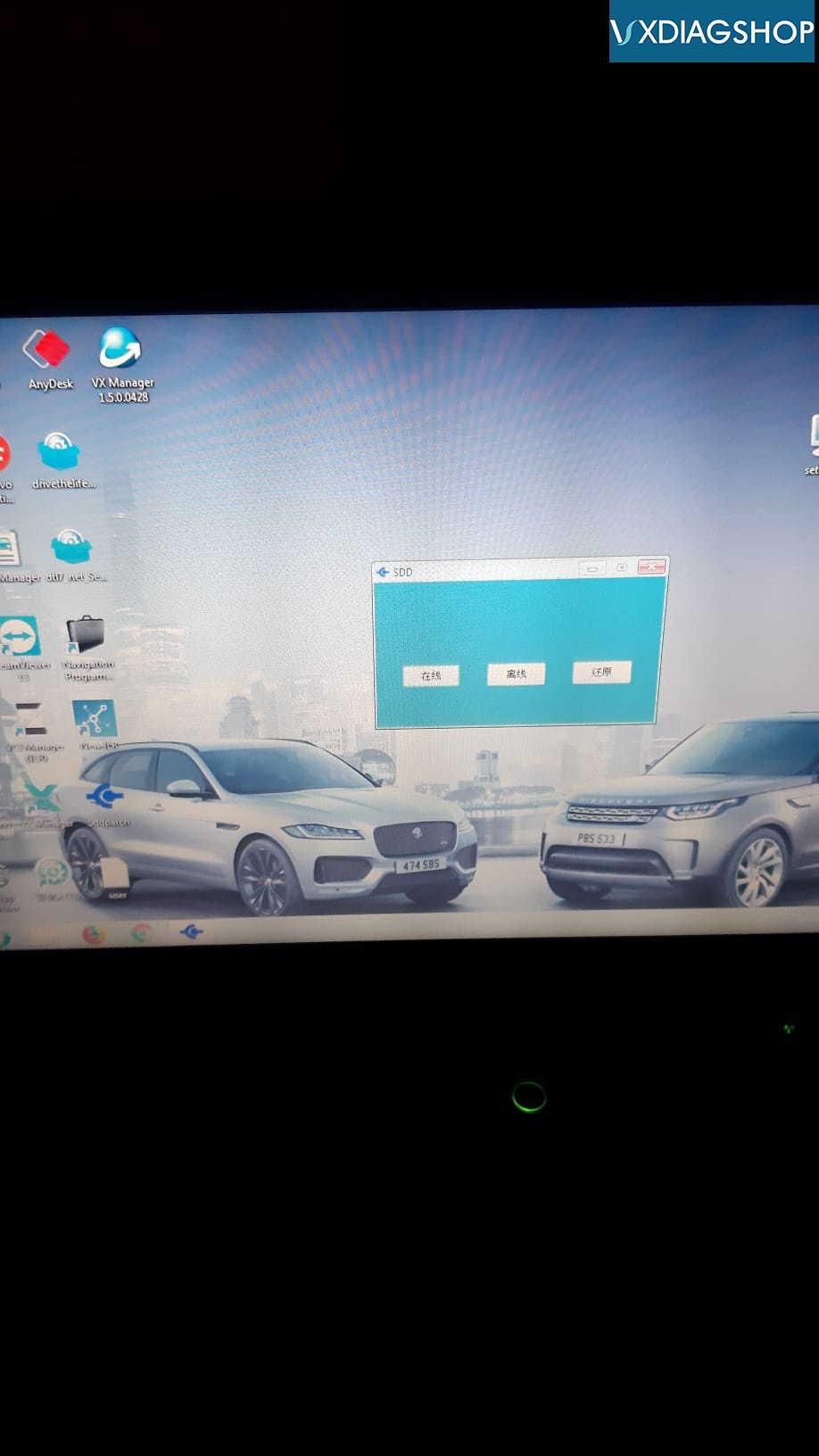
Run SDD PATCH offline mode (2nd option) before starting SDD software.  Shown as pictures below:

Follow steps below to use SDD:
1.Install Patch
Free download JLR SDD software incl. patch
https://mega.nz/#!JUkTCSqI!bWm6Zm7FdcHtWY2OeWaQDAdftNYZWt-NK6q5UevEDFc
2. Enable network connection
3. Run SDD software on the desktop
4. Enter user name and password on the notepad
5. Software is ready to use.
vxdiag-jlr-solution-1
vxdiag-jlr-solution-2
vxdiag-jlr-solution-3
vxdiag-jlr-solution-4

2019/01/31

2019 Chinese New Year Vacation: Jan. 31st, 2019 - Feb. 11th, 2019

2019 Chinese New Year Vacation: Jan.31st, 2019 - Feb.11th, 2019

Dearest VXdiagShop.com Customers,
We are on vacation from Jan.31st to Feb.11th, for 2019 Chinese New Year.
During this period, your order and message would not be proceed. We will arrange shipment for your order and reply you after we back to work on Feb.12th.
Any problems, can leave message or send email to sales@vxdiagshop.com, we will reply as soon as we are back.
Or call us at 0086-15260206197.
So sorry for the delay of shipmen and incovenience. Kindly hope your understanding. So appreciated for your support.
Regards
VXdiagShop.com Customer Service