Showing posts with label vxdiag vcx se pro. Show all posts

2025/09/14

VXDIAG VCX SE No Connect with Tablet via USB Solution

Problem:

Got the VXDIAG VCX SE Pro with Volvo license. Managed to install VIDA 2014D software on a tablet and connect vcx se unit via a USB converter (the tablet does not have a USB port). But the device cannot communicate with a Volvo XC60. VX Manager showed an error no device.  Any solution?

VXDIAG VCX SE No Connect with Tablet via USB 1

Solution:

The USB converter could be the problem.

If you use a tablet, don’t choose USB connection. Pair the device with tablet via WiFi instead.

Or install software on a laptop/computer, connect VCX SE with USB cable via USB port directly.

VXDIAG VCX SE No Connect with Tablet via USB 2

2023/09/25

How to Solve VXDIAG VCX SE No Device Error?

Problem:

I got the vxdiag vcx se pro 3 in 1 device, it searched and paired with WiFi without problem, but no device was detected in vx manager. Any solution?

VXDIAG VCX SE No Device Error 1

VXDIAG VCX SE No Device Error 2

VXDIAG VCX SE No Device Error 3

VXDIAG VCX SE No Device Error 4

VXDIAG VCX SE No Device Error 5

Solution:

Vxdiagshop.com engineer checked and found IP address is not correct.

VXDIAG VCX SE No Device Error solution 1

Don’t manually set IP address. Select “Obtain an IP address automatically”.

VXDIAG VCX SE No Device Error solution 2

If the IP is correct, vcx se pro can be detected.

VXDIAG VCX SE No Device Error solution 3

Also make sure you have turn off antivirus and firewall programs.

This fits all VCX SE series scanners.

2023/09/04

VXDIAG VCX SE ODIS License Invalid Solution

Problem:

I tried to use ODIS 7.2.1 software with vxdiag vcx se pro, it said license invalid and asked me to update VCI. Then i tried to install/update 6154 driver, but it displayed another error reading license file. Any suggestion?

VXDIAG VCX SE ODIS License Invalid 1

VXDIAG VCX SE ODIS License Invalid 2

Solution:

1.The invalid license is usually caused by missing corresponding software license.

Check available license in ‘Licenses’ area

VXDIAG VCX SE ODIS License Invalid 3

If cannot see your license, contact vxdiagshop.com to add license to your vcx se.

http://www.vxdiagshop.com/wholesale/license/


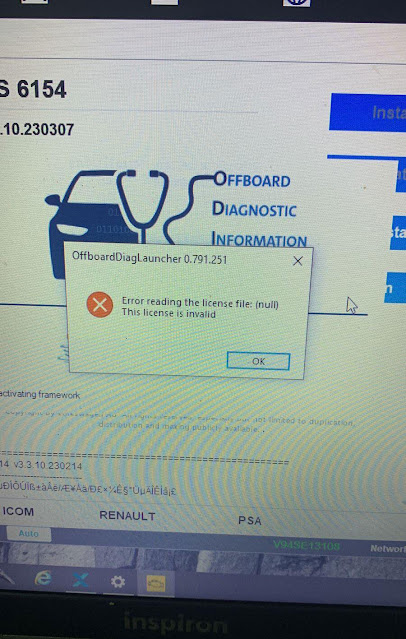
If don’t have software license, you will get an error reading license file (like in image 2) when installing 6154 driver.

If still get the same error after adding license to the device, update firmware and VCI, then try again.

2023/08/04

VXDIAG VCX SE ODIS V12 Not Detect Car Solution

Problem:

I bought the vxdiag vcx se pro 3 in 1 device and got the ODIS v12 well installed on a clean Win10 system.

vx manager detected the device, but software did not connect with any car. Any solution?

VXDIAG VCX SE ODIS V12 Not Detect Car 1

VXDIAG VCX SE ODIS V12 Not Detect Car 2

VXDIAG VCX SE ODIS V12 Not Detect Car 3

VXDIAG VCX SE ODIS V12 Not Detect Car 4

Solution:

vxdiagshop.com engineer checked via teamviewer and found he did not install all drivers.

Install VW ODIS 6154 driver and try again. It should be fine.

VXDIAG VCX SE ODIS V12 Not Detect Car 5

VXDIAG VCX SE ODIS V12 Not Detect Car 6

2023/03/05

PCM Update with VXDIAG and Chrylser J2534 Application

VXDIAG VCX SE can be used as J2534 passthru device for OEM software programs. Some users tested working with Chrysler J2534 application.


Chrysler GPEC module calibration example:

Change of calibration to GPEC PCM Dodge Avenger 2008 with the vxdiag vcx se pro/scantech interface.

PCM Update with VXDIAG and Chrylser J2534 Application  1

PCM Update with VXDIAG and Chrylser J2534 Application  2

PCM Update with VXDIAG and Chrylser J2534 Application  3

PCM Update with VXDIAG and Chrylser J2534 Application  4

PCM Update with VXDIAG and Chrylser J2534 Application  5

PCM Update with VXDIAG and Chrylser J2534 Application  6

PCM Update with VXDIAG and Chrylser J2534 Application  7

PCM Update with VXDIAG and Chrylser J2534 Application  8

NOTE: scantech interface is the same as vxdiag vcx se j2534 passthru. It is customized by South American dealer.

Free to test by your side. You are at your risk.

2023/02/27

VXDIAG VCX SE or OBDLink for Forscan Ford

Which is a better wireless VCI for Forscan? Check user review below.


“I tried this VCI (vxdiag vcx se pro) on different cars and different Software and I think it is one of the fastest with the Wireless function.
VXDIAG is the fastest wireless VCI used with Forscan, one of the best scanners for Ford cars.

I am very happy with this one. It is true wireless. I don’t use the USB cable and and it’s amazing fast.

I might compare with OBDLink with this one.  VCX SE is much quicker and more stable.

vxdiag vcx se forscan ford 1

obdlink forscan

If you use the USB it is much faster but I prefer to use wireless if it is possible.

Let’s switch on your notification.
Before you start the diagnostic you should go over here on Settings and you have your connection.

You will select over here, your diagnostic VCI, in this car it’s this one-VXDIAG.

vxdiag vcx se forscan ford 2

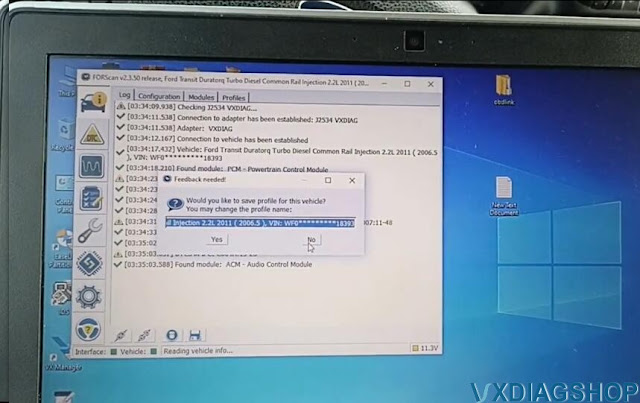
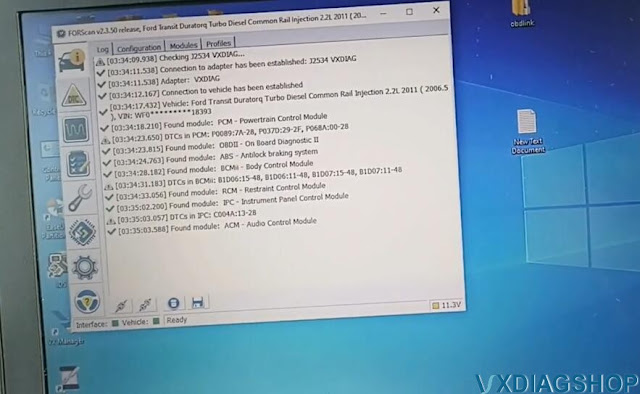
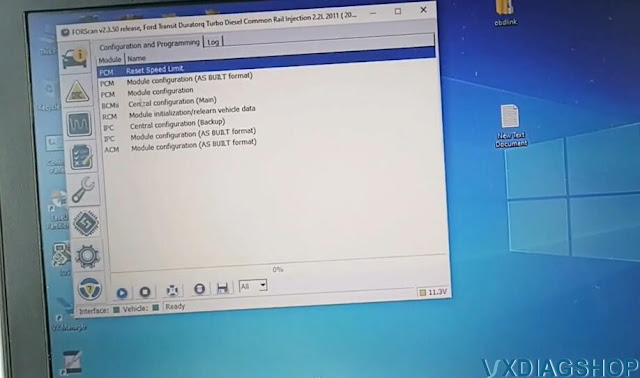
Let’s try to communicate with this car (i.e Ford Transit 2010). If it runs to USB cable, it is at least two-three times faster wireless connection. But also on wireless connection is very good.

This is an old car so has not so many modules.
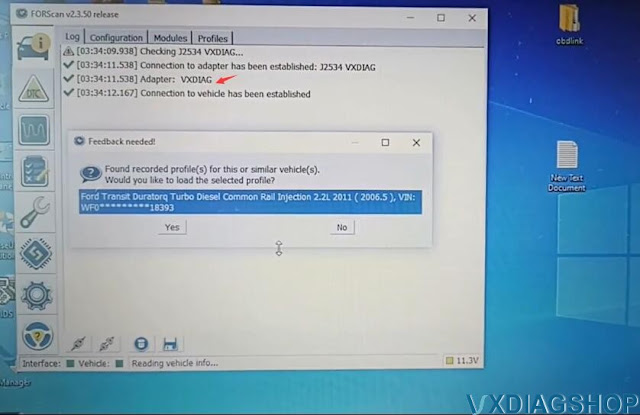
vxdiag vcx se forscan ford 3

vxdiag vcx se forscan ford 4

vxdiag vcx se forscan ford 5

 vxdiag vcx se forscan ford 6

I bought the Ford license from this one then I can do more in the future more experiments.

I recommend you use this one if you have it with the forscan software. vxdiag vcx se j2534 is very stable than OBDlink.

OBDlink does not disappoint me I use it for Renault link, it is very good for Forscan I use it also but with the older version.

And now with this version I have it only this one is started here because on these windows I have only Ford programs.

I do recommend using this version 2.3.50 with Forscan.

2022/12/18

VXDIAG VCX SE Volvo S60 No Cummunication Solution

Problem: 

I got the vxdiag vcx se pro with 3 brands including VIDA 2014D. I got it connected and but VIDA software has no communication with the vehicle, It cannot detect vehicle information. Any solution?

VXDIAG VCX SE Volvo S60 No Cummunication  1

VXDIAG VCX SE Volvo S60 No Cummunication 2

VXDIAG VCX SE Volvo S60 No Cummunication 3

VXDIAG VCX SE Volvo S60 No Cummunication 4

Solution:

You have wrong VCI type selected.

Select communicate interface as VXDIAG- J2534 rather than DICE -J2534.

VXDIAG VCX SE Volvo S60 No Cummunication 5

If choose the correct interface, VIDA will detect vehicle information and communicate without issue.

VXDIAG VCX SE Volvo S60 No Cummunication 6

VXDIAG VCX SE Volvo S60 No Cummunication 7


2022/11/23

VXDIAG GM GDS2 License Invalid Update VCI Solution

Problem:

I got the vxdiag vcx se pro 3 in 1 with GM Ford and Subaru license. When i use gm software and try to update license in vx manager 1.8.9. It says “License invalid, please update VCI”. Any solution?

VXDIAG GM GDS2 License Invalid Update VCI

Solution:

The error is usually caused by missing license. Check available license in ‘Licenses’ area

VXDIAG GM GDS2 License Invalid Update VCI 2

If cannot see your license, contact your dealer to add license to your vcx se.

If your device is not a 3-in-1 device, purchase brand license separately.

http://www.vxdiagshop.com/wholesale/license/

Related posts: