Question:
I got the vxdiag vcx se full with 2tb hdd. Today run Ford IDS, it asks to select a VCI. Which VCI type should I select? Ford- VCMII, VCMM, VCM3 or VCM1?

Solution:
Don’t start Ford IDS from VCI Launcher.
Start Ford IDS from patch instead.

VXDIAG VCX NANO, VCX SE, VCX Plus, VCX DoIP multi diagnostic tool software and hardware support from vxdiagshop.com
Question:
I got the vxdiag vcx se full with 2tb hdd. Today run Ford IDS, it asks to select a VCI. Which VCI type should I select? Ford- VCMII, VCMM, VCM3 or VCM1?
Solution:
Don’t start Ford IDS from VCI Launcher.
Start Ford IDS from patch instead.
Allscanner VXDIAG has released the new VX Manager V1.8.6 but it is not compatible with the vcm2 clone (#SP239-B). Because this vcm2 is a copy of vxdiag.
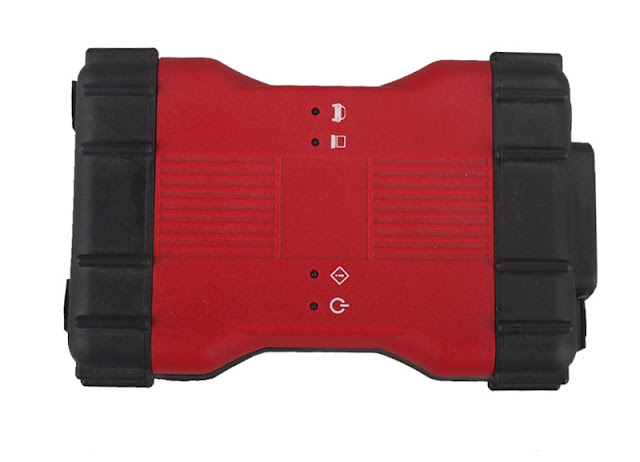
VCM2 VXDIAG clone (sp239-b) installation is different from VXDIAG Ford IDS.
Procedure to install VXDIAG Ford IDS (USB/WIFI version):
1. Install Ford IDS-***
2. Wait for the installation of Ford IDS - * * *, and restart the computer
3. Install the Ford original VCI software_ 1.0.0.10.exe
4. Install VX manager and Ford IDS driver
5. Wait for VX manager and Ford IDS driver installation to complete
6. Connect VCX device and install idspatch
7. Use idspatch to open IDS and start diagnosis.
Mazda IDS you don't need to perform Step 3 (don't need Ford VCI software). The other installation steps are the same.
Procedure to install VCM2 Ford IDS (SP239-B):
1. Install Ford IDS-***
2. Wait for the installation of Ford IDS - ***, and restart the computer
3. Install the Ford original VCI software_ 1.0.0.10.exe
4. Install VCI manager (Ford) 20.11.24 and Ford IDS driver
5. Wait for VCI manager and Ford IDS driver installation to complete
6. Connect device and install idspatch
7. Use idspatch to open IDS and start diagnosis.
You don't need to install VX Manager but install VCI manager (Ford) 20.11.24 driver instead.
If trying to install vx manager new version, it may ask to force update firmware or renew license, then your vcm2 may not function properly.

VCM2 clone and VXDIAG shares the same IDS software, download free here
Problem: Ford VCM II (look at the image below) pops up “Your device needs to renew your license”, however, after I clicked on “OK” to continue, it happens nothing, renew license failed.
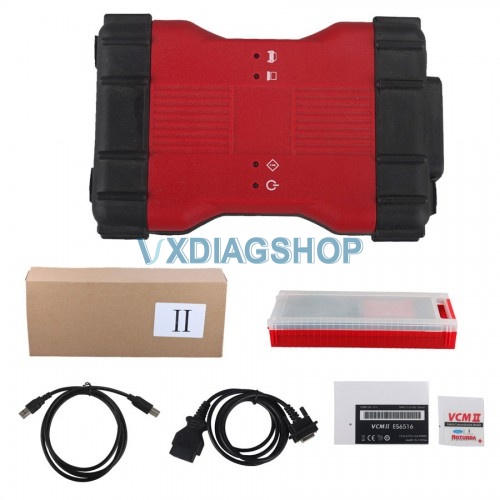
Image 1: Ford VCM II (Clone VXDIAG)
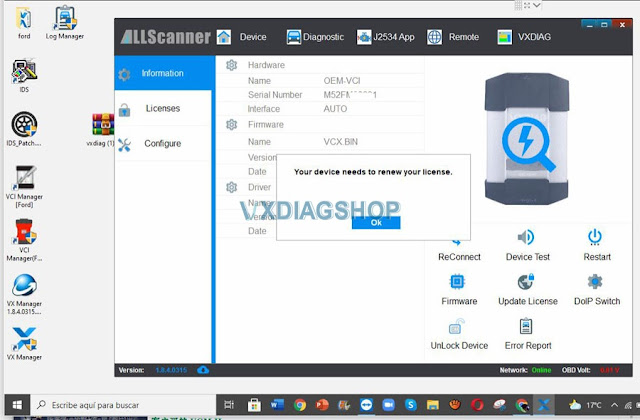
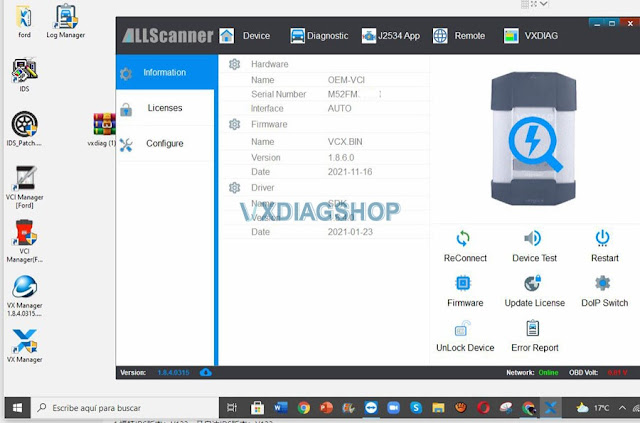
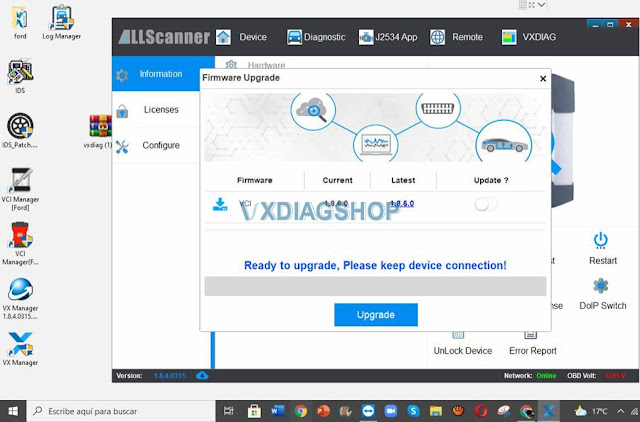
Image 2 – 4: VCM II failed to renew license
vxdiag engineer replied:
Allscanner VX Manager 1.8.x up requires to renew license every 60 das. They have started this since they found some Chinese manufacturers have copied their firmware, including this vcm2 close.
The vcm2 clone reports this error coz the device firmware is too old to update the vx manager. The license cannot be renewed online.
You may have to send back your vcm2 clone to your dealer to renew license by providing your serial number.
If you does not wanna renew the serial number, please use Ford VCI Manager (image below) to downgrade VCI to 1.64, then you can run the old version of IDS.
Good to know:
Ford VCM II (mentioned above) is clone of vxdiag, therefore vxdiag upgraded VX MANAGER 1.8.4 to prevent the clone VCMII from being compatible with the newest software.
It is highly recommended to own the original VXDIAG VCX NANO for Ford IDS V123 /Mazda V123 2 in 1 diagnostic tool. Which you will enjoy the newest software with new features.