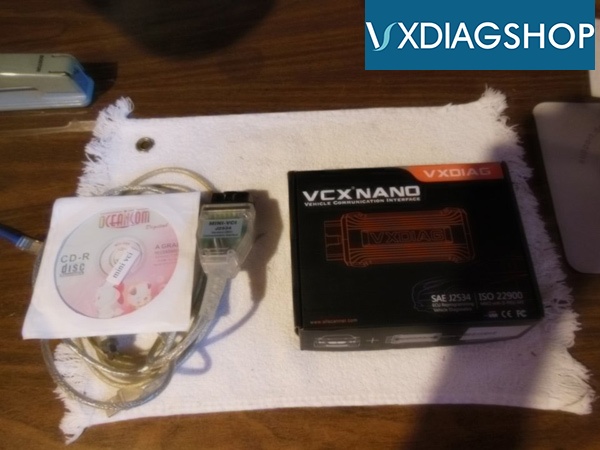
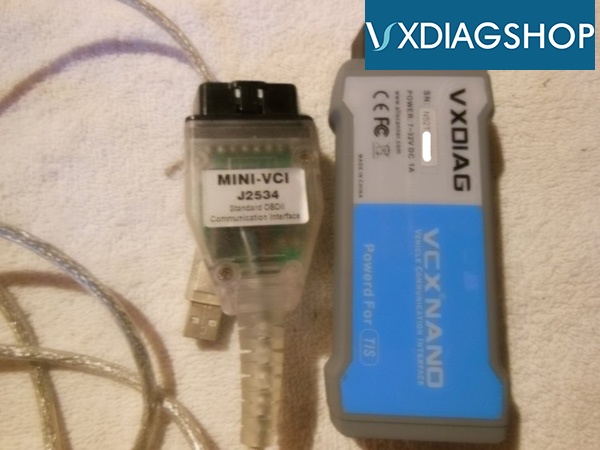
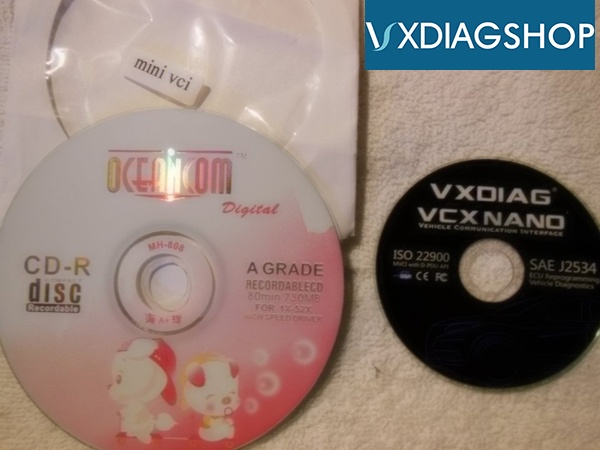
Here
vxdiagshop.com gathers positive and negative feedback on VXDIAG VCX NANO for Toyota Techstream working on Prius hybrid cars.
Credit to all vxdiag users.
1)2004 Prius i-Tech
Techstream is definitely the way to go, Torque is very good to monitor things and for certain DTC's. To do proper diagnostics, you need more. I recently sourced
VXDIAG VCX Nano with TIS capability, works like charm ($69) I also used do complete brake calibration on one of our car and found some more serious issue on the other one. I regret to wasting my time with apps what you mentioned.
2) 2005 Prius II
My preferred scanner is a VXDIAG.
It is much faster and more reliable than the Mini VCI cables, It uses Techstream just as the Mini VCI.
The VXDIAG uses it's own firmware. It connects and reads codes much quicker than a Mini VCI cable.
3)2012 Prius Plug-in
vxdiag, vxdiag, vxdiag. gotta get used to recommending this one.
4) 2007 Prius Two
I use VXDIAG also works great.
VXDIAG has full TIS software. It’s on sale for $69 at VXDIAGSHOP.
I have one works good plug and play win7 or xp.
5)2007 Prius II
A good code reader is the VXDIAG powered by techstream.
Works with a laptop.
Full hybrid decode.
6)2008 Prius V
There's an alternative to the mini vci it's a VXDIAG. It's pretty plug and play. It plugs into the OBD port and then has a USB Plug to your pc.
I have one. Works good.
7) 2010 Prius V
if your computer illiterate buy the VXDIAG. buy the prius/Lexus model. has full factory software
techstream.
It's the dongle that plugs into the OBD connector and then USB's into your laptop. pretty plug and play.
8) 2006 Prius II
The Mini VCI is available with two different firmware versions, 1.4.1 and 2.0.4 . All the cheap cables use the early 1.4.1 firmware. I now use a
VXDIAG Toyota cable that has it's own firmware.
On my own 2006.
The 1.4.1 will cause error codes as soon as it is connected. It can not clear the codes. Most of the codes are "U" which are Can Bus errors. The crappy cable causes the can bus errors.
A 2.0.4 cable will connect and clear the codes. It's really slow.
The VXDIAG cable connects and performs the health check much quicker than any Mini VCI cable. It's night and day difference.
Errors caused by a Mini VCI cable do no permanent harm to your car. But you will need a code reader capable of removing them.
9) 2014 Prius III
VX Diag runs much cleaner and glitch free than MVCI, in my experience (have both) and worth the extra $50 or so to get into.
10)
Like any other issue with a G2 Prius the codes that the car has logged will tell you exactly whats the issue. You should have a red triangle which is a master caution alarm and maybe a car icon on the mfd. If so you need a OBD code reader. Its pretty much necessary on a old used G2.
I like my VXDIAG Prius OBD code reader. It runs on a laptop via its usb. Real easy to install. There on sale now for $69 and have full Toyota techstream software and work great. It will pull all hybrid trouble codes and tell you whats the issue.
Without the exact codes anything we tell you is supposition. It will save you alot of $$$ and time troubleshooting.
VXDiag VCX NANO for TOYOTA TIS Techstream V14.00.018 WIFI Version
11)2014 Prius Three
I run both mvci and VXDIAG on an XP 32-bit OS, fully dedicated laptop with anti-virus turned off. I'm not IT savvy and can't speak to windows 10 set-up regarding either, but tech savvy types seem to be able to install both on 10. Agree that with 32-bit, both install with ease on my ~2006 Dell Latitiude.
I find the added cost of VXDIAG well worth it. My mvci can be buggy, refusing to connect to certain ecu's, or connects inconsistently. It's slow on the draw, making live data reading a challenge or an impossibility. VXDIAG is smooth and instantaneous with live data. I've said before, I'm not sure how the real $1500 Techstream could work much more seamlessly. So if you're looking for a can't miss code reader, mvci is a no-brainer at ~$20. If you're looking for a bit higher level diagnostic capability, go VXDIAG.
All of this said, it's possible my mvci is just shit. It appears there are several versions of various dubiousness available, packaged in various ways - seemingly seller's choice, a real wild-west product in it's presentation. VXDIAG actually comes in a real, professional-grade appearing box, and at least gives the appearance of a more tightly controlled hack.


 11)
11) 2007 Prius II
VXDIAG Nano Powered by TIS. It must have TIS software.
I have had Torque when I had a Samsung phone and I have Mini and VXDIAG. The VX connects every time and very stable on my XP laptop.
12)2007 Prius Touring
VXDIAG at vxdiagshop for
$69 works with an xp laptop has full Toyota techstream software easy to set up on laptop. Includes obd connector. It will pull every code the car throws.
Hundreds of nice xp laptops on most For $25. Overnight the VXDIAG.
But foto is probably right bad hybrid battery most likely ground fault. To test that disconnect the 12 volt battery then reconnect that will erase all the hybrid codes and allow the car to start up and run till it throws s code again.
if you see a little car icon top left corner of the mfd you have a bad hybrid battery.
13) 2010 Prius IV
I have one works great easy to set up win 7 or 10 laptop will pull all codes and give readouts on every hybrid battery parameter a must if you own a 2010 Prius. Save you a ton of money pull the codes with all suffixes post them here and we Will tell you what ails you.
Good luck.