2019/08/12

Is VXDIAG VCX NANO Ford compatible with FJDS?

What is FJDS?
fjds
Ford J2534 Diagnostic Software (FJDS) - The factory Ford Motor Company vehicle diagnostic tool designed for use with J2534 compatible Vehicle Communications Interfaces (VCI). FJDS software provides module reprogramming software (FMP) that covers 1996 to present Ford, Lincoln and Mercury module reprogramming functions, plus complete dealership level diagnostic software for all 2018 to present Ford and Lincoln vehicles. FJDS is a flexible diagnostic tool that utilizes standard computing platforms to work with Ford's VCM II or J2534 compatible devices. The FJDS software license includes time based access to the FJDS software, software updates and calibration files.
FJDS provides the same functionality and vehicle coverage as IDS for the model years below with J2534 Devices.

Is vcx nano Ford compatible with FJDS software?
Yes.

Here's the real customer feedback on VXDIAG VCX NANO Ford & FJDS:
The key to getting this to work right is VXManager from allscanner. It sets up the right driver and allows the VCX Nano to work within Forscan and Ford FJDS as a J2534 pass thru device. I heard rumors that aftermarket 2534 devices can't program on the MS CAN bus with FJDS, but I found that to be untrue as this VCX Nano worked fine with a valid FJDS license. Don't bother using the software that they include on the discs. This device actually works faster than Obdlink MX and ELM327 devices with Forscan. FJDS is the new version of Ford Module Programming, and the interface is clunky like IDS. FJDS does not have the same level of diagnostics as IDS but if you need to program modules, change some parameters, etc... FJDS does the trick for most newer Fords. This is a great alternative to buying an expensive VCM2 for programming modules or running diagnostics with Forscan., basically for home use. The pros will want to stick with VCM2 and an IDS license.

2019/08/08

VXDIAG Subaru Cannot be started, activate SSM4 Error Solution

Problem:
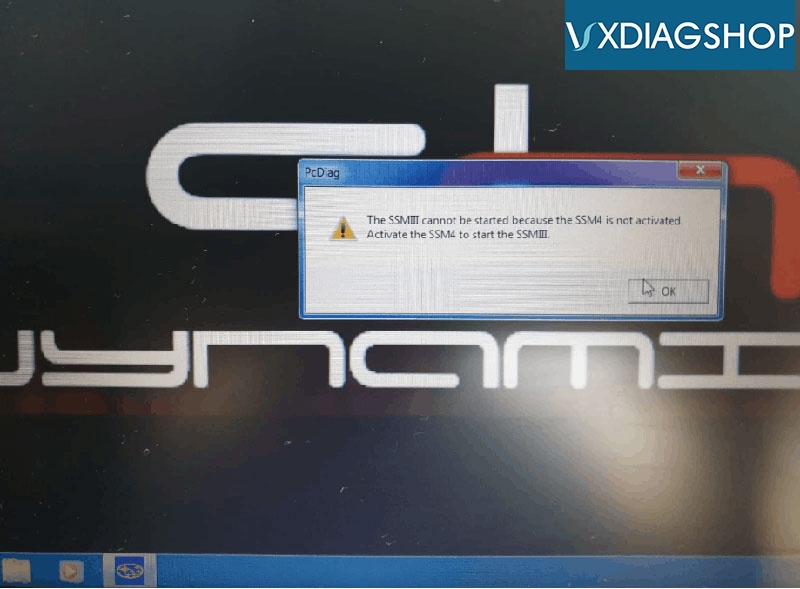
Hi, thank you so much for setup the VXDIAG Subaru SSM3 software for me. But it gave me an error when i tried to run SSM III.
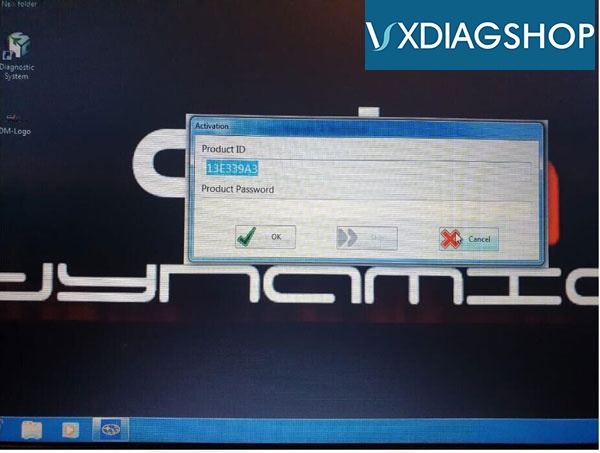
Error: "The SSMIII cannot be started because the SSM4 is not activated. Activate the SSM4 to start the SSM-III"
It also asks an activation code to activate ssm4.
subaru-ssm3-cannot-be-started-1 subaru-ssm3-cannot-be-started-2
VXDIAGSHOP Solution:
If failed to run software, pay attention to these steps when installing SSM3 software for vxdiag vcx plus
1.Click Launcher.exe, first to install SSM3, then  install SSM4
2.Save Subaru.exe patch to folder C:// or D://, install it on Windows 7 or up operating system. Run Subaru.exe as Administrator
2. Restart computer, click SSM3 to test car after connection device to laptop and car.

Free download Subaru.exe patch
https://mega.nz/#!KRRFxIJb!XPKDMPpB4g5BURcMt7yY2gf0x5PXQOfIHe2JWQhhA4Y
Disable anti-virus program before running the patch.

Check vxdiag subaru ssm3 installation video guide step by step

VXDIAG Subaru "USB Device Not Recognized" Error Solution

Problem:
I had my vxdiag subaru vci firmware update yesterday.  It worked no issue before.
vxdiag-subaru-not-connect-1
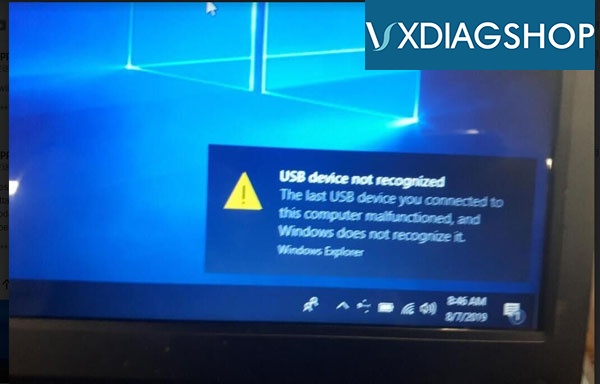
Today it gave me "USB Device Not Recognized" error and not device found in VM Manager.  Try to reconnect but still the same result. What can i do?
vxdiag-subaru-not-connect-4
vxdiag-subaru-not-connect-2
vxdiag-subaru-not-connect-3
A:
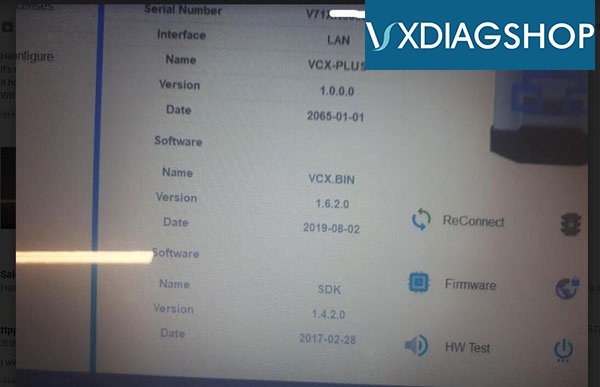
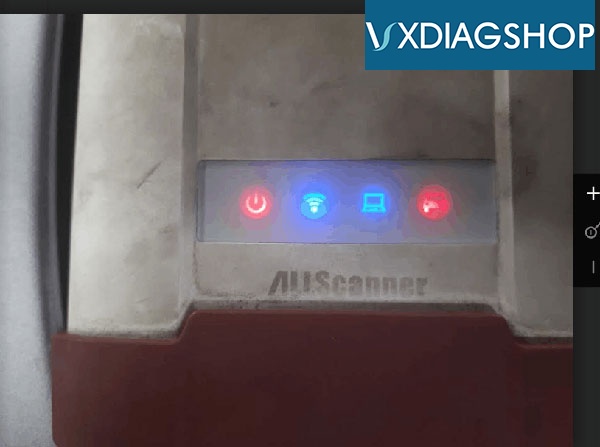
Your VXDIAG Subaru VCI Serial number starts with v71*****. For VCX PLUS S/N V71****, you should connect vci with laptop via USB cable first then connect OBD with vehicle (shown as picture below).
Very important !!!
connect-vxdiag-subaru

2019/08/07

FAQ VXDIAG VCX DoIP for Jaguar Land Rover

VXDIAGSHOP here gathers some frequently asked questions about VXDIAG VCX DoIP diagnostic tool for Jaguar Land Rover.
vxdiag-vcx-doip
Q: Can i use original JLR software with the doip vci?
A: Yes

Q: What is the advantages between the vxdiag doip vci and other jlr doip vci?
A: VXDIAG JLR DoIP possible to add other license to the unit, both software and hardware able to be updated. Other VCIs do not. Support diagnosis and J2534 programming.

Q: Does it support wifi connection?
A: Yes, it supports both WiFi, WLAN and USB connection.

Q: What is the latest software? How to update software?
A:  JLR DoIP comes with 2 packages- with or without software HDD.  You can buy JLR HDD for doip vci as well.
Current version SDD: v154
Current verison Pathfinder v182
Software is available to update by link.

Q:  Can this do online programming?
A:  Yes. But we don't provide online account.

Q:   Do you provide online programming account?
A:  No.

Q:  Where can i register or purchase Pathfinder online account?
A:  Check here: https://topix.landrover.jlrext.com/topix/vehicle/lookupForm

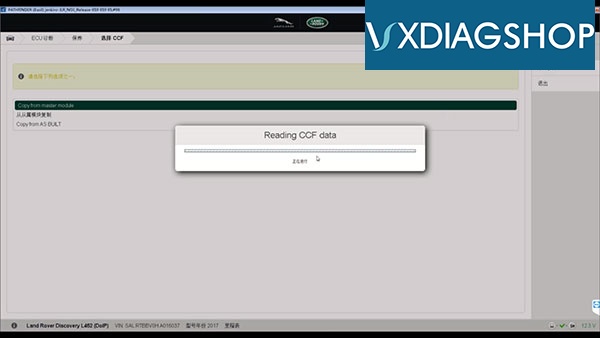
Q:  Does this jlr doip change vehicle's configuration CCF?
A: Yes. we have tested it and worked great.
vxdiag-doip-jlr-ccf
Q: Does it change tire size on newer Land rover?
A: Yes.

Q:  How many warranty does it have ?
A:  1 year. Don't open device or PCB.

Q: Can i program keys with vxdiag doip?
A:  Yes.

Q: Does jlr doip vci do module programming?
A:Yes.

Q: Can i program ecu with this vxdiag jlr doip vci?
A:Yes.  VXDIAG Doip supports J2534 ECU programming.

Q: Can i activate other license to the doip vci?
A: Yes. Optional license: GM GDS, Honda HDS, Subaru SSM3, Toyota techstream, Porsche piwis2, Benz XENTRY, BMW ISTA, Ford/Mazda IDS, VW ODIS etc


Q: What year does it device support?
A: For Land Rover 2005-2018
L538C, L319, L494, L550, L320, L322, L538JV, L359, L405, L316
For Jaguar 1999-2017
X260, X150, X250, X350, X152, X351, X760, X100, X761, X400, X202
Pathfinder works on these models:
Land Rover Range Rover L405 2017 year
Land Rover Range Rover Sport Edition L494 2017 year
Land Rover New Discovery L462 2017 year
Jaguar F-TYPE X152 2018 year
Jaguar F-PACE X761 2018 year
Jaguar XE X760 2018 year
Jaguar XE X260 2018 year

2019/08/06

Is VXDIAG VCX Pro Compatible with BMW Benz or DoIP License?

As titled, our customers have asked is it possible to add JLR DoIP license to the VXDIAG VCX Pro green interface.
vxdiag-vcx-pro-1
Note:
VCX Pro  (#SP304 3-in-1 &  #SP323 7-in-1)  Serial Number starts with P71***** is NOT  compatible with BMW, Benz, Subaru, Porsche nor JLR DoIP license.

VCX Pro only supports following software license:
GM GDS2 Tech2Win/FORD IDS/MAZDA IDS/VW ODIS/HONDA HDS/VOLVO VIDA/TOYOTA TECHSTREAM/JLR SDD
 
VCX Pro 7-in-1 comes with all 7 license.
You are free to choose any 3 licenses to the 3-in-1 interface.

2019/08/05

Cannot Open VXDIAG VCX Plus Honda HDS Software Solution

Problem: 
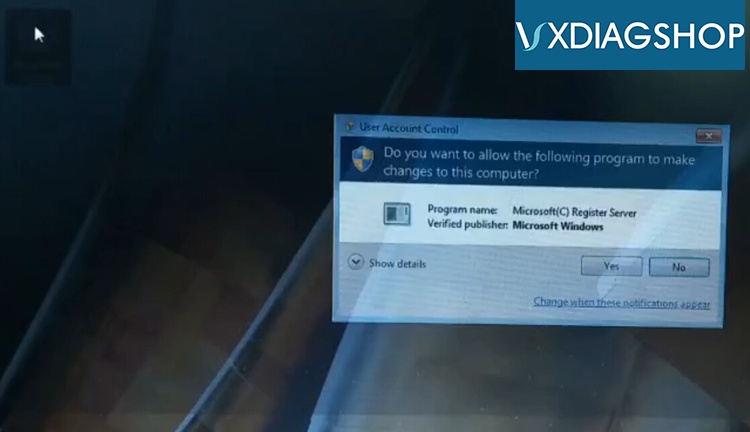
I have got the Honda license activated to my VXDIAG Subaru vcx plus.  I cannot open HDS software on desktop. Each times it popped out User Account Control interface and stopped.
vxdiag-honda-hds-6
VXDIAGSHOP solution:
1. Open HDS software on desktop for several times until success
vxdiag-honda-hds-5
2. Run HDS as Administrator
3. Run HDS software from VM Manager (recommended )
vxdiag-honda-hds-1
vxdiag-honda-hds-2
vxdiag-honda-hds-3
vxdiag-honda-hds-4

2019/08/01

VXdiagShop.com 5th Anniversary Promotion

To celebrate VXdiagShop.com 5th Anniversary , we are rolling out a biggest sale of the year 2019. 
Dearest VXdiagShop.com Customers,
Thanks very much for all your Support, Welcome to join us to celebrate our 5th Anniversary. We have activities as follow.
1. Top 35 Anni Crazy Special Items at Bottom Price
vxdiag-5th-anni
2. Play Lucky Draw after finish orders. We offer 4 classes 20 awards in total.
ClassAwardQuantityRemarks
1st6% VIP Code forever2Exclusive License
2nd7% VIP Code Once3Exclusive License
3rd10USD Voucher5Exclusive License, Order > 150USD
4th5USD Voucher10Exclusive License, Order > 50USD
    
lucky-draw
The 5th Anniversary promotions will last for 1 month, from Aug.1st to 31st.
Any doubts or problems, can contact us directly.
Sincerely
VXdiagShop.com Customer Service

Free Download ODIS 5.1.5 Software for VXDIAG Scanners

Latest ODIS v5.1.5 (Offboard Diagnostic Information System) software has been tested and verified working no issue with VXDIAG scanners.  With this software it is possible to diagnose all the vehicles of the VW, Audi, Skoda, Seat, Bentley and Lamborghini brands.

Free Download VXDIAG ODIS 5.1.5 software 
https://mega.nz/#F!GYhTmQoZ!8W6usmnVxUpm_IJX3hJZYw
Software version: ODIS 5.1.5 + PostSetup 89.0.110
ODIS 5.1.5 software works for Audi VW Skoda Seat Bentley new car models till 2019
vxdiag-odis-515-sw-2
vxdiag-odis-515-sw-1
Compatible devices: VXDIAG VCX NANO 5054 for VW and VCX Pro
(We have not tested it on vas 5054a. You are at your risk)
Operating system:
WIN 7 32 bits/WIN 7 64 bits
Multi-language:
English Japanese Portuguese Romanian Korean Dutch Polish Turkish Spanish French Italian Croatian Danish German Swedish Finnish Slovenian Czech Russian Greek Chinese
Postsetup 89.0.110 car brands:
Audi: 2019.06.00
Skoda: 2019.03.00
Bentley: 2019.02.01
Bugatti: 2019.03.00
Lamborghini: 2019.03.00
MAN: 2019.09.00
Volkswagen Nutzfahrzeuge: 2019.09.00
Seat: 2019.06.00
Volkswagen PKW: 2019.09.00


Installation procedure is exactly the same like with older versions (ODIS 4.4.1)!

2019/07/31

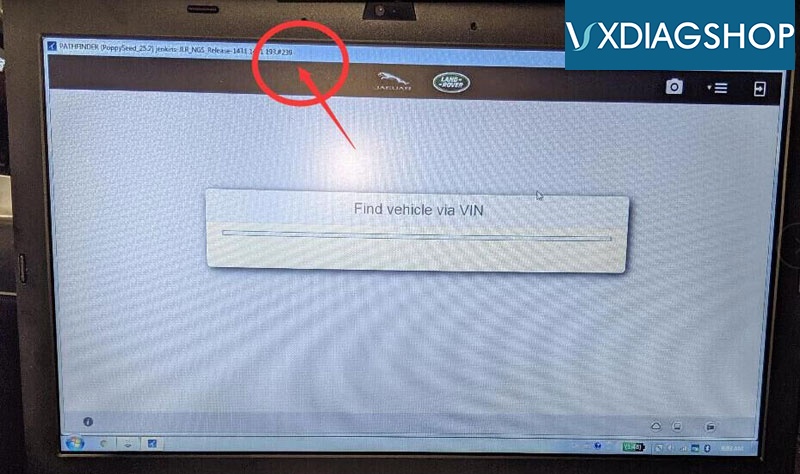
VXDIAG JLR DoIP stuck at find vehicle via VIN Problem Solution

Symptoms:
Vehicle model:  Range Rover sport autobiography year 2019
Device:  VXDIAG JLR VCX DoIP scanner

I have a technical question for jlr doip.
I have everything connected. All firmware updated on jlr doip.
I am using authorized dealer login. I am unable to connect. It is stuck at find vehicle via VIN. And does not proceed.
I also try using my own independent repairer login. Samething, it is stuck on find vehicle via VIN.
Here is a picture of me logging in.
vxdiag-2019-ranger-rover-2
The software is ok to detect Bosch doip in settings.
Internet connection ok.
This is using authorized dealer login.
Samething with my own independent login.

VXDIAGSHOP Solution:
Please update Pathfinder software to latest version (current version goes to v242 till July 2019)
Make sure you have enabled internet connection.


Test result:
I updated to V242 on jlr doip HDD.
I also found vx manager, automatically change to wireless. But I am using USB. I re-configure to connect USB. I can use now. Thanks.

2019/07/30

How to Update VXDIAG Full Brands Multi Tool Software?

Question: How do i get the updates? I have received the Vxdiag Multidiag with full brands?
 
 
Vxdiagshop.com solution:
vxdiag-hdd
1.
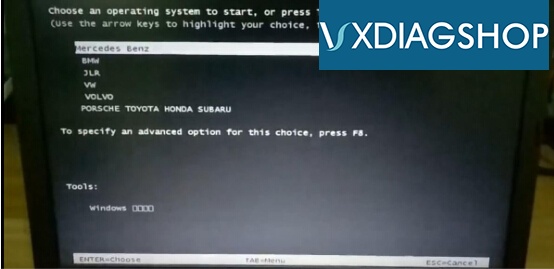
For BMW and Benz software, the new update is available only when you buy a new HDD/SSD.
You should send back the old HDD/SSD, our engineer will burn the new software into HDD for FREE !!!
Update is free.  But you should bear the delivery cost yourself.


2.
For other car software brands (Ford/Mazda IDS, Honda HDS, Toyota Techstream, VW ODIS, Subaru SSM, Porsche PIWIS2, JLR SDD, GM GDS2/tech2win ) Update is free. Pls contact us to get the latest software download link or visit our website "Download" column.
 
Email: sales@vxdiagshop.com
Skype: vxdiag.com
Whatsapp: 0086-18064450969